
How to Increase Lead Volume With Apollo and Pipedrive Integration
Pushing more prospects into Pipedrive won't grow your pipeline if half of them bounce, duplicate existing records, or never get worked. The real question isn't how to increase lead volume, it's how to increase qualified volume without turning your CRM into a landfill. That's where understanding exactly what the Apollo-Pipedrive integration syncs (and what it doesn't) becomes critical.
This guide breaks down the sync capability matrix, shows you a native-vs-workflow decision framework, and gives RevOps and sales leaders a governance model for scaling sales intelligence and lead database prospecting without wrecking data quality.

Skip The Research, Apollo Verifies Contacts
Spending hours manually researching leads and chasing down accurate emails and phone numbers? Apollo verifies contact data instantly with 98% email accuracy, so your reps sell instead of searching. Join 600K+ companies building pipeline faster.
Start Free with Apollo →Key Takeaways
- Apollo's native Pipedrive integration syncs contacts and accounts bidirectionally, but leads, deals, emails, calls, and sequence activity stay in Apollo unless you build a workflow to bridge them.
- Stage-based push rules let you keep unqualified prospects in Apollo and only send sales-ready contacts into Pipedrive, protecting CRM cleanliness as volume scales.
- Data quality, not database size, is the real constraint on lead generation. Most enterprise marketers report a meaningful share of their CRM data is inaccurate or disqualified by sales.
- Apollo's 200+ workflow integrations and API fill the gaps the native connector doesn't cover, so you rarely need third-party middleware for basic use cases.
- Consolidating prospecting, enrichment, and engagement into one platform reduces the tool sprawl RevOps teams are actively trying to eliminate in 2026.
What Does The Apollo-Pipedrive Integration Actually Sync?
The Apollo-Pipedrive integration syncs contacts and accounts bidirectionally, but it does not sync leads, deals, emails, calls, meetings, tasks, notes, or sequence activity. This distinction matters because Pipedrive's own coverage of the integration emphasizes broad contact access without always clarifying the sync boundaries.
| Object Type | Syncs With Pipedrive? | Notes |
|---|---|---|
| Contacts | Yes (bidirectional) | Automatic or manual push, field mapping supported |
| Accounts/Companies | Yes (bidirectional) | Custom field mapping available |
| Leads | No | Requires manual export or workflow build |
| Deals | No | Stays native to Pipedrive |
| Emails, Calls, Meetings | No | Not part of native sync |
| Sequence Activity | No | Lives in Apollo only |
| Notes, Tasks | No | Manage separately in each platform |
Apollo also permits only one connected CRM at a time. Treat this integration as a contact-data bridge, not a full sales-activity mirror. For teams running multi-channel sales engagement sequences in Apollo, that activity data stays in Apollo's workspace unless you build a workflow to export it.
How Should You Decide Between Native Sync, Workflows, Or Middleware?
Use native sync for contacts and accounts, Apollo Workflows for triggered field updates and cross-tool automation, and third-party middleware only when you need real-time bidirectional deal or activity data. Most teams overbuild their stack before checking whether native and workflow tools already solve the problem.
- Use native sync when: You need contact/account records with custom field mapping and stage-based push rules.
- Use Apollo Workflows when: You want triggered actions, like pushing enriched contacts to Pipedrive only after they hit a specific lifecycle stage, or routing data to Google Sheets, Airtable, or Snowflake.
- Use middleware or the API when: You need bidirectional deal sync, custom activity logging, or connections the native integration and Workflows don't cover.
Apollo expanded Workflows to more than 200 integrations in mid-2026, including expanded CRM field mapping for Pipedrive covering department, seniority, and Apollo record IDs, which makes deduplication considerably easier during high-volume pushes. This reduces how often teams need to reach for standalone middleware.

How Do You Increase Lead Volume Without Flooding Pipedrive With Bad Data?
You increase qualified volume by filtering and enriching prospects in Apollo before they ever reach Pipedrive, using stage-based rules to control what crosses over. Pushing every raw prospect into your CRM creates duplicate records, disqualified leads, and wasted sales cycles.
According to Landbase, organizations using accurate B2B databases see 66% higher conversion rates and 25% higher sales productivity. Volume without accuracy actively works against your pipeline goals.
A governed workflow looks like this:
- Build and filter prospect lists in Apollo using advanced filters for firmographic and intent signals.
- Run waterfall enrichment to verify emails and phone numbers before outreach.
- Enroll verified prospects into sequences and let engagement data qualify them further.
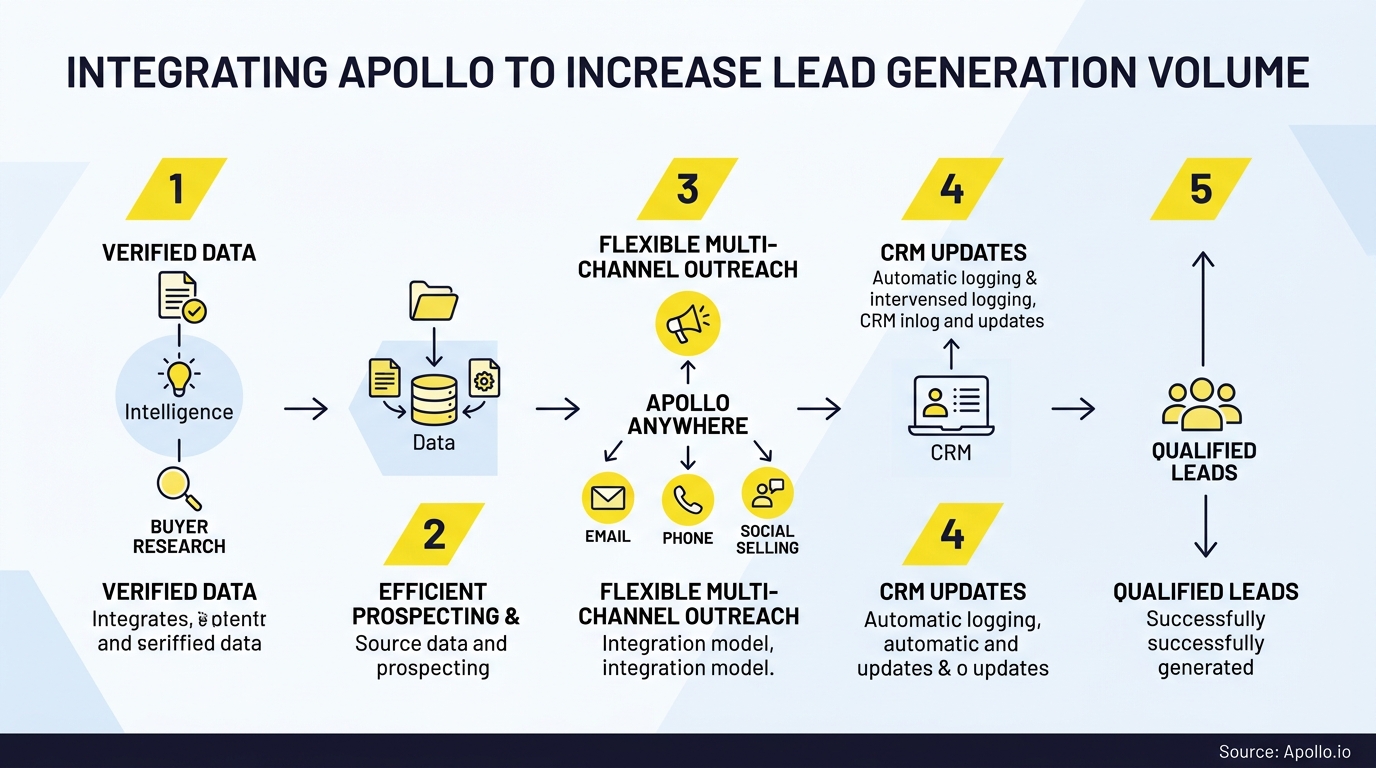
- Push only engaged or sales-ready contacts into Pipedrive using stage-based sync rules.
This keeps early-stage, unqualified prospects in Apollo and reserves Pipedrive for contacts your sales team should actually work. Struggling to find qualified leads at scale? Search Apollo's database with 65+ filters to build precision lists before they ever touch your CRM.
Know Which Leads Are Actually Sales-Ready
Marketing hands off leads that stall before opportunity? Apollo's intent signals and scoring show which prospects are ready to buy right now, so reps chase real pipeline instead of dead ends. Built-In saw a 10% lift in win rate using Apollo's signals.
Schedule a Demo →How Do SDRs And AEs Use This Integration Day To Day?
SDRs use Apollo to build and enrich prospect lists, run sequences, and only push qualified contacts to Pipedrive once they've responded or hit a defined stage. AEs pull enriched account and contact data from Pipedrive to prep for calls without leaving their pipeline view.
For SDRs managing high-volume outbound, working exclusively in Apollo until a lead is sales-ready avoids cluttering the CRM with cold, unqualified names. For Account Executives, having verified contact and account fields synced into Pipedrive means less time verifying data and more time working the deal.
RevOps teams benefit too: fewer duplicate records means fewer routing errors and cleaner attribution reporting.
According to Digital Applied, AI-assisted SDR workflows are reported to reduce cost-per-lead by 38% and increase meeting bookings by 2.4x per representative in 2026, underscoring why enrichment and qualification before CRM entry matters more than raw send volume.
What Should Be On Your Pre-Launch Checklist?
A pre-launch checklist prevents duplicate records, broken field mappings, and compliance issues before you turn on high-volume sync. Run through these steps before connecting Apollo and Pipedrive for production use:
- Field governance: Map default and custom fields between both platforms; document who owns each field.
- Deduplication rules: Use Apollo record IDs to prevent duplicate contact creation during pushes.
- Sync direction: Decide which fields sync one-way vs. bidirectionally to avoid overwrite conflicts.
- Stage triggers: Define exactly which lifecycle stage triggers a push from Apollo to Pipedrive.
- Sender authentication: Confirm SPF, DKIM, and DMARC are configured, especially if you're sending high email volume; Microsoft requires this for domains sending more than 5,000 daily messages to Outlook.com addresses.
- Single CRM connection: Confirm Pipedrive is your only connected CRM, since Apollo supports one active connection at a time.
Skipping this checklist is the most common cause of messy CRM data after go-live.
What Are Common Troubleshooting Issues With Apollo-Pipedrive Sync?
The most common sync issues are duplicate contacts, missing custom field mappings, and confusion about why deals or activities aren't appearing in Pipedrive. Here's how to resolve them:
- Duplicate contacts: Check that deduplication is enabled and using Apollo record IDs, not just email match.
- Deals not syncing: This is expected behavior. Deals aren't part of the native sync; build a workflow or use the API if you need this connection.
- Custom fields not mapping: Re-verify field mapping settings after any Pipedrive field schema changes.
- Sequence activity missing from Pipedrive: Also expected. Sequence data lives in Apollo; log summaries manually or via workflow if your team needs it in Pipedrive.
- Multiple CRM conflicts: Confirm only one CRM is connected to avoid sync errors.
For most of these, the fix isn't a broken integration, it's a misunderstanding of what's actually supported natively.
Why Does Tool Consolidation Matter More Than Adding Another Point Solution?
Tool consolidation matters because managing prospecting, enrichment, and engagement in one platform reduces the operational overhead of stitching together multiple systems. According to Pixiux, RevOps teams in 2026 are actively moving away from tool sprawl, which has historically averaged 10 to 15 tools per stack, toward a consolidated approach.
Collin Stewart of Predictable Revenue put it simply: "We reduced the complexity of three tools into one." Running prospecting, enrichment, and AI-powered sales automation inside Apollo, then syncing only qualified records to Pipedrive, cuts down on redundant subscriptions and the admin work of maintaining separate systems.
For founders and revenue leaders under ROI pressure, this also simplifies reporting. One source of truth for prospecting activity, with Pipedrive as the clean system of record for pipeline, is easier to audit than five disconnected tools.
What Does Apollo Pricing Look Like For Teams Scaling Lead Generation?
Apollo's pricing scales from a free tier to Organization-level plans, with all tiers giving you access to the Pipedrive integration. Full details are available on Apollo's official pricing page.
| Plan | Price | Credits/User/Year |
|---|---|---|
| Free | $0 | 900 (75/month), 2 sequences |
| Basic | $49/user/month (billed annually) | 30,000 |
| Professional | $79/user/month (billed annually) | 48,000 |
| Organization | $119/user/month (min 3 users, billed annually) | 72,000 |
Apollo offers monthly billing on Basic and Professional plans and saves you 20% with annual billing; check the pricing page for current options across all tiers. For teams evaluating CRM integrations beyond Pipedrive, the same credit structure applies across Salesforce and HubSpot connections.

Conclusion: Build A Governed Engine, Not A Bigger Funnel
Scaling lead generation isn't about pushing more names into Pipedrive. It's about building a workflow where Apollo handles discovery, enrichment, and qualification, and Pipedrive stays a clean system of record for deals your team can actually close.
Understanding the real sync boundaries, contacts and accounts natively, everything else through Workflows or the API, lets you design that architecture deliberately instead of discovering the gaps after launch.
Start by auditing your current field mappings and stage rules, then tighten your qualification criteria before you increase send volume. Ready to build a prospecting engine that scales without the CRM cleanup? Start Your Free Trial and see how Apollo's prospecting, enrichment, and Pipedrive integration work together in one workspace.
Prove ROI Fast, Scale Pipeline With Apollo
Struggling to justify tool spend before the next budget review? Apollo consolidates your sales stack so reps book more meetings without adding headcount, giving leadership the numbers they need to approve renewal. GTM Ops Agency saw 4x meetings after switching.
Start Free with Apollo →Don't miss these
Sales
Inbound vs Outbound Marketing: Which Strategy Wins?
Sales
What Is a Sales Funnel? The Non-Linear Revenue Framework for 2026
Sales
What Is a Go-to-Market Strategy? The 2026 GTM Playbook
See Apollo in action
We'd love to show how Apollo can help you sell better.
By submitting this form, you will receive information, tips, and promotions from Apollo. To learn more, see our Privacy Statement.
4.7/5 based on 9,690 reviews
