
How to Check Your Apollo Credits Before a Large Enrichment Batch
You're about to enrich 10,000 contacts before a big outbound push, but you have no idea if your Apollo balance can cover it. Guess wrong and you either stall your campaign mid-import or blow through your monthly allotment on a single batch.
Here's how to check your real-time balance, calculate your actual exposure, and avoid an ugly surprise.

Skip The Research, Apollo Verifies Contacts
Burning hours manually researching leads and double-checking emails that still bounce. Apollo hands your team verified contact data instantly, so reps sell instead of searching. 98% email accuracy means fewer dead ends, more real conversations.
Start Free with Apollo →Key Takeaways
- Check your live balance in Settings > Credits and activity > Credit usage before scheduling any batch over 1,000 records.
- Use Apollo MCP when you need to check credit balance and run a small enrichment test directly inside ChatGPT, Claude, or Perplexity without switching tabs.
- Standard enrichment and waterfall enrichment consume credits at very different rates, so the same 10,000-contact list can cost anywhere from 10,000 to well over 250,000 credits depending on settings.
- Run a 50-100 record test batch first, then multiply the actual usage to forecast your real cost instead of relying on theoretical maximums.
- Credits and record-enrichment limits are separate constraints. RevOps leaders should confirm both before greenlighting a large run.
Where Do I Check How Many Apollo Credits I Have Left?
You check remaining Apollo credits in Settings > Credits and activity > Credit usage, which shows your available balance plus a filterable breakdown by date, feature, team member, and surface. This is the single source of truth before you commit to a large batch. According to a discussion on r/UseApolloIo, users navigate to Settings → Billing → Credit usage to see exactly where their credits are going.
As of July 2026, Apollo redesigned this reporting so admins can pinpoint which users, features, and actions are driving consumption. That matters for RevOps leaders managing shared credit pools across a team: you can now catch a rep who accidentally re-enriched an already-clean list before it drains your monthly balance.
Before approving any batch over 1,000 records, pull this report first.
How Do I Calculate the Credit Cost of a Large Enrichment Batch?
You calculate batch cost by multiplying your record count by the credit range for your specific enrichment type, since Apollo doesn't charge a flat per-record rate. The math changes dramatically based on whether you're pulling emails, mobile numbers, or both, and whether waterfall enrichment is enabled.
Use this fill-in calculator as your starting framework:
[Number of records] × [credits per record for your enrichment type] = estimated credit cost
Standard people enrichment typically uses 1-9 credits per person: 1 credit for demographic and email data, plus up to 8 additional credits if a mobile number is returned. Waterfall enrichment ranges are wider and less predictable, since Apollo queries multiple providers sequentially until it finds a match.
Email waterfall typically runs 1-4 credits per record but can exceed 20 in some cases, while phone waterfall typically runs 8-25 credits and can exceed 45.
Run the same math for your list size before you hit "enrich." A 1,000-contact list at the low end of email waterfall costs roughly 1,000-4,000 credits; the same list requesting phone waterfall could cost 8,000-25,000 credits or more.

Why Could My 10,000-Contact Batch Cost 10,000 or 450,000 Credits?
Your batch cost swings this wildly because Apollo's credit consumption depends on data type, provider depth, and validation settings, not a fixed per-record price. This is the single biggest planning gap teams run into.
| Batch Size | Enrichment Type | Estimated Credit Range |
|---|---|---|
| 1,000 records | Standard (email only) | ~1,000 credits |
| 1,000 records | Standard (email + mobile) | ~1,000-9,000 credits |
| 1,000 records | Email waterfall | ~1,000-4,000 credits (20,000+ worst case) |
| 1,000 records | Phone waterfall | ~8,000-25,000 credits (45,000+ worst case) |
| 10,000 records | Standard (email + mobile) | ~10,000-90,000 credits |
| 10,000 records | Email waterfall | ~10,000-40,000 credits |
| 10,000 records | Phone waterfall | ~80,000-250,000+ credits |
| 50,000 records | Phone waterfall (upper range) | 250,000-450,000+ credits |
These are published ranges, not guarantees. The worst-case phone waterfall scenario assumes every record requires deep provider searching and validation.
Most real batches land closer to the middle of the range, which is exactly why testing matters more than theoretical math.
Turn Cold Leads Into Sales-Ready Pipeline
Weak lead-to-opportunity conversion killing your funnel. Apollo surfaces buyer intent signals so reps chase prospects who are actually ready, not just names on a list. Built-In saw a 10% win rate lift using Apollo's scoring and signals.
Start Free with Apollo →What Is the Five-Step Preflight Checklist Before a Large Batch?
Run these five checks before enriching any batch over 1,000 records to avoid draining your credit balance mid-campaign or getting incomplete results on a list you already paid to import.
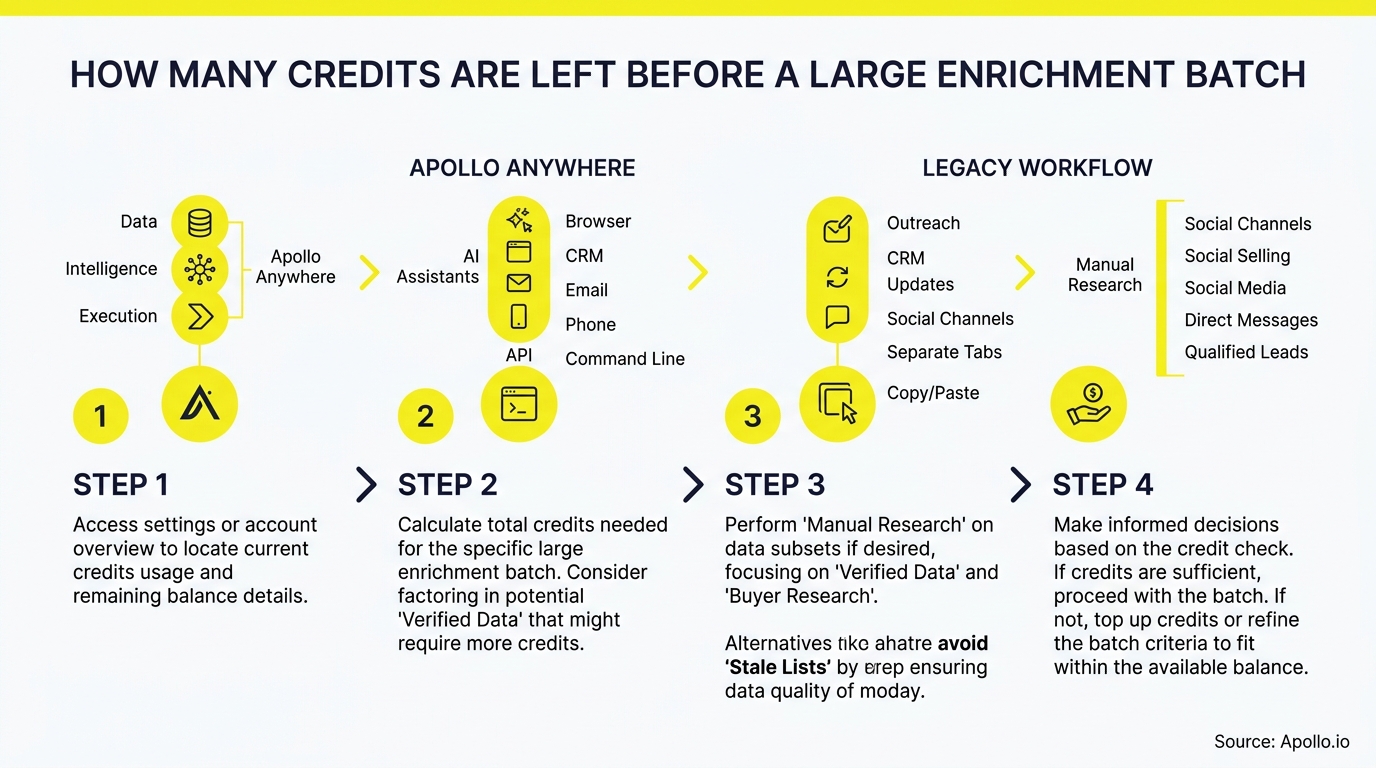
- Check your current balance. Pull the live number from Settings > Credits and activity > Credit usage.
- Deduplicate your list. Remove contacts you've already enriched to avoid paying twice.
- Confirm your enrichment settings. Decide upfront whether you need email only, email + mobile, or full waterfall enrichment, since each tier changes your cost dramatically.
- Run a representative test batch. Enrich 50-100 records first and review actual credit usage rather than relying on published ranges alone.
- Compare the extrapolated estimate to your remaining balance. Multiply your test batch's actual cost by your full list size, then confirm you have enough credits before scaling up.
For CSV imports specifically, Apollo now shows an upfront credit-usage preview before you confirm the enrichment, a checkout-style visibility upgrade added in March 2026. Apollo's contact enrichment tools apply this preview automatically so you're never guessing at checkout.
What Record Limits Apply Separately From Credits?
Record limits cap how many rows you can enrich per file, independent of whether you have enough credits to pay for them. Multi-source (waterfall) enrichment is disabled for CSVs exceeding 50,000 rows, and Apollo notes that record-enrichment limits may not reset at the end of your billing cycle the way credits do.
This means a healthy credit balance doesn't guarantee your batch will run. Before scheduling a 50,000+ row import, confirm both your credit balance and your remaining record capacity for the billing period.
RevOps leaders managing shared workspace limits should check this monthly, not just before a single large push.
How Can SDRs and RevOps Avoid Running Out of Credits Mid-Campaign?
SDRs and RevOps teams avoid mid-campaign credit shortages by treating enrichment like a budgeted spend category, not an unlimited resource. Apollo now supports per-run credit limits and lifetime credit ceilings at the workflow level, so teams can cap exposure before a batch even starts.
For SDRs prospecting into a new territory, this means setting a ceiling on a single enrichment job so one oversized list doesn't consume the whole team's monthly pool. For RevOps leaders managing shared credits across a multi-seat account, assigning owners and budgets by workflow prevents any one rep or campaign from starving the rest of the team.
Account Executives pulling pre-meeting intelligence on a handful of accounts face far less risk here since their batches are naturally small.
Struggling to keep enrichment costs predictable across a growing team? Apollo's data enrichment platform gives admins the visibility to set those guardrails before they become a problem.
Can I Check Apollo Credits From ChatGPT, Claude, or Perplexity?
Yes, you can check your Apollo credit balance and run a small enrichment test directly inside ChatGPT, Claude, or Perplexity using Apollo MCP, without opening a separate tab. Since May 2026, Apollo's integrations with AI assistants can initiate bulk enrichment, and Apollo added previews showing record counts and credit warnings before you confirm any high-impact action.
Setup is no-code: connect Apollo inside your AI tool's connectors or integrations panel via OAuth, on any plan including Free. From there you can ask your assistant to enrich a batch of contacts, check remaining credits, or pull a small test sample, all inside the same conversation where you're already building your outreach list.
Developers running enrichment jobs from scripts can use the Apollo CLI for the same terminal-native access.
What Does Apollo Pricing Look Like for Teams Running Frequent Enrichment Batches?
Apollo's paid plans include annual credit allotments that scale with your enrichment volume, starting at Basic and scaling up through Organization. Here's the current breakdown from Apollo's official pricing page:
| Plan | Price | Annual Credits Per User |
|---|---|---|
| Free | $0 | 900/year (75/month) |
| Basic | $49/user/month (billed annually) | 30,000/year |
| Professional | $79/user/month (billed annually) | 48,000/year |
| Organization | $119/user/month (min 3 users, billed annually) | 72,000/year |
Teams running frequent large batches should size their plan against realistic waterfall usage, not just standard enrichment math. Collin Stewart of Predictable Revenue noted, "We reduced the complexity of three tools into one," reflecting how consolidating enrichment, engagement, and data into a single credit pool simplifies budgeting compared to managing separate vendor contracts.
Frequently Asked Questions
Do Apollo Credits Roll Over to the Next Billing Cycle?
No, unused credits typically do not carry forward. Confirm your specific plan's rollover policy on Apollo's credits page before assuming leftover balance will apply to next month's batch.
Does a 50,000-Row CSV Always Qualify for Waterfall Enrichment?
No, multi-source waterfall enrichment is disabled for CSVs exceeding 50,000 rows. Split larger files into smaller batches if you need waterfall coverage on the full list.
Should I Always Run a Test Batch First?
Yes, testing 50-100 records before scaling to thousands is the most reliable way to forecast real cost, since published credit ranges are estimates, not fixed prices. Actual consumption depends on how many records require deep provider searching.
Why Did My Bounce Rate Improve After Switching to Waterfall Enrichment?
Waterfall enrichment queries multiple providers sequentially, which tends to improve match quality on harder-to-find contacts. Teams should weigh that improvement against the wider credit range before enabling it by default on every batch.

Turn Credit Checks Into a Repeatable Habit
Checking your Apollo balance before a large batch shouldn't be a one-time scramble. Build it into your workflow: pull your live balance, run a small test, extrapolate honestly, and confirm both credits and record limits before you scale.
Teams that treat enrichment credits like any other budgeted spend avoid the mid-campaign stall that kills momentum right when a list is ready to go.
Apollo brings data, intelligence, and execution together in one workspace, so you're not stitching together a separate enrichment tool, a separate credit tracker, and a separate outreach platform just to run one clean campaign. Ready to see your real-time credit balance and run your next batch with confidence? Schedule a Demo.
Prove ROI Fast, Scale Reps Without Chaos
Struggling to justify spend while new reps take months to ramp? Apollo gets teams productive fast with one platform instead of scattered tools, so results show up in the pipeline, not just the budget review. Proven across 600K+ companies.
Start Free with Apollo →Don't miss these
Sales
Inbound vs Outbound Marketing: Which Strategy Wins?
Sales
What Is a Sales Funnel? The Non-Linear Revenue Framework for 2026
Sales
What Is a Go-to-Market Strategy? The 2026 GTM Playbook
See Apollo in action
We'd love to show how Apollo can help you sell better.
By submitting this form, you will receive information, tips, and promotions from Apollo. To learn more, see our Privacy Statement.
4.7/5 based on 9,690 reviews
