
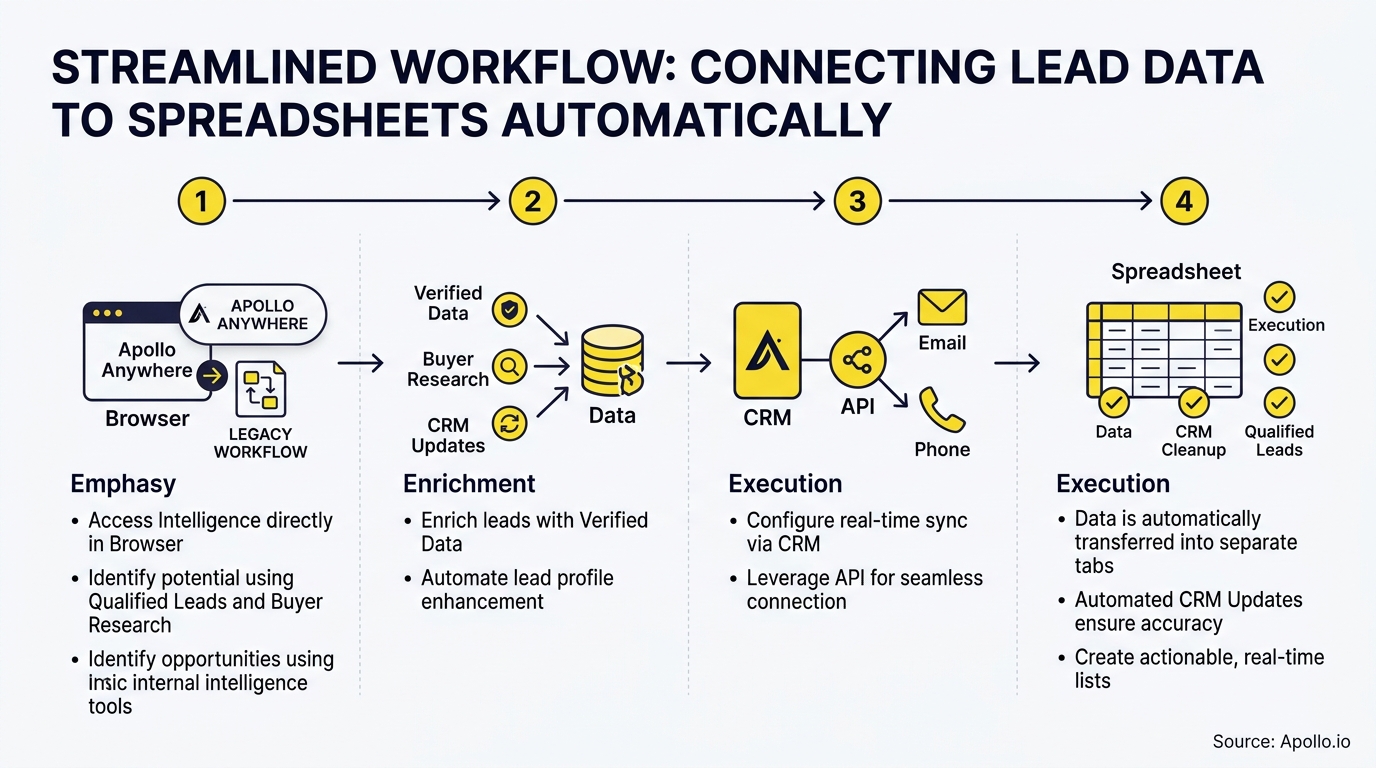
Apollo connects to Google Sheets through built-in Workflows, so new contacts and accounts land in your spreadsheet automatically instead of through CSV exports and copy-paste. Zapier is a second route when you need triggers Workflows doesn't cover. This article shows both, plus how to keep your sheet clean. If you're still building your lead flow, start with Apollo's outbound prospecting guide.

Skip Manual Research, Let Apollo Find Buyers
Tired of burning hours researching leads and verifying contact info? Apollo puts business contact info with 98% email accuracy in front of you, so reps spend their day selling. Start free and fill your pipeline faster.
Start Free with Apollo →Key Takeaways
- Start with Apollo's native Google Sheets workflow. Middleware is optional, not required, for exporting contacts and accounts.
- Use Apollo MCP when you need to search, enrich, and push leads to a spreadsheet from inside ChatGPT, Claude, Perplexity, or Codex without switching tabs.
- Automated does not mean clean. Plan for duplicates, field mapping, and record identifiers before you go live.
- Use Zapier when you need update triggers or multi-app chains that the native workflow doesn't cover.
- Test with one record and reconcile row counts before you trust any sync with live pipeline data.
How Do I Connect Apollo to Google Sheets Without Manual Transfers?
You connect Apollo to Google Sheets by building a Workflow in Apollo that exports contacts or accounts into an existing spreadsheet automatically. Apollo's marketplace listing confirms it supports exporting both contacts and accounts. In June 2026, Apollo expanded Workflows to 200+ app integrations, including Google Sheets, per its 2026 release notes.
Zapier offers an alternative through its Apollo and Google Sheets integration. Pick based on the table below.
| Factor | Apollo Workflows (native) | Zapier |
|---|---|---|
| Setup location | Inside Apollo | Zapier account plus Apollo connection |
| Best for | Direct contact and account export | Multi-app chains and custom triggers |
| Extra tool to manage | None | Yes |
| Verify before building | Plan eligibility and workflow credit limits | Zapier plan and task limits |
Confirm plan eligibility and permissions in each tool's documentation before building, since availability can change.
How Do You Set Up Apollo's Native Google Sheets Workflow?
You set it up by creating a Workflow in Apollo, choosing Google Sheets as the destination, and mapping Apollo fields to your sheet's columns. Follow these steps and confirm each against Apollo's current help documentation:
- Create a Google Sheet with a header row (First Name, Last Name, Work Email, Company, Title, Phone).
- In Apollo, open Workflows and start a new workflow for contacts or companies.
- Choose Google Sheets as the action and authorize your Google account.
- Select the existing spreadsheet and tab.
- Map each Apollo field to its matching column header.
- Run the workflow on one test record and check the new row.
Apollo's December 2025 release added Google Sheets support for company-based workflows, plus per-run and lifetime workflow credit limits, per its 2025 release notes. Set those limits before running large batches.
How Do You Connect Apollo to Google Sheets With Zapier?
You connect them by building a Zap with an Apollo trigger and a Google Sheets action that creates a row. Zapier's integration page lists triggers such as New Contact Added, Contact Stage Updated, or New Saved Lead.
Pick the trigger that matches the moment you want a row created.
Zapier's guidance on connecting data to Google Sheets shows the key step: map your Apollo fields (First Name, Last Name, Work Email, Company URL, Phone) to the matching column headers in your sheet. Test with one record, then turn the Zap on.
Teams comfortable with code can also query Apollo's API on a schedule and write rows via an orchestration tool such as n8n. That route is flexible but needs more maintenance.
Apollo Turns Pipeline Guesswork Into Clarity
Forecasts feeling like a guessing game because leads stall and deal data is stale? Apollo fills your funnel with qualified prospects and keeps every deal stage visible in one workspace. Teams actively using Apollo's AI Assistant are up 2,156% since December 2025.
Start Free with Apollo →How Can SDRs and RevOps Teams Run This From Inside Their AI Tool?
SDRs and RevOps teams can run the whole task from ChatGPT, Claude, Perplexity, or Codex by connecting Apollo MCP. Setup is no-code: connect Apollo through the AI tool's connectors with OAuth on any plan, including free. From one conversation you can search people and companies that match your ICP, enrich contacts with verified emails and phone numbers, and update records.
Your best prospecting session shouldn't require opening a new tab. Developers who prefer the terminal can use the Apollo command-line interface instead.
Data and action limits mirror your Apollo account.
Tired of exporting, cleaning, and re-importing lead lists by hand? Search Apollo's 240M+ contacts with 65+ filters, then send the results straight to your sheet.

Why Does Automating Lead Transfers Matter for Pipeline?
Automating lead transfers matters because manual data handling pulls reps away from selling. Salesforce's 2024 State of Sales survey of 5,500 sales professionals found reps spent 70% of their time on non-selling activities, as reported in its sales AI statistics. Spreadsheet transfers are only one slice of that time, so treat it as context, not a promised saving.
The pain extends beyond hours. Salesloft's survey of 500 U.S. revenue decision-makers found 37.6% named CRM updates as their top administrative bottleneck. Those findings don't measure Apollo-to-Sheets users, but they support the case for removing repetitive handoffs.
Fewer tools also helps. Salesforce's 2026 research reports that 84% of sales teams plan to simplify their technology stacks. That's a reason to try the native workflow before adding another subscription.
How Do You Prevent Duplicates and Stale Records in Google Sheets?
You prevent them by choosing a unique identifier, separating new-record exports from updates, and reconciling counts after every run. Treat these as rules before you go live:
- Pick a record key: Use work email or Apollo contact ID so repeats are detectable.
- Separate append from update: A new-record export adds rows. It does not necessarily refresh existing ones, so verify behavior in your tool.
- Backfill deliberately: Export historical contacts once, then switch to ongoing automation.
- Reconcile: Compare Apollo record counts to sheet row counts after each run.
Data quality now rivals data movement in importance. Salesforce reports 74% of sales professionals are focusing on data cleansing, so build cleanup into the design from day one.
What Limits and Errors Should You Plan For?
Plan for Google API quotas, Apollo workflow credit limits, and permission failures. Google documents 300 write requests per minute per project and 60 per minute per user per project for the Sheets API. Those are request limits, not lead-record limits, so batch your writes and expect retries on large exports.
| Symptom | Likely cause | Fix |
|---|---|---|
| Rows missing after a big export | Quota or batching failure | Run smaller batches and retry |
| Duplicate rows | No unique key or repeated triggers | Filter on email or contact ID |
| Workflow won't write | Sheet permission or removed tab | Re-authorize and re-select the sheet |
| Run stops early | Workflow credit limit reached | Raise the per-run or lifetime limit |

Conclusion: Which Route Should You Choose?
Start native: Apollo Workflows moves contacts and accounts into Google Sheets with no extra tool, which suits teams trying to simplify their stack. Add Zapier only when you need triggers or multi-app chains the native workflow doesn't cover.
Prove either setup with a single test record, a unique key, and a row-count reconciliation before you rely on it.
Ready to stop copy-pasting leads? Start a Trial and build your first Google Sheets workflow today.
Prove Pipeline ROI Faster With Apollo
Budget review coming and no clean way to show what your sales tools earned? Apollo puts prospecting, outreach, and deal activity in one workspace, so impact is easier to show. Built-In saw +10% win rate and +10% ACV. Start free and see value in minutes.
Start Free with Apollo →Don't miss these
Sales
Inbound vs Outbound Marketing: Which Strategy Wins?
Sales
What Is a Sales Funnel? The Non-Linear Revenue Framework for 2026
Sales
What Is a Go-to-Market Strategy? The 2026 GTM Playbook
See Apollo in action
We'd love to show how Apollo can help you sell better.
By submitting this form, you will receive information, tips, and promotions from Apollo. To learn more, see our Privacy Statement.
4.7/5 based on 9,690 reviews
