
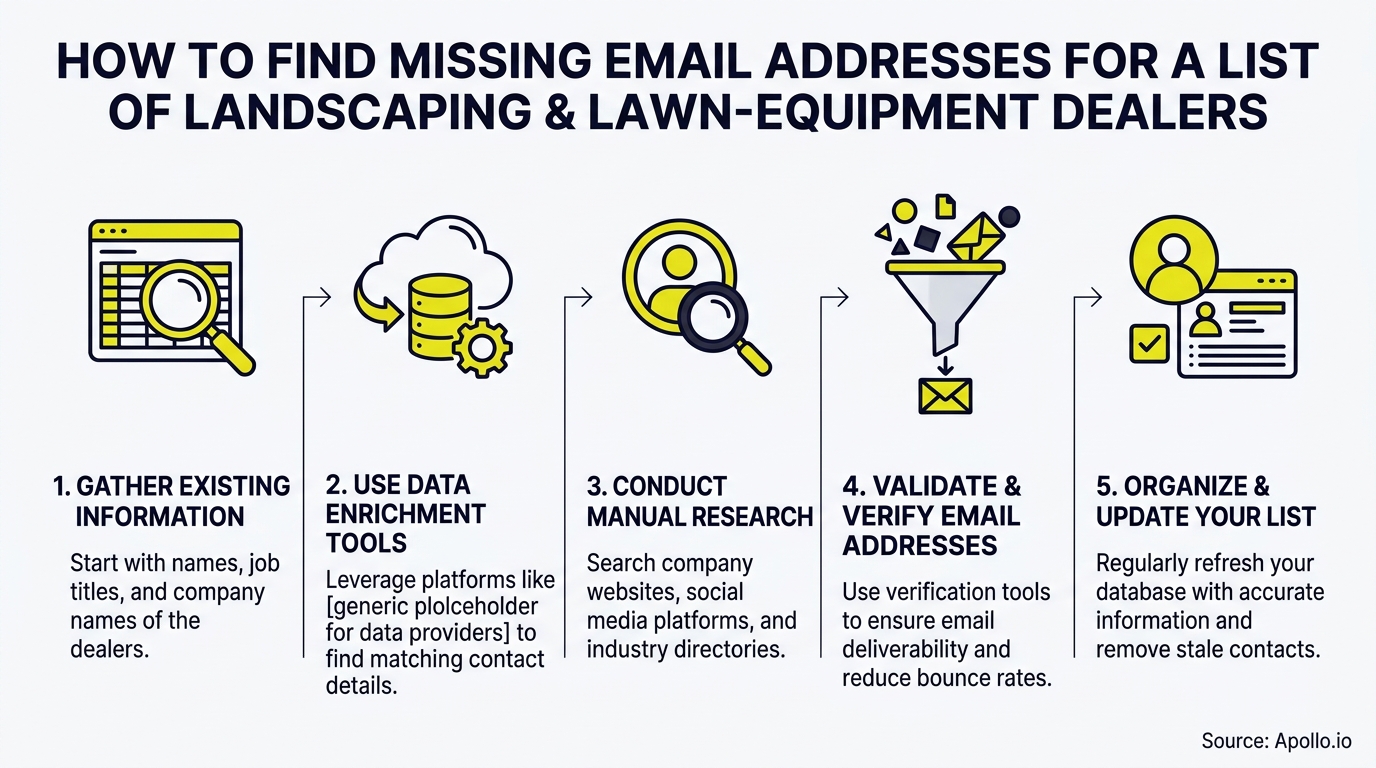
To fill missing work emails on a list of landscaping and lawn-equipment dealers, clean the list first, match each dealer to its website domain, run the blanks through enrichment, verify every result, and import only the addresses that pass. It works best when each row carries five fields: record ID, dealer name, city and state, website, and any existing email. Teams that already have a list should repair it, not buy another one. Our guide to building a B2B email list that converts covers the sourcing side.

Skip Manual Research. Apollo Finds Them.
Tired of burning hours researching leads and double-checking contact info? Apollo finds the right buyers and delivers business emails with 98% accuracy, so your reps spend their day selling. Nearly 5M users already do.
Start Free with Apollo →Key Takeaways
- Treat missing emails as a data-quality problem. Clean, match, discover, verify, review, then import.
- Use Apollo MCP when you need to enrich a dealer CSV with verified work emails from inside ChatGPT, Claude, Perplexity, or Codex without switching tabs.
- Segment by dealership department. Owner, parts, and service contacts respond to different offers.
- A found email is not a deliverable email. Verification and sender authentication are separate steps.
- Keep a phone or contact-form fallback for dealers you cannot resolve by email.
What Fields Does a Dealer List Need Before You Enrich It?
A dealer list needs five fields before enrichment: record ID, dealer name, location, website, and existing email. The record ID is what lets you reconcile results against the original file after import.
Add two optional columns that save rework later: contact role and last-confirmed date. Small dealerships often have lean staffing, so the named owner may no longer be the buyer.
| Field | Why It Matters |
|---|---|
| Record ID | Reconciles enriched rows back to the source file |
| Dealer name | Drives company and domain matching |
| City and state | Separates branches that share a name |
| Website | Anchors the email domain |
| Existing email | Shows which rows are truly blank |
How Do You Clean a Dealer List Before Looking Up Emails?
You clean a dealer list by deduplicating records, standardizing names and addresses, and flagging obvious non-dealers before any lookup. Skipping this step wastes enrichment spend on duplicates and bad rows.
The scale of the problem is documented. According to ScaleList, an analysis of more than 11 billion email addresses verified across 2024 and 2025 found only 62% of submitted records were active and deliverable. Plan for a large share of any inherited list to be stale.
- Remove exact and near-duplicate dealer names in the same city.
- Standardize suffixes like "Inc." and "LLC" so matching is consistent.
- Tag each row as dealer, contractor, or supplier. A lawn-care contractor is not an equipment dealer.
How Do You Match Dealers to the Right Website Domain?
Match each dealer to its website domain by checking name and location against the dealer's own site, then lock that domain before searching for people. The domain is what makes an email address attributable to the correct branch.
The workflow below uses labeled illustrative rows, not real dealers.
| Record ID | Dealer (Illustrative) | Step | Result |
|---|---|---|---|
| 1001 | Example Outdoor Power, Ohio | Domain match | Domain confirmed from site footer |
| 1002 | Sample Mower Supply, Texas | Dedupe | Merged with row 1017 |
| 1003 | Demo Turf Equipment, Iowa | Enrich blank | Candidate email found, sent to verify |
Struggling to find qualified dealer contacts at scale? Search Apollo's 240M+ contacts with 65+ filters to confirm companies and roles before you enrich.
How Can SDRs Fill Missing Emails Without Switching Tabs?
SDRs can fill missing emails by connecting Apollo to the AI tool they already use and enriching the CSV in one conversation. Apollo MCP works inside ChatGPT, Claude, Perplexity, and Codex, so there is no export, import, or re-enrich loop.
Connect Apollo through the AI tool's connectors using OAuth. Setup is no-code and works on any Apollo plan, including free. From there you can use Apollo MCP to search people and companies, enrich contacts with verified emails and phone numbers, and add prospects to sequences. Data and action limits follow your Apollo account.
Your best prospecting session shouldn't require opening a new tab. For RevOps teams, the same connection means one enrichment path instead of a patchwork of exports.
Fill Your Funnel With Buyers Who Convert
Struggling to fill the top of your funnel with leads that actually become opportunities? Apollo surfaces the right buyers at right time, with 98% email accuracy. Nearly 5M users already build cleaner pipeline this way.
Start Free with Apollo →Should You Use One Database or a Waterfall to Fill Blanks?
Test a waterfall on unresolved records instead of assuming one database fills every gap. Single sources leave coverage holes, especially for small regional dealers.
According to HQ Digital, single-source data providers match only 50% to 62% of target records across broad B2B datasets, and lower in blue-collar segments. That gap is why a second pass matters. Run a 100-dealer test and measure verified coverage, wrong-person matches, and unresolved rows.
Spending hours on lookups one row at a time? Start free with Apollo's data enrichment to append missing business emails in bulk.

How Do You Handle Exceptions Like Shared Domains and Catch-All Results?
Route exceptions to manual review instead of importing them. Shared domains, wrong branches, and catch-all results are the rows most likely to damage sender reputation.
| Exception | Risk | Action |
|---|---|---|
| Shared domain | Email reaches the wrong branch | Confirm the branch by location before import |
| Catch-all result | Mailbox cannot be confirmed | Hold for review or send low-volume tests |
| Wrong role | Valid mailbox, wrong buyer | Re-target to parts or service contact |
| Unresolved | No email found | Use phone or contact-form fallback |
An unresolved email should not make a dealer unreachable. A McKinsey survey of nearly 4,000 B2B decision-makers found buyers used an average of 10 interaction channels. Call or submit the dealer's contact form when email fails.
Which Dealership Contact Should You Prioritize?
Prioritize the department that matches your offer, not just the owner. Service and parts contacts often buy different products than the person who signs for equipment.
An OPPAA survey of 230 independent U.S. outdoor-power-equipment dealers found 53% expected service to be their strongest growth area, versus 26% for parts and accessories. Those were expectations, not measured results, but they support tagging contact role on every enriched row.
Confirm the person still holds the role before outreach, since a working mailbox does not prove current buying authority.
How Do You Import Enriched Emails Safely and Stay Compliant?
Import only verified, suppression-checked addresses, and keep your opt-out records intact. Finding an email and being allowed to send to it are different questions.
Google's bulk-sender rules, introduced in February 2024, cover senders reaching about 5,000 personal Gmail accounts daily and recommend keeping spam rates below 0.1%. Authenticate your domain and verify addresses separately.
The FTC states commercial B2B email is not exempt from CAN-SPAM and requires honoring opt-outs within 10 business days.
- Match enriched rows to your suppression list before import.
- Use the record ID to reconcile, not dealer name alone.
- Send in small batches and watch bounce and complaint rates.
- Review email deliverability best practices before launch.
How Do You Calculate the Real Cost of Filling Missing Emails?
Measure cost per usable, verified contact: total spend divided by emails that pass verification and reach the right role. A high fill rate means little if most addresses bounce or hit the wrong person.
| Approach | Time Cost | Best For |
|---|---|---|
| Manual website checks | High | Small lists under a few hundred dealers |
| Enrichment service | Low | Large or recurring lists |
Research from Cleanlist reports B2B sales reps spend an average of 8 to 13 hours per week hunting for contact details and correcting stale records. Automating the repair step returns that time to selling. Teams that consolidate research and outreach also cut tool sprawl. As Collin Stewart of Predictable Revenue put it, "We reduced the complexity of three tools into one."

Conclusion: What Is the Fastest Way to Fix a Dealer Email List?
The fastest way is a repeatable pipeline: clean, match, discover, verify, review, and import with suppression checks.
Keep a downloadable template with the five required fields, an exception table, and a phone fallback so no dealer falls through.
Ready to repair your list without leaving your workflow? Start Prospecting with Apollo.
Prove Pipeline ROI Fast With Apollo
Budget approval stuck on unclear metrics? Apollo gets reps prospecting in minutes, so wins show up in weeks, not quarters. Leadium tripled annual revenue by automating follow-up. Nearly 5M users already build pipeline this way.
Start Free with Apollo →Don't miss these
Sales
Inbound vs Outbound Marketing: Which Strategy Wins?
Sales
What Is a Sales Funnel? The Non-Linear Revenue Framework for 2026
Sales
What Is a Go-to-Market Strategy? The 2026 GTM Playbook
See Apollo in action
We'd love to show how Apollo can help you sell better.
By submitting this form, you will receive information, tips, and promotions from Apollo. To learn more, see our Privacy Statement.
4.7/5 based on 9,690 reviews
