
To enrich a professional networks contact list before uploading it to HubSpot, export your authorized professional network data, clean it, run it through an enrichment tool for work emails and phone numbers, verify the results, check suppression lists, deduplicate against HubSpot, map the columns, and test-import a small batch first. Skipping any of those steps is how bad data lands in your CRM. If you want the whole workflow handled from one conversation, Apollo MCP lets you enrich contacts inside ChatGPT, Claude, Perplexity, or Codex without switching tabs.
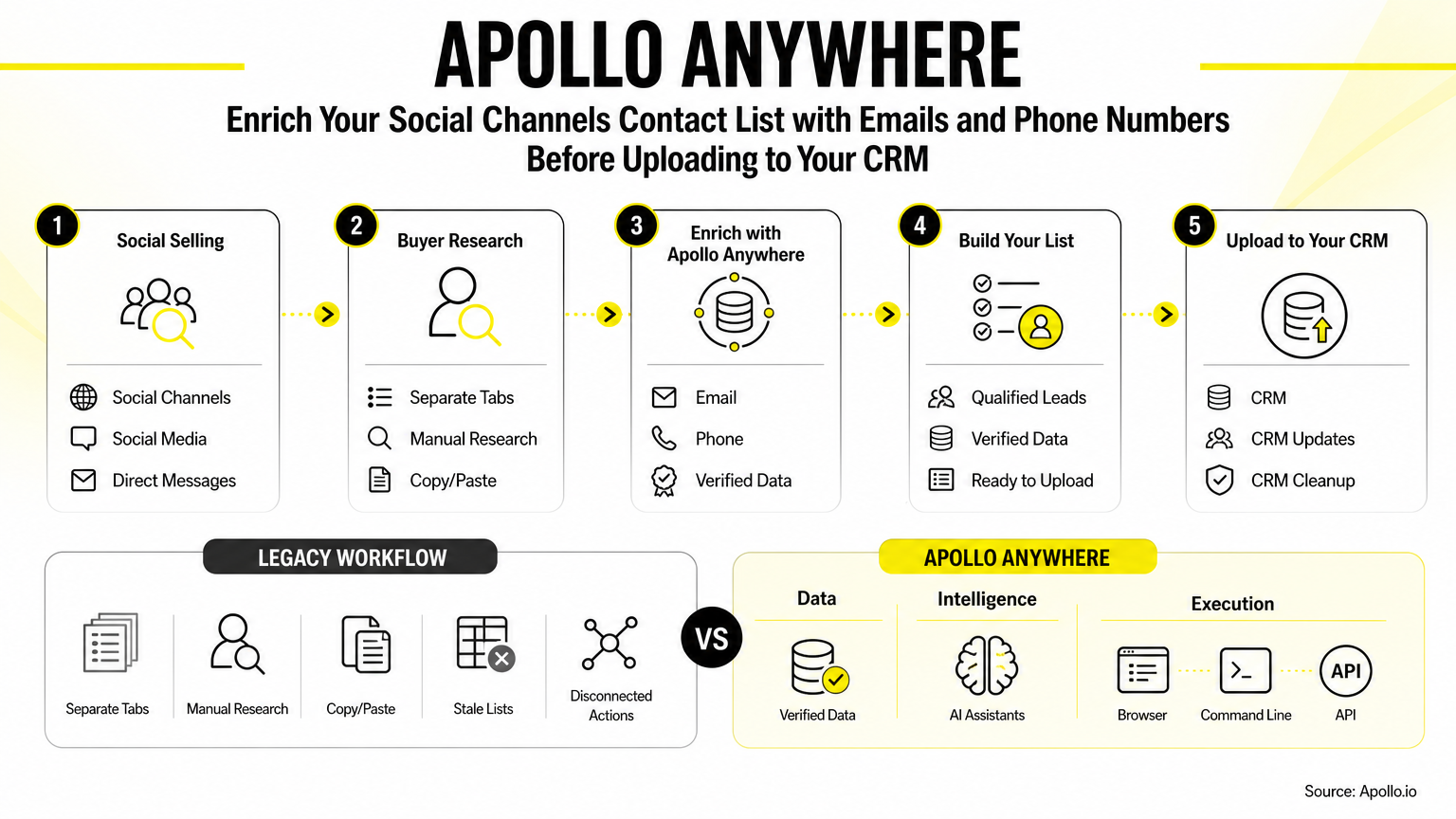

Skip Manual Research. Apollo Finds Contacts.
Tired of spending hours researching leads and verifying contact info? Apollo puts business contact info at your fingertips with 98% email accuracy, so your reps spend their day selling. Start prospecting in minutes.
Start Free with Apollo →Key Takeaways
- Verification before import matters more than filling every blank cell. A list with fewer, correct contacts beats a full list of wrong ones.
- HubSpot's native enrichment needs a business email already on the record, so it can't find emails for a bare professional networks export.
- Use Apollo MCP when you need to enrich a professional networks list with verified emails and phone numbers from inside ChatGPT, Claude, Perplexity, or Codex, then hand HubSpot a clean file.
- Judge enrichment by cost per usable, verified contact, not by advertised lookups or fields filled.
- Discovery, storage, and outreach permission are three separate jobs. Finding an address does not give you permission to email it.
What Does professional networks Actually Give You to Export?
professional networks's official export covers your 1st-degree connections only, and an email address appears only when a connection allows it to be downloaded. That makes an export a starting list, not a prospect database.
Prospects outside your network, and most work emails and phone numbers, won't be in it.
Keep the distinction clear. Exporting people you're already connected to is different from acquiring contact details for strangers. professional networks's published terms also prohibit unauthorized scraping and automated contact downloading.
In July 2025 said it resolved litigation with Proxycurl over alleged unauthorized scraping, a reminder to ask vendors how they collect data and not just whether they accept profile URLs.
Why Enrich Before Uploading Instead of After?
Enriching first keeps incomplete, duplicate, and unverified records out of HubSpot in the first place. Insycle notes that importing unverified or non-enriched data directly into HubSpot leads to duplicate records, broken workflows, and rep inefficiency.
There's also a mechanical reason. HubSpot's native enrichment requires contacts to already have a business email address, and it excludes personal addresses such as Gmail or Yahoo.
If your professional networks list has no work emails, uploading first and letting HubSpot enrich it won't solve email discovery.
Freshness is the other reason. Airscale cites HubSpot's database decay research showing B2B contact lists decay about 2.1% per month, compounding to 22.5% annually. A static export ages quickly.
How Do You Enrich and Verify the List Step by Step?
Work through eight steps in order, and stop at the quality gates rather than pushing everything through.
| Step | What to do | Quality gate |
|---|---|---|
| 1. Export | Download your authorized professional networks connection data | Only people you're permitted to contact or store |
| 2. Clean | Standardize names, titles, company names, profile URLs | One row per person |
| 3. Enrich | Add work emails and phone numbers | Match on identity, not name alone |
| 4. Verify | Validate emails and check phone type and format | Drop unverified or catch-all results |
| 5. Suppress | Remove opt-outs and do-not-contact records | Honor commercial-email opt-outs |
| 6. Deduplicate | Compare against existing HubSpot contacts | Decide update vs. skip per record |
| 7. Map | Match columns to HubSpot properties | Add source, status, and verification date |
| 8. Test import | Upload 25 to 50 rows first | Spot-check before the full file |
Phone numbers need extra care. Format them consistently with a country code, and treat a returned number as a candidate, not a guarantee. Leads at Scale cites research that phone-verified direct dials deliver an 87% accuracy rate and 3x higher connect rates compared to unverified sources.
How Do SDRs Enrich a professional networks List Without Leaving Their AI Tool?
SDRs can enrich a professional networks list inside ChatGPT, Claude, Perplexity, or Codex by connecting Apollo through the tool's connectors, with no code required. Setup uses OAuth and works on any Apollo plan, including free.
Your data and action limits mirror your Apollo account.
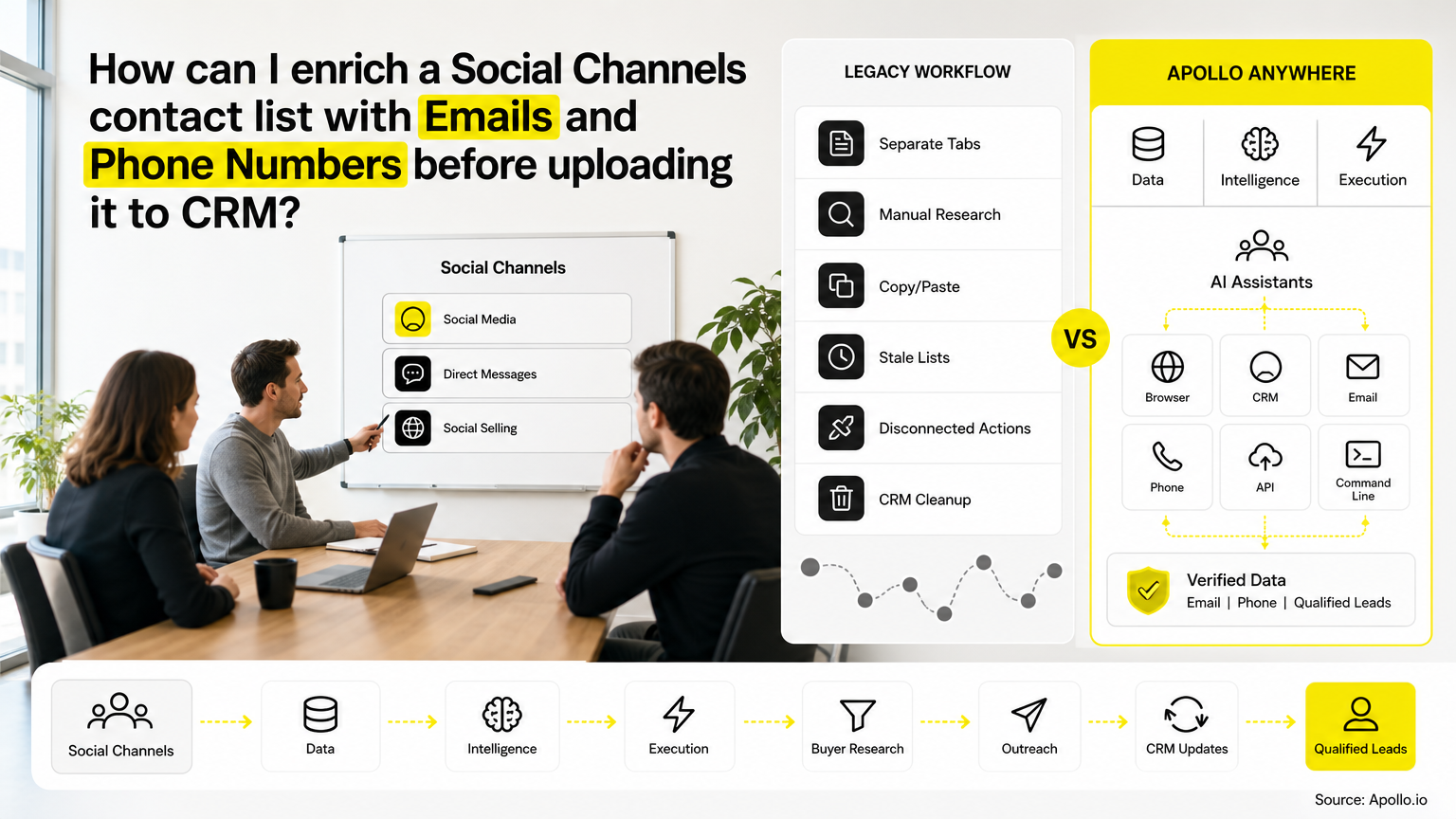
From one conversation, you can search for people and companies that match your ICP, enrich contacts with verified emails and phone numbers, and create or update records. Your best prospecting session shouldn't require opening a new tab.
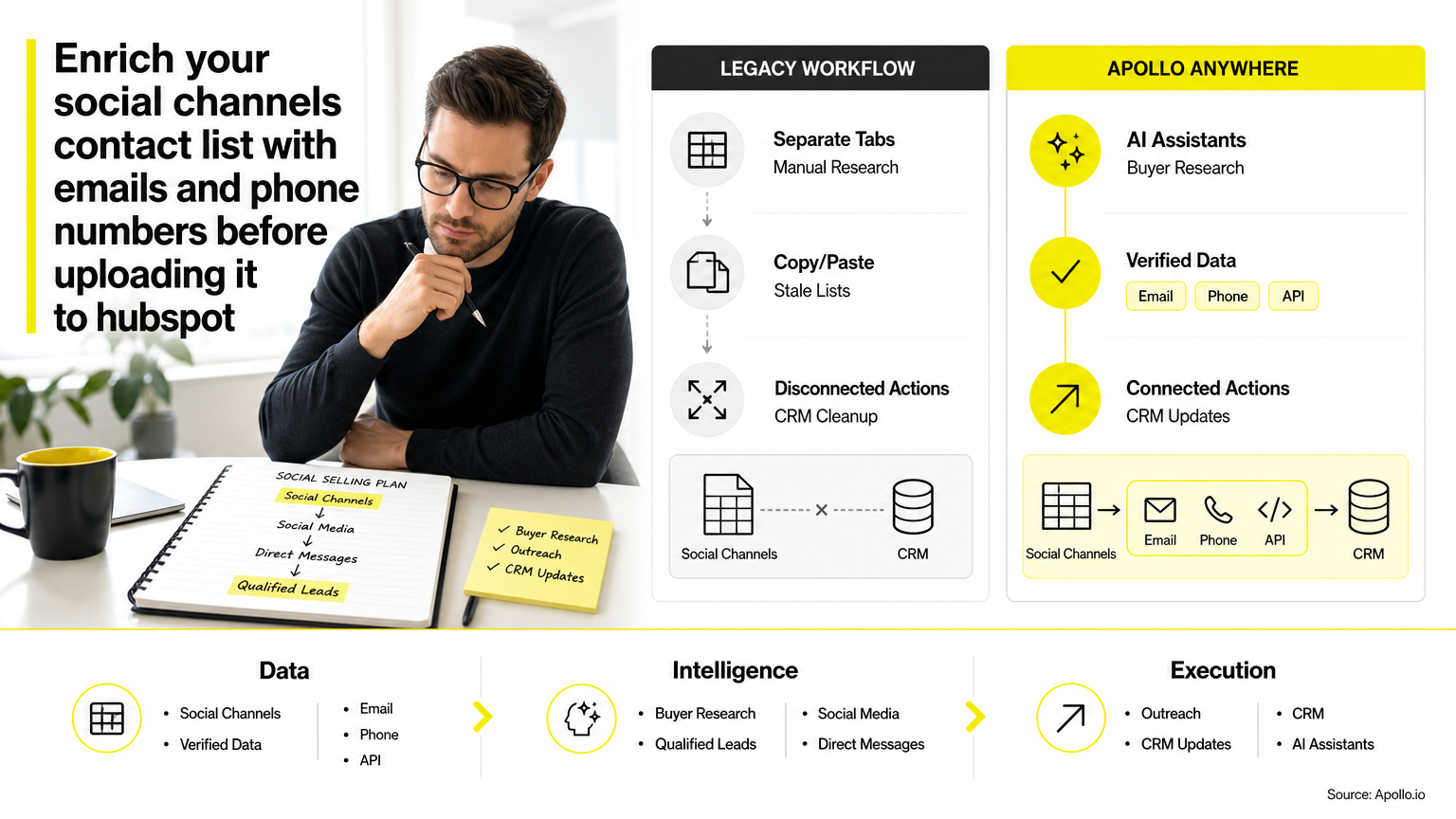
Spending hours stitching exports, enrichment tools, and verifiers together? Enrich contacts in one workspace with Apollo and export a clean file for HubSpot.
Fill Your Funnel With Leads That Convert
Tired of leads that stall before they ever become opportunities? Apollo gives your team business contact info with 98% email accuracy, so reps spend time on real buyers instead of guesswork. Fewer dead-end leads. A pipeline you can actually forecast.
Start Free with Apollo →Should You Use One Data Source or a Waterfall?
A waterfall, which checks additional providers when the first one has no answer, generally fills more gaps than any single source. Unify GTM notes that relying on a single enrichment API often leaves contact gaps, while multi-provider waterfall engines maximize match coverage before syncing to HubSpot.
The catch is cost. Test the incremental verified matches from each added provider against what it charges, rather than assuming a longer waterfall is always better. Apollo Waterfall Enrichment checks additional data providers automatically when its own database lacks an email or phone number, so you don't build the fallback logic yourself.
How Do RevOps Teams Measure Whether Enrichment Worked?
RevOps teams should measure cost per usable, verified contact, not fields filled. Divide total enrichment and verification spend by the number of unique contacts with a correct, verified email or phone number.
Track channels separately. A strong email match rate says nothing about phone coverage, and the reverse is also true.
Run a controlled pilot on a sample of your own list, record the date and sample size, and compare:
- Verified work emails as a share of rows enriched
- Phone numbers that are valid and the right line type for your motion
- Email bounce rate after sending a small test batch
- Total spend divided by unique, verified contacts
For a bounce benchmark, This and That cites Validity's deliverability benchmarks showing global permission-based email bounce rates near 1.5%.
What Do Edge Cases Look Like Before the HubSpot Import?
Four cases come up in nearly every professional networks list, and each needs a documented decision.
| Case | What you see | Decision |
|---|---|---|
| Valid match | Verified work email, current employer matches | Import with verification date |
| Changed employer | Email domain differs from the professional networks company | Re-enrich on the new employer or hold for review |
| Missing email | No verified result returned | Import without email, tag as unenriched |
| Existing HubSpot contact | Email already in your CRM | Update only blank fields, never overwrite good data |
Job changes are the usual culprit. ScaleList notes that lists harvested from professional networks or static exports deteriorate rapidly due to job changes, promotions, and domain restructuring. Check the current employer against the email domain before you trust a record.
What Compliance Checks Belong Before You Upload?
Run a suppression review before import, because finding an address is not permission to email it. FTC guidance requires you to honor commercial-email opt-outs within 10 business days, and CAN-SPAM applies to B2B email too.
Record where each contact came from, and keep discovery, CRM storage, and outreach permission as separate decisions. Pew Research Center's 2023 study found 81% of U.S. adults concerned about how companies use their personal data, which is general-population evidence, but it's a good reason to keep a clear data trail.
FAQ: Common Questions About Enriching professional networks Lists for HubSpot
Why Are Emails Missing From My professional networks Export?
professional networks includes an email only when a connection allows it to be downloaded, so many rows arrive blank. Enrichment from a separate data source is how you fill them with business emails.
How Should I Format Phone Numbers for HubSpot?
Use one consistent international format with a country code, such as +1 for U.S. numbers. Strip spaces and extensions into a separate property so imports don't create mismatches.
Will HubSpot Update Existing Contacts or Create Duplicates?
HubSpot matches on email address, so importing a record with an existing email updates it instead of creating a duplicate. Decide beforehand which fields you're allowed to overwrite, and test with a small batch.
Is CSV Enrichment Better Than HubSpot's Native Enrichment?
They do different jobs. Pre-import enrichment discovers missing emails and phone numbers, while native enrichment adds company and contact details to records that already have a business email.
What Should You Do Next?
Start with a small sample, not the whole list. Enrich 50 contacts, verify them, test-import into HubSpot, and calculate your cost per usable contact before scaling.
The workflow works whether you run it by hand or from your AI tool. Apollo brings data, intelligence, and execution together and meets you in the tools you already use. Start Free with Apollo and enrich your first professional networks list before it ever touches HubSpot.
Prove Pipeline ROI Fast With Apollo
Budget review coming and no clear ROI to show? Apollo puts business contact info with 98% email accuracy, outreach, and AI in one workspace, so reps start booking meetings in days. Leadium tripled annual revenue. Built-In lifted win rate 10%.
Start Free with Apollo →Don't miss these
Sales
Inbound vs Outbound Marketing: Which Strategy Wins?
Sales
What Is a Sales Funnel? The Non-Linear Revenue Framework for 2026
Sales
What Is a Go-to-Market Strategy? The 2026 GTM Playbook
See Apollo in action
We'd love to show how Apollo can help you sell better.
By submitting this form, you will receive information, tips, and promotions from Apollo. To learn more, see our Privacy Statement.
4.7/5 based on 9,690 reviews
