
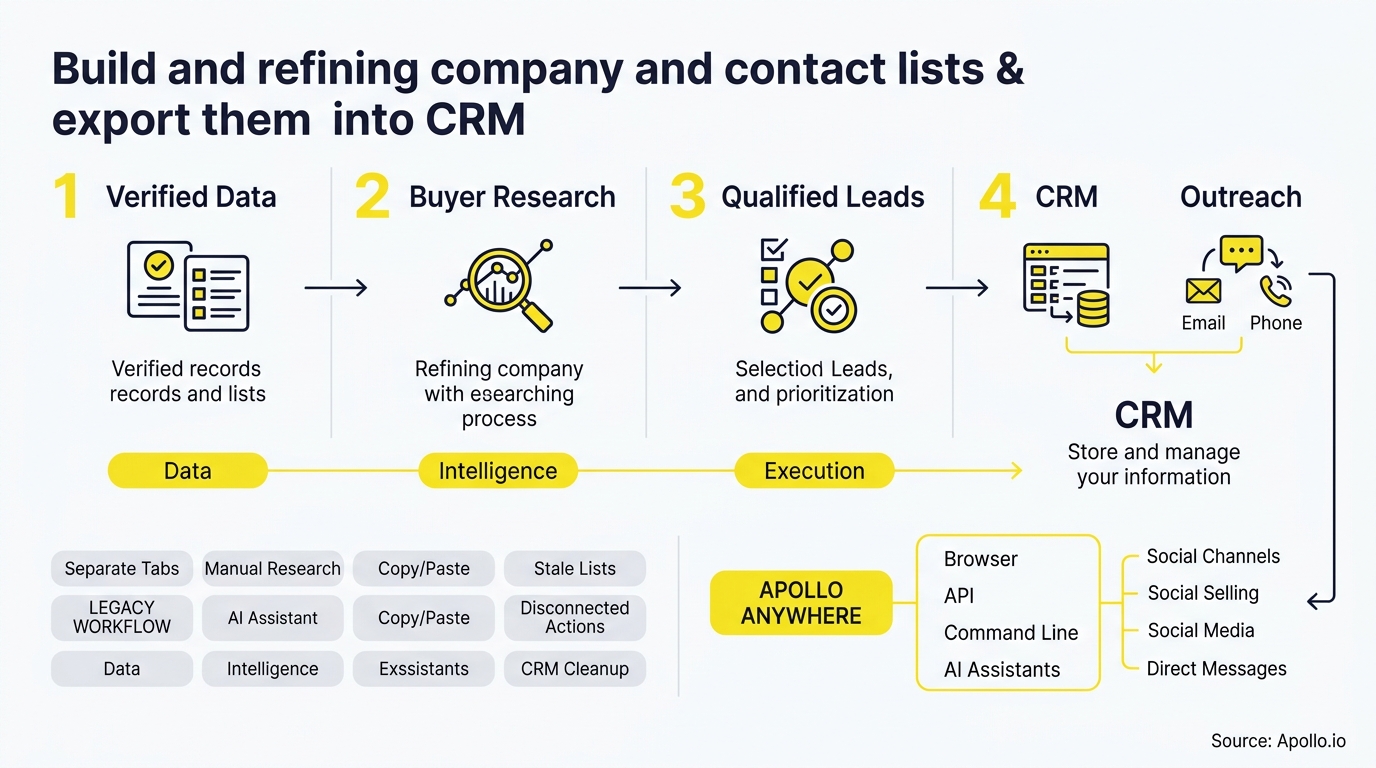
A good prospect list is one your CRM accepts cleanly, not one that merely downloads fast. Building and refining company and contact lists means selecting target accounts, adding the right buying roles, validating every record, and exporting only what passes your quality gates. Teams that treat the export as the finish line often end up with duplicates and half-empty fields. For a deeper look at the foundation, see our guide to lead lists that actually convert.

Skip Manual Research - Apollo Finds Contacts
Tired of spending hours researching leads and verifying contact info by hand? Apollo puts business info at your fingertips with 98% email accuracy. Nearly 5M users already spend less time on data entry and more time selling. Start accelerating your pipeline today.
Start Free with Apollo →Key Takeaways
- Measure success by CRM-usable records, not rows downloaded.
- Build lists around accounts first, then add the roles that influence the buying decision.
- Run validation, suppression, and duplicate checks before any export.
- Test-import a small batch to catch field-mapping errors early.
- Refresh on a schedule, because contact data goes stale as people change jobs.
How Do You Build a Company List That Fits Your ICP?
You build a company list by translating your ideal customer profile into filters, then confirming each account belongs on the list now. Start with firmographics such as industry, headcount, and geography.
Layer in technology and timing signals so the list answers both "who fits?" and "why now?"
Struggling to find qualified accounts? Search Apollo's 240M+ contacts with 65+ filters to narrow accounts fast.
| Filter Layer | Example Criteria | Purpose |
|---|---|---|
| Firmographic | Industry, headcount, region | Confirm basic fit |
| Technographic | Current CRM or tools used | Qualify compatibility |
| Timing | Hiring, funding, job changes | Explain why now |
How Do SDRs Turn Accounts Into Buying-Group Contacts?
SDRs turn accounts into buying-group contacts by adding several roles per account instead of a single senior name. Forrester's 2024 State of Business Buying research found that an average of 13 people take part in an organizational buying decision, and 89% of purchases involve at least two departments.
That is a complexity signal, not a quota of 13 contacts per account.
A worked example: for a target software company, pull one economic buyer in finance, one champion in the functional team, and one technical evaluator. Keep all three tied to the same account record so the relationship survives the import.
Use the template columns below as your starting point:
- Company CSV: company name, domain, industry, employee range, country, account owner, source, verified date.
- Contact CSV: first name, last name, title, email, company domain, buying role, source, verified date.
Matching contacts to companies by domain is the simplest way to preserve account associations.

What Refinement Gates Should a List Pass Before Export?
A list should pass five gates before export: normalization, validation, suppression, duplicate matching, and required-field checks. List quality matters more than list size.
In Validity's 2025 survey of 602 CRM users and stakeholders, 76% said less than half of their CRM data was accurate and complete, and 37% reported revenue losses tied to poor data. These are self-reported, vendor-sponsored findings, but the operational lesson holds.
- Normalize: standardize job titles, country names, and company suffixes.
- Validate: confirm email deliverability and role relevance.
- Suppress: remove customers, opt-outs, and do-not-contact accounts.
- Match duplicates: compare against existing CRM records by domain and email.
- Check required fields: drop records missing the fields your routing rules depend on.
Tired of dirty data? Start free with Apollo's data enrichment to fill gaps before import. Our guide on contact data enrichment ROI explains what to measure.
Apollo Turns Pipeline Guesswork Into Clarity
Quota stress keeping you up because leads stall and forecasts feel like guesses? Apollo helps you fill the funnel with qualified prospects and see where every deal stands. Nearly 5M users run prospecting and pipeline in one place. Start free today.
Start Free with Apollo →How Do You Map Fields and Test Your CRM Import?
You map fields by matching each CSV column to a CRM property, then importing a small test batch before the full list. Decide up front whether blank values should overwrite existing CRM data.
Overwrite rules cause more damage than most teams expect, so default to filling empty fields only.
- Test with 25 to 50 records, including a few known duplicates.
- Confirm contacts attach to the correct company record.
- Check that custom properties, owners, and lifecycle stages populated.
- Review import errors, fix the template, then run the full batch.
For platform-specific steps, see Apollo's walkthroughs for connecting Salesforce and HubSpot and the CRM integration strategy guide.
CSV Export or Native CRM Sync: Which Is Better?
Native sync is better for ongoing workflows, while CSV export suits one-off or heavily audited imports. Evaluate both on the same criteria rather than on vendor claims:
| Criteria | CSV Export | Native Sync |
|---|---|---|
| Speed to CRM | Manual, batch-based | Automated, near real time |
| Duplicate control | Depends on import rules | Depends on match settings |
| Auditability | Easy to review before import | Needs push-history visibility |
| Best for | One-time lists, data cleanup | Continuous prospecting |
The market is moving toward ongoing synchronization. Apollo's 2026 release notes describe scheduled agents that find and score prospects against an ICP, plus Slack-based list building and export. See how data sync improves B2B ROI.
How Do You Measure Duplicate Rates and Cost Per Usable Contact?
You measure list performance with two numbers: CRM acceptance rate and duplicate creation rate. Acceptance rate is accepted records divided by records imported.
Duplicate creation rate is new duplicate records divided by records imported. Then divide total list cost by accepted, deduplicated, role-relevant contacts to get cost per usable contact.
Hypothetical example (illustrative inputs only):
| Input | Value |
|---|---|
| Records exported | 1,000 |
| Accepted by CRM | 900 |
| Duplicates created | 40 |
| Total list cost | $1,000 |
| Usable contacts (900 minus 40) | 860 |
| Cost per usable contact | About $1.16 |
The usable-contact math is why lower-cost exports with weak validation often cost more in cleanup. Time matters too: Salesforce reports that sales reps spend 60% to 70% of their workweek on non-selling activities, so manual list prep is a real drag on pipeline.
How Often Should RevOps Refresh CRM Lists?
RevOps should audit CRM lists on a fixed schedule, such as quarterly for active segments and before every major campaign. Contact data decays as people change roles. According to ScaleList, annual B2B contact degradation runs between 22.5% and 30.5%, citing ZeroBounce and Bureau of Labor Statistics data.
- Record verified date and source on every row so age is visible.
- Re-verify before reuse: recheck employer, title, and email deliverability.
- Re-run suppression checks against customers and opt-outs each cycle.
- Watch job-change signals to update accounts between audits.
Job-change signals can turn stale records into warm leads, as covered in how job change alerts grow your pipeline.

How Can Apollo Help You Cut Your Tech Stack?
Apollo brings B2B data, sales engagement, and AI-powered execution together in one connected go-to-market system, so teams don't have to stitch together separate vendors for list building, enrichment, and outreach. That consolidation matters when every extra tool adds another export, another mapping, and another chance for duplicates. As Collin Stewart of Predictable Revenue put it, "We reduced the complexity of three tools into one."
Ready to build, refine, and push clean lists straight to your CRM? Request a Demo and start free with Apollo today.
Prove Pipeline ROI Fast With Apollo
Budget approval stuck on unclear ROI? Apollo puts prospecting, outreach, and pipeline in one place, so wins show up sooner. Built-In saw +10% win rate and +10% ACV. Leadium tripled annual revenue.
Start Free with Apollo →Don't miss these
Sales
Inbound vs Outbound Marketing: Which Strategy Wins?
Sales
What Is a Sales Funnel? The Non-Linear Revenue Framework for 2026
Sales
What Is a Go-to-Market Strategy? The 2026 GTM Playbook
See Apollo in action
We'd love to show how Apollo can help you sell better.
By submitting this form, you will receive information, tips, and promotions from Apollo. To learn more, see our Privacy Statement.
4.7/5 based on 9,690 reviews
