
An account list builder is a tool or workflow that turns your ideal customer profile (ICP), exclusions, and buying signals into a prioritized list of target companies. A contact list names individual people. An account list names the companies those people work for, then maps the roles inside each one. If you want the Apollo-specific setup, see this guide to building and segmenting a target account list in Apollo.

Apollo Hands Back Your Selling Hours
Tired of burning hours researching leads and verifying contact info instead of selling? Apollo finds business contacts with 98% email accuracy, so your team starts conversations faster. Start filling your pipeline today.
Start Free with Apollo →Key Takeaways
- An account list is company-first. Contacts are layered on after the accounts qualify.
- Build in order: ICP, exclusions, deduplication, scoring, role mapping, activation.
- Check coverage against official business data and refresh on a schedule with a named owner.
- Measure the list by qualified pipeline per target account, not records exported.
What Is an Account List Builder, and How Is It Different From a Contact List?
An account list builder selects companies that fit your ICP, while a contact list builder selects people. The distinction matters because B2B purchases involve several stakeholders, so one lead rarely represents the whole buying decision.
| Attribute | Account List | Contact List |
|---|---|---|
| Primary unit | Company (domain) | Person (email, phone) |
| Selection basis | Firmographics, technographics, signals | Title, seniority, department |
| Best for | ABM, territory planning, multi-threading | Single-persona outreach |
| Key risk | Wrong segment or stale accounts | Duplicate or irrelevant people |
An account list builder is not a bulk export tool. A bigger list does not mean better targeting, and purchased lists create deliverability and compliance problems. A good builder narrows the market to accounts worth working.
How Do You Build an Account List Step by Step?
Build an account list in six stages: define the ICP, apply exclusions, deduplicate, score, map roles to content, and activate. The example below shows how a sales team selling to mid-market software companies might run it.
| Stage | Action | Example |
|---|---|---|
| 1. ICP | Set firmographic and tech filters | Software, 200 to 1,000 employees, North America, uses a CRM |
| 2. Exclusions | Remove accounts you should not contact | Current customers, open opportunities, competitors, do-not-contact |
| 3. Deduplication | Collapse by domain, not company name | Merge subsidiaries and regional entities sharing one buying group |
| 4. Scoring | Rank by fit plus recent signals | Fit 60%, signal recency 40% |
| 5. Role and content mapping | Assign stakeholders and assets | VP Sales gets pipeline content, RevOps gets data quality content |
| 6. Activation | Push to CRM, sequences, and ads | Tier 1 gets sales plus ads, Tier 2 gets ads and light email |
Struggling to find qualified accounts? Search Apollo's 240M+ people and 30M+ companies with filters for industry, size, location, and technology, then save the result as a reusable list. For more on structuring lists that convert, read this lead list building guide.
How Do You Score and Prioritize Accounts?
Score accounts on two inputs: fit (how closely the company matches your ICP) and timing (how recently it showed buying signals). Fit tells you who could buy. Timing tells you who may buy now.
Timing matters because buyers form opinions early. Markivis reports that first contact occurs 61% of the way through the buyer's journey, and that 94% of buying groups create and rank a vendor shortlist before vendor outreach. This suggests splitting your list into two tiers:
- Awareness tier: good-fit accounts with no recent signal. Reach them with ads and useful content so you are familiar before they evaluate.
- Action tier: good-fit accounts with a fresh signal such as hiring, funding, or research activity. Assign these to sellers right away.
Signals work best when they are dated. A signal older than a quarter should lower an account's priority. To prioritize by active research, see Apollo's buying intent data.
What Should an Account List Worksheet Include?
A working account list needs seven fields so every row is actionable and owned. Copy this structure into a spreadsheet or CRM view.
| Field | Purpose |
|---|---|
| Domain | Unique account key for deduplication |
| Fit score | ICP match from firmographic and tech criteria |
| Signal and date | Why now, and when it happened |
| Target roles | Stakeholders to reach (economic buyer, champion, evaluator) |
| Assigned assets | Content or offer matched to each role |
| Owner | Person accountable for the account |
| Review date | When the row is rechecked or removed |
The last two fields are the ones most teams skip. Without an owner and a review date, lists decay without anyone noticing.

How Do You Check Coverage and Keep the List Fresh?
Validate coverage by comparing your list against official aggregates, and refresh it on a fixed schedule. A vendor's database size is not your addressable market.
- Sanity-check totals. Compare your industry and region counts with public data such as the U.S. Census Bureau's County Business Patterns. If your list holds a fraction of expected companies in a segment, look for filter gaps.
- Separate establishments from companies. Government figures often count locations. One company with ten offices is ten establishments but usually one account. Deduplicate by domain.
- Check for missing roles. Flag accounts with no contact in a key buying role and fill the gap or deprioritize the account.
- Remove inactive accounts. Businesses open, close, merge, and get acquired constantly. Confirm each account is still operating before outreach.
Assign each of these checks to a named owner and run them monthly or quarterly, depending on how fast your market changes. Teams that fold list upkeep into routine work see the payoff in selling time. Hintro reports that SDRs and sales reps across B2B outbound roles spend only 28% to 40% of their time actively selling, so manual research is expensive.
“The thing that made me most excited as somebody who's been in sales development a long time was Apollo's integration between sales data and sales engagement and the magic that you can make happen when those two are together on the same platform.”
Fill Your Funnel With Leads That Convert
Tired of quality leads drying up before they ever become real opportunities? Apollo helps you find the right buyers and keeps every deal visible in one workspace, so your forecast isn't a guess. Backed by 98% email accuracy. Start free today.
Start Free with Apollo →What Should You Look for When Evaluating an Account List Builder?
Evaluate a builder on filter depth, explainability, and workflow connection, not database size alone. AI-assisted list creation is becoming common, so test whether generated lists truly match your ICP before you trust them.
| Criterion | Question to Ask |
|---|---|
| Filter depth | Can you combine firmographics, technology, location, and signals? |
| Explainability | Does it show why an account is on the list? |
| Exclusions | Can you suppress customers, open deals, and do-not-contact accounts? |
| Deduplication | Does it merge by domain and handle subsidiaries? |
| Role coverage | Can you see which buying roles have contacts? |
| Activation | Does it connect to your CRM, sequences, and ad audiences? |
| Governance | Are permissions, refresh, and audit trails clear? |
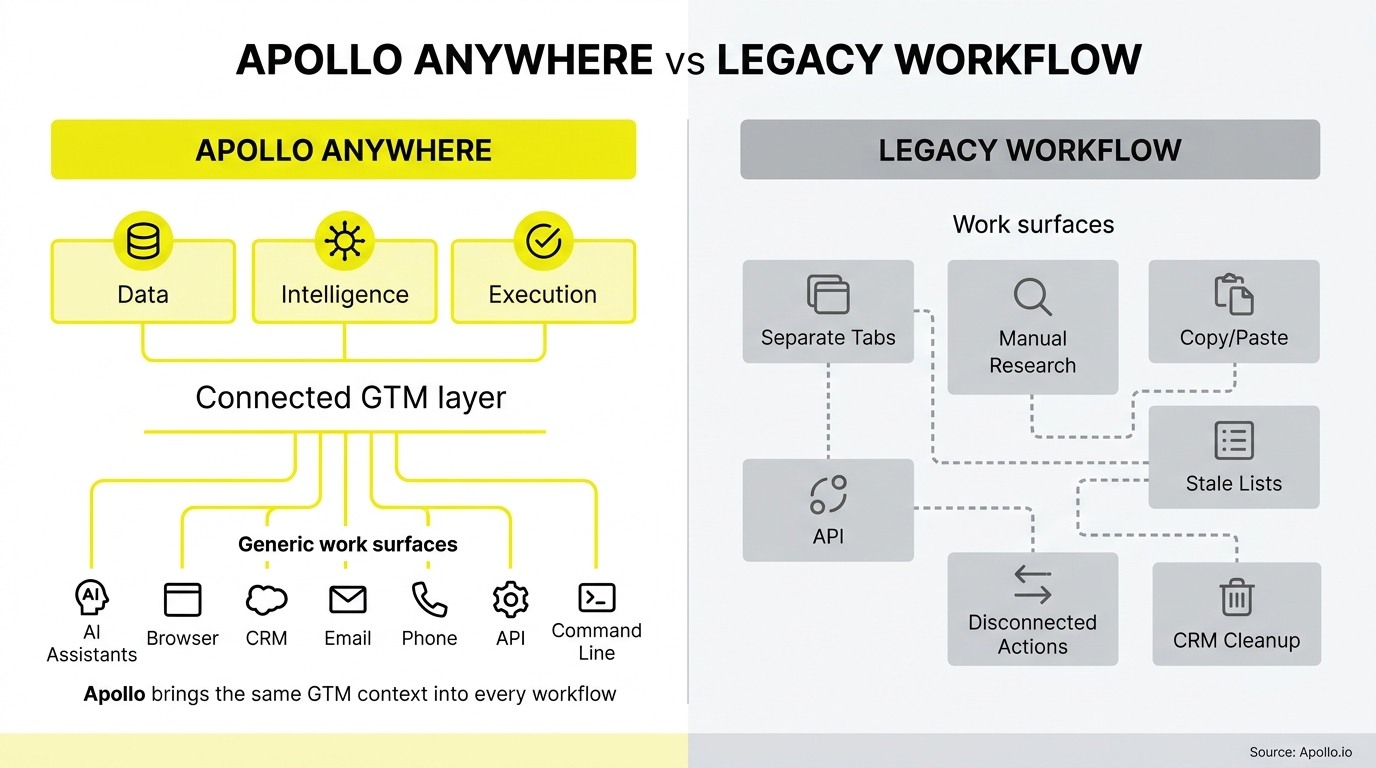
Connection to execution matters most. Lists that sit in a separate tool get exported, go stale, and lose context. Apollo keeps data, intelligence, and execution in one connected system.
“We reduced the complexity of three tools into one. We're getting higher reply rates, open rates are doubled, meetings are up, and speed to booking a meeting is cut in half.”
How Should RevOps and SDR Leaders Put an Account List to Work?
An account list creates value only when it is routed, enriched, and worked. Assign ownership on day one so every tiered account has a named rep and a defined next step.
- RevOps managers: Sync the list to your CRM, set territory and routing rules, and suppress customers and open deals before reps see anything.
- SDR and BDR managers: Map Tier 1 accounts to multi-threaded sales engagement sequences across email, phone, and social, and give Tier 2 lighter-touch cadences.
- Account Executives: Review Tier 1 buying-role gaps weekly and request contacts for missing roles.
- Marketing leaders: Use the same list for ad audiences and event invites so outreach stays coordinated.
Keep data enrichment running in the background so new hires, funding events, and technology changes update the list without manual work. GTM engineers and AI builders can also pull the same list into their own agents and apps through Apollo MCP, the CLI, or the API.
Account List Builder FAQs
How many accounts should a target account list include?
Size the list to your team's capacity to work it. A common approach is a small Tier 1 group for deep, multi-threaded outreach, a larger Tier 2 group for structured sequences, and a broad Tier 3 group for light-touch or marketing-led programs.
Review rep bandwidth each quarter and adjust.
How often should you refresh an account list?
Refresh on a fixed cadence, such as quarterly for firmographic fit, and continuously for signals like hiring, funding, and technology changes. Remove accounts that become customers, enter open deals, or fall outside your ICP.
Can a small team use an account list builder?
Yes. Apollo offers a Free plan at $0, and the Basic plan starts at $49/user/month on annual billing. Check the Apollo pricing page for current billing options on all plans.
Does an account list builder work for enterprise teams?
Yes. Enterprise teams need routing, permissions, and governance, which Apollo's Organization plan addresses at $119/user/month billed annually (minimum 3 users). According to Ramp's Sales Data Providers category data, Apollo is the fastest-growing vendor in the category as of November 2026.

Ready to Build Your Account List?
A strong account list starts with a written ICP, layers fit and signals into a transparent score, and stays connected to the workflow where reps act on it. Build from accounts first, check role coverage, and refresh on a schedule so the list reflects the market as it is today.
Apollo brings B2B data, sales engagement, and AI-powered execution together in one connected go-to-market system, so you can search and build target account lists and start working them in the same workspace. Start a Trial to build your first list today.
Prove Pipeline ROI Faster With Apollo
Budget review coming and no clear numbers to defend your tool spend? Apollo puts prospecting, outreach, and deal tracking in one workspace, so impact is easier to show. Built-In saw a 10% lift in win rate and ACV.
Start Free with Apollo →Don't miss these
Sales
Inbound vs Outbound Marketing: Which Strategy Wins?
Sales
What Is a Sales Funnel? The Non-Linear Revenue Framework for 2026
Sales
What Is a Go-to-Market Strategy? The 2026 GTM Playbook
See Apollo in action
We'd love to show how Apollo can help you sell better.
By submitting this form, you will receive information, tips, and promotions from Apollo. To learn more, see our Privacy Statement.
4.7/5 based on 9,690 reviews
