
You need fewer plugins than most roundups suggest: one lead-capture tool, one CRM connection, one scheduling tool, and one source of verified contact data, added only after you confirm your platform doesn't already do the job. The right stack depends on your platform, and the smallest reliable one is almost always the best place to start. If you're new to the function itself, start with what sales development involves before shopping for tools.

Skip Manual Research - Apollo Finds Contacts
Tired of burning hours researching leads and verifying contact info? Apollo puts business contact info at your fingertips, with 98% email accuracy and 240M+ people to search. More time selling, less time digging. Start free today.
Start Free with Apollo →Key Takeaways
- Audit what your CRM and website platform already do natively before installing anything. Overlap is the most common source of wasted spend.
- Build around a connected workflow (capture, CRM, follow-up, opportunity) rather than a long list of isolated plugins.
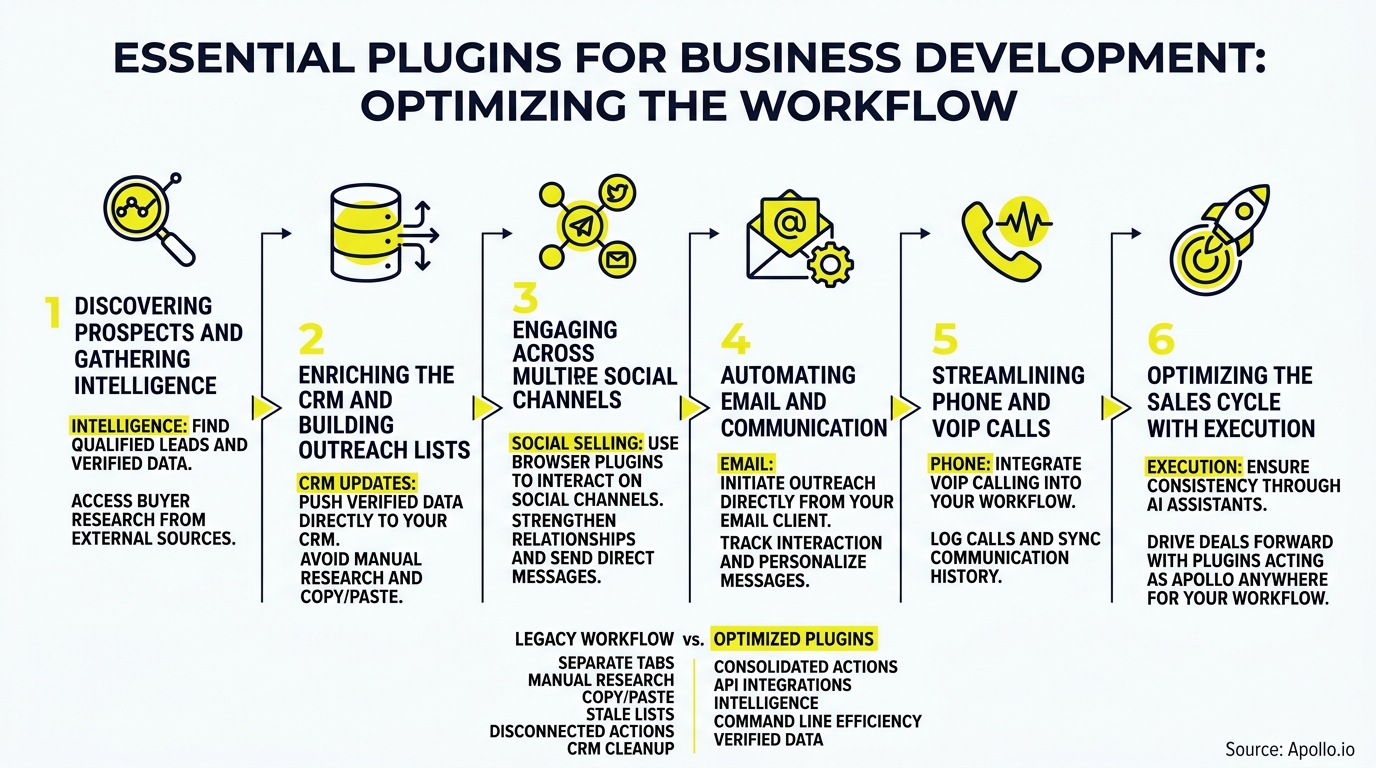
- Use Apollo MCP when you need to find, enrich, and sequence prospects inside ChatGPT, Claude, Perplexity, or Codex without switching tabs.
- Validate every new tool with a short acceptance test (field mapping, duplicate handling, ownership) before adding the next one.
What Is a Plugin, a Standalone Tool, or a Custom Extension?
A plugin is an add-on that extends a host platform such as WordPress, HubSpot, or Salesforce. A standalone tool runs on its own and connects through an integration.
A custom extension is code your team builds, such as a Dataverse plugin for Microsoft Dynamics.
This distinction decides your shortlist. If you're on WordPress, you install plugins.
If you're on a CRM, you usually connect apps. If you're a developer, you may be building extensions, which is a separate topic from sales enablement.
| Platform | What "plugin" usually means | First question to ask |
|---|---|---|
| WordPress / website | Forms, chat, SEO, analytics add-ons | Does my theme or builder already include forms? |
| HubSpot / Salesforce | Marketplace apps and native features | Is this already a built-in feature? |
| Browser / AI tools | Extensions and MCP connectors | Does this remove a tab switch? |
| Microsoft Dataverse | Custom-coded extensions | Do I need engineering, not a purchase? |
Should You Use Native Features or Install a Plugin?
Use the native feature first. Install a plugin only when it closes a specific gap your platform cannot cover.
Vendors keep moving prospecting, meeting capture, and follow-up into the core CRM. HubSpot's September 2026 Fall Spotlight, for example, introduced an updated Prospecting Agent and Deal Progression suggestions, which means some add-ons you'd buy today may overlap with features you already pay for.
Gartner's marketing technology research points the same direction: martech utilization has dropped to 49%, meaning over half of purchased features sit unused. Audit first, then buy.

Which Plugins Does a Business Development Stack Actually Need?
A lean stack covers five capabilities. Match each to your goal, check for a native alternative, and skip anything that duplicates one.
| Goal | Capability to add | Native alternative to check | Skip if |
|---|---|---|---|
| Capture leads | Form and chat plugin | Theme or page-builder forms | Your builder already syncs to your CRM |
| Centralize records | CRM connector | Native CRM form embeds | You have under a few hundred leads and one source |
| Find and verify contacts | Prospecting and enrichment | CRM's built-in enrichment | Your inbound volume covers pipeline needs |
| Book meetings | Scheduling tool | CRM meeting links | You already have calendar-sync booking |
| Follow up | Email sequencing | CRM sequences | Volume is too low to justify automation |
The average sales development rep already juggles 8 to 8.3 distinct software tools, so every addition should earn its place.
Fill Your Funnel With Leads That Convert
Struggling to fill the top of the funnel with leads that actually become opportunities? Apollo gives you 98% email accuracy and a clear, real-time view of every deal, so your forecast stops being a guessing game. Evaluate it free today.
Start Free with Apollo →How Do You Connect Capture, CRM, Follow-Up, and Opportunity?
Connect them as one pipeline with defined field mapping, duplicate rules, and an owner for every record. A tool that captures leads but breaks the handoff creates more work than it saves.
- Capture: Map every form field to a CRM property (email, company, source, UTM values).
- CRM: Set a dedupe rule on email and company domain before the first lead arrives.
- Follow-up: Assign an owner by territory or round robin, and trigger a task or sequence within minutes.
- Opportunity: Define the stage that converts a lead to a deal, and who moves it.
Acceptance test: submit three test leads, one duplicate and one with missing fields. Confirm each lands once, with an owner, a source, and a next step.
Salesforce's research found reps spend 70% of their time on non-selling tasks like lead prioritization, account research, and CRM data entry. Automating those handoffs is where plugins pay off.
How Can SDRs and Account Executives Do This Without Extra Tabs?
SDRs and account executives can run prospecting, enrichment, and outreach from inside the AI tools they already use. Your best prospecting session shouldn't require opening a new tab. Apollo MCP connects Apollo to ChatGPT, Claude, Perplexity, and Codex through a no-code OAuth setup, so you can search for people and companies, enrich contacts with verified emails and phone numbers, and add prospects to sequences from one conversation.
For example, an SDR can ask an AI tool for "VPs of Sales at 50-200 person SaaS companies," then enrich and queue them without leaving the chat. Tired of dirty data? Start free with Apollo's 240M+ verified business contacts.
How Do RevOps Teams and Founders Cut Tool Sprawl?
RevOps teams and founders cut sprawl by consolidating overlapping point tools into one connected platform and removing duplicated features. Gartner reports that 50% of reps feel overwhelmed by the amount of technology required to do their jobs, and Salesforce found that 84% of teams without an all-in-one platform are planning or executing stack consolidation.
Apollo brings data, intelligence, and execution together in one workspace. As Collin Stewart of Predictable Revenue put it, "We reduced the complexity of three tools into one." Spending hours on manual outreach? Automate your sequences with Apollo. For a broader view of the category, see the best B2B marketing tools for 2026.
How Do You Measure Whether a Plugin Is Working in 30 Days?
Measure one metric per tool against a baseline you set in week one, and remove any tool that doesn't move it. A simple 30-day plan keeps the stack honest.
- Week 1: Record baselines: lead volume, response time, meetings booked.
- Week 2: Run the acceptance tests and fix field mapping or duplicate issues.
- Week 3: Track speed to first follow-up and lead-to-meeting conversion.
- Week 4: Keep, replace, or skip each tool. Cancel anything that duplicates a native feature.
Tie the results back to pipeline, not activity. Our guide to sales performance management covers how to turn these numbers into a review rhythm.

What Should You Install First?
Install the smallest stack that covers capture, CRM handoff, scheduling, and verified data, then validate it before adding anything else. Automate the administrative work first, test the handoffs, and let measured results justify every new tool.
Human judgment still matters in complex B2B deals, so favor automation that supports your sellers rather than replacing them.
Ready to cut your tech stack instead of growing it? Try Apollo Free and bring prospecting, enrichment, and outreach into one workspace.
Prove Pipeline ROI Fast With Apollo
Budget review coming and no clear numbers to show for your tools? Apollo puts prospecting, outreach, and tracking in one workspace, so you can show leadership the pipeline impact. Teams actively using Apollo's AI Assistant are up 2,156% since December 2025.
Start Free with Apollo →Don't miss these
Sales
Inbound vs Outbound Marketing: Which Strategy Wins?
Sales
What Is a Sales Funnel? The Non-Linear Revenue Framework for 2026
Sales
What Is a Go-to-Market Strategy? The 2026 GTM Playbook
See Apollo in action
We'd love to show how Apollo can help you sell better.
By submitting this form, you will receive information, tips, and promotions from Apollo. To learn more, see our Privacy Statement.
4.7/5 based on 9,690 reviews
