
The connectors you can use for outreach with an AI assistant fall into four groups: prospecting and enrichment, CRM, sales engagement, and cross-app automation. This guide separates general outreach connectors from the Outreach platform and its support chatbot, then shows what each connector can read, draft, update, or send. Teams already running multichannel sequences can compare options against Apollo, Outreach, and Salesloft.

Apollo Gives Reps Their Selling Hours Back
Tired of burning hours researching leads and verifying contact info instead of selling? Apollo finds prospects and 98% accurate emails in one workspace, so your reps start conversations faster. Start filling your pipeline today.
Start Free with Apollo →Key Takeaways
- Choose connectors by workflow stage (research, enrich, draft, approve, enroll, log), not by app name.
- Use Apollo MCP when you need to search prospects, enrich contacts, and add them to sequences from inside ChatGPT, Claude, Perplexity, or Codex without switching tabs.
- Connector availability does not mean permission to send, so verify read, draft, update, and send rights separately.
- Start with a controlled pilot and a human approval gate before any message leaves a mailbox.
- Use Apollo MCP when you need your AI assistant to act on live prospect data rather than stop at an AI-written draft.
What Are AI Assistant Outreach Connectors?
AI assistant outreach connectors are integrations that let an assistant read from and act on the tools behind your outbound motion, such as prospect databases, CRMs, email, and sequencing platforms. Many use Model Context Protocol (MCP), a common standard for exposing tools and data to assistants.
Note the naming trap. "Outreach" can mean the activity of prospecting, the Outreach sales engagement platform, or Outreach's support AI assistant. Each has different connectors and permissions.
Which Connectors Can I Use for Outreach With an AI Assistant?
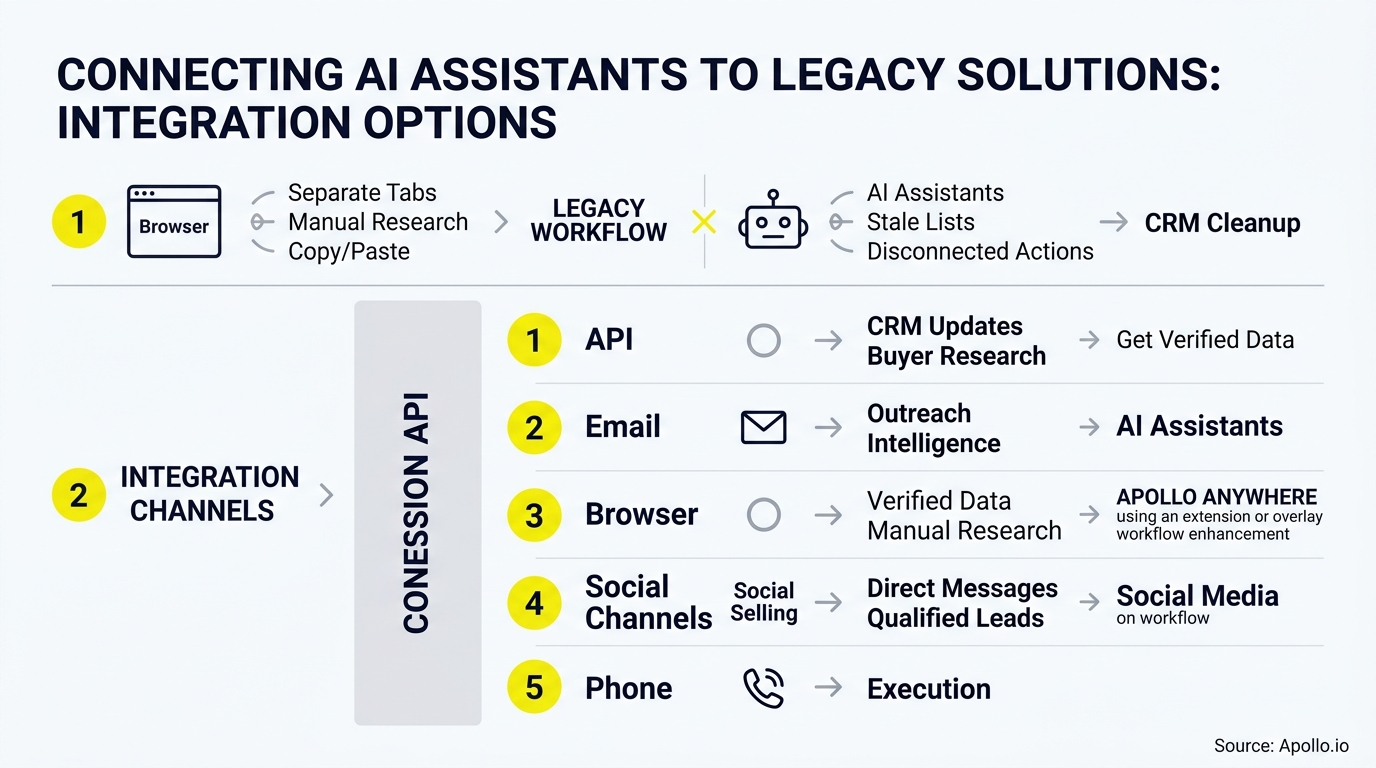
Four connector types cover most outbound workflows. Verify plan requirements and permissions with each vendor before rollout.
| Connector Type | Examples | Typical Tasks | Verify Before Use |
|---|---|---|---|
| Prospecting and enrichment | Apollo MCP | Search people and companies, enrich contacts, enroll in sequences | Plan, credits, mailbox selection |
| CRM | HubSpot MCP, Salesforce | Pull account history, draft from engagement data, update records | Write permissions, audit log |
| Sales engagement | Outreach MCP Server, Copilot Studio connector | Sequence prospects, trigger workflows | Licensed seat and add-on requirements |
| Email, calendar, docs | Gmail, Outlook, Google Drive connectors | Draft follow-ups, schedule meetings, pull approved assets | Admin-enabled write actions |
| Cross-app automation | Zapier MCP | Reach apps without a native connector | Credentials, rate limits |
Last checked: 2026. Confirm each row against the vendor's official documentation.
How Do I Choose a Connector by Workflow Stage?
Choose by the job to be done: research, enrich, draft, approve, enroll, send, and log. The market is moving from research-only connectors to action-capable ones, so a connector that only looks up contacts solves a smaller problem than one that can enroll prospects and record the activity.
The business case is administrative time. Salesforce's 2024 survey found reps spent 70% of their time on non-selling tasks.
Connectors that remove copy-paste work between tabs target that gap directly.

How Do SDRs Run Outreach From Inside an AI Assistant?
SDRs run outreach from inside an assistant by connecting Apollo, asking for a prospect list in plain language, and approving drafts before enrollment. With Apollo MCP, setup is no-code: connect through the assistant's connectors settings via OAuth on any Apollo plan. From one conversation you can search an ICP, enrich contacts with verified emails and phone numbers, and add prospects to sequences.
Struggling to find qualified leads? Search Apollo's 240M+ contacts with 65+ filters. Your best prospecting session shouldn't require opening a new tab.
Fill Your Funnel And Forecast With Confidence
Tired of top-of-funnel leads that never turn into real opportunities? Apollo puts 98% accurate emails and prospect data in one workspace, so you can see where every deal stands and call your number with confidence. Start filling your pipeline today.
Start Free with Apollo →How Does a CRM-to-Context-to-Draft Workflow Work?
A CRM-to-context-to-draft workflow pulls account history from your CRM, adds buying signals, and generates a draft grounded in real interactions. HubSpot's MCP updates now let teams prioritize accounts using intent signals and draft outreach from engagement history, with CRM writes attributed in the audit log.
- Pull the account's recent activity and open deals from the CRM connector.
- Add enrichment data such as title, company size, and verified email.
- Draft the message from approved assets and recent interactions.
- Route the draft to a human for review.
- Log the approved send back to the CRM.
RevOps teams building this flow can start with CRM integration for HubSpot and Salesforce. According to Salesforge, common CRM systems of record include Salesforce, HubSpot CRM, Microsoft Dynamics 365, and Pipedrive.
Can an AI Assistant Actually Send Outreach, or Only Draft It?
It depends on the connector and the permissions granted. Reading data, creating drafts, enrolling contacts, and sending are separate capabilities.
OpenAI's 2026 update added write actions for Microsoft and Google apps, such as drafting Outlook emails and scheduling meetings, but workspace administrators must enable them.
Spending hours on manual outreach? Automate your sequences with Apollo's multi-channel platform. Apollo documents draft-then-send steps and explicit mailbox selection when several sending accounts are connected.
How Do I Keep Humans in Control of Connected Outreach?
Keep humans in control with an approval gate, scoped permissions, and a staged rollout. Pew's 2025 report found 52% of U.S. workers felt worried about future workplace AI use, so autonomous sending should not be the default.
- Start with read and draft access only.
- Require approval before enrollment or send.
- Confirm sender selection and action restrictions in a demo.
- Check licensing, since availability varies by plan, region, and workspace role.
Research from Gartner shows 69% of B2B buyers still want human rep interaction to validate AI-generated proposals.
What Should Sales Leaders Measure in a Connector Pilot?
Sales leaders should measure pipeline outcomes, not connector counts. Zapier reports 40,000+ actions across 9,000+ apps, but vendor ecosystem size says nothing about results.
Salesforce found 83% of AI-using sales teams reported revenue growth versus 66% without AI, an association rather than proof any one connector drives revenue.
| Scorecard Metric | What It Shows |
|---|---|
| Time from signal to first touch | Speed gained from fewer tool switches |
| Draft approval rate | Quality of grounded personalization |
| Reply and meeting rate | Outreach effectiveness |
| Records logged correctly | Data hygiene |
Why Consolidate Connectors Into One Platform?
Consolidation reduces the number of connectors you must authenticate, permission, and maintain. Apollo brings data, intelligence, and execution together, and meets you in the tools you already use. As Collin Stewart of Predictable Revenue put it: "We reduced the complexity of three tools into one."
Need a contact database behind your assistant? Explore Apollo's data enrichment.

What Is the Best Way to Start?
The best way to start is a small pilot with one connector per workflow stage and a human approval gate. Verify capabilities in official documentation, test with a single team, and expand only after the scorecard shows results.
To connect prospecting, enrichment, and sequences to the AI assistant you already use, Start Free with Apollo.
Prove Pipeline ROI Fast With Apollo
Budget review coming and you can't quantify what your sales tools actually delivered? Apollo puts data, outreach, and analytics in one workspace, so you can show leadership real pipeline impact. Leadium tripled annual revenue by automating inbound follow-up.
Start Free with Apollo →Don't miss these
Sales
Inbound vs Outbound Marketing: Which Strategy Wins?
Sales
What Is a Sales Funnel? The Non-Linear Revenue Framework for 2026
Sales
What Is a Go-to-Market Strategy? The 2026 GTM Playbook
See Apollo in action
We'd love to show how Apollo can help you sell better.
By submitting this form, you will receive information, tips, and promotions from Apollo. To learn more, see our Privacy Statement.
4.7/5 based on 9,690 reviews
