
How to Verify CRM Contacts Still Work at Their Listed Companies
Ask ChatGPT or Claude to "check which of my CRM contacts still work at their listed companies" and you'll find most AI tools can't do it natively. They need a live data connection.
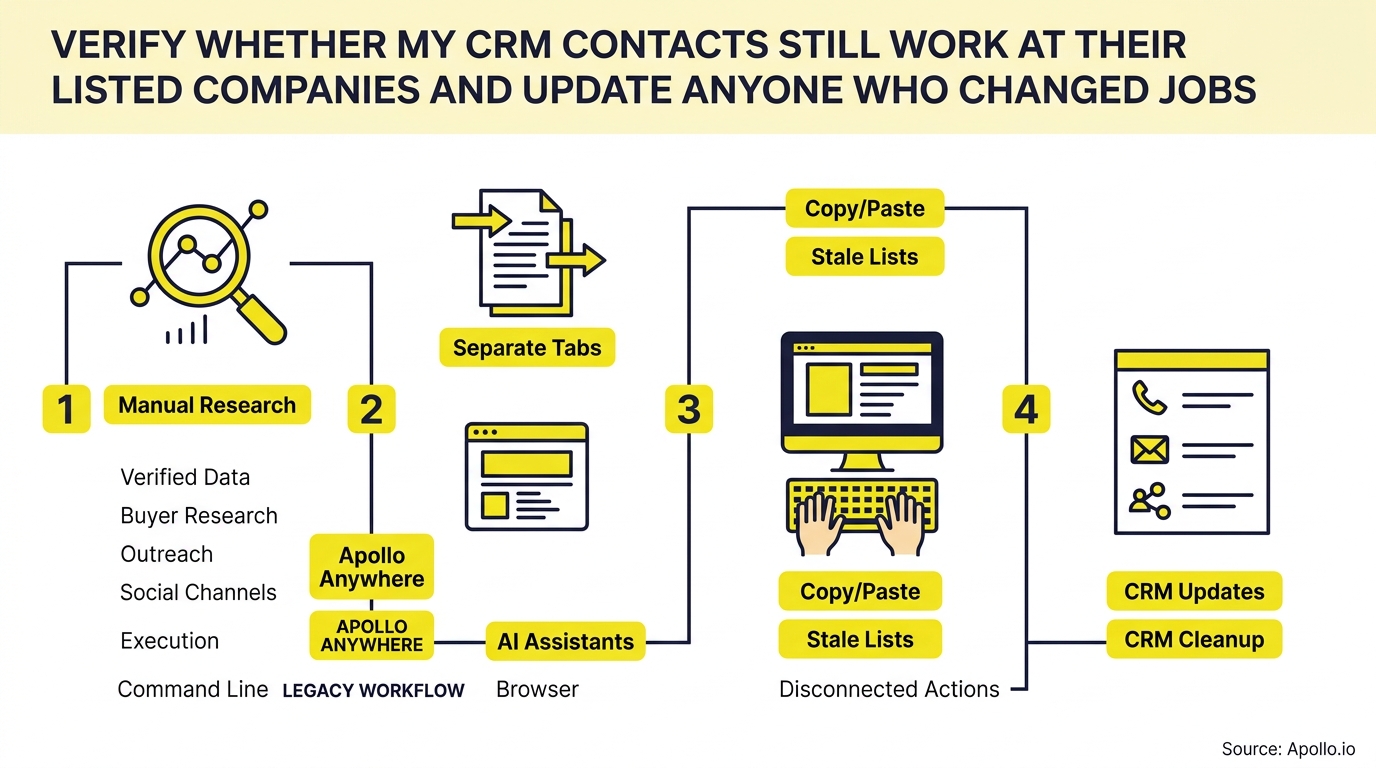
This is a real, recurring operations job: verify current employer, title, and email deliverability for every contact, then update records safely without losing deal history.

Skip The Research, Apollo Verifies Contacts
Spending hours a day chasing down emails and phone numbers that turn out wrong. Apollo verifies contact data instantly with 98% email accuracy, so reps spend time selling, not searching. Get back to pipeline that actually connects.
Start Free with Apollo →Key Takeaways
- Job-change detection rates vary widely by role and region, so a single quarterly refresh schedule misses most changes as they happen.
- Use Apollo MCP when you need to verify a batch of CRM contacts' current employer and title directly inside ChatGPT, Claude, or Perplexity without exporting a spreadsheet.
- A job change is both a data-quality risk (the old record breaks) and a pipeline opportunity (the new employer is a fresh account).
- Use Apollo MCP when you need to enrich a contact list with verified emails and push updated employer data back into Salesforce or HubSpot in one conversation.
- Preserving history (old employer, old title, evidence, confidence score) matters as much as writing the new value.
What Does It Mean to Verify CRM Contacts Employment?
Verifying CRM contact employment means confirming that a contact's listed company, title, and email are still accurate before you rely on that record for outreach, reporting, or automation. It is not the same as basic email verification, which only checks deliverability.
Employment verification checks three separate things: is the person still at that company, do they hold that title, and can you still reach them there.
This distinction matters because a contact can have a perfectly deliverable email at a company they left months ago (forwarding rules keep old addresses active). Employment verification catches what deliverability checks miss.
Why Is Continuous Job-Change Tracking Important for RevOps Teams?
Continuous job-change tracking matters because employment data decays faster than most refresh cycles account for. Labor mobility data from the Bureau of Labor Statistics shows 63.2 million job separations occurred in the U.S. in 2024, with median employee tenure falling to 3.9 years, the lowest level recorded since January 2002.
For RevOps leaders, that mobility rate means static enrichment snapshots go stale between cleanup cycles. According to DataMagnet, the industry-standard annual decay rate for B2B contact data sits around 22.5%, compounding at roughly 2.1% per month. A quarterly refresh already misses a meaningful share of changes by the time reps act on the data.
RevOps teams managing shared pipelines feel this first: a stale employer field breaks routing rules, account assignment, and territory mapping all at once.

How Do You Build a Field-Level Data Model for Employment Verification?
A reliable verification model separates current facts from historical facts and stores evidence alongside both. Instead of overwriting a single "Company" field, structure your CRM object with these fields:
| Field | Purpose |
|---|---|
| Current Employer / Title | Latest verified affiliation |
| Prior Employer / Title | Preserved history for attribution and relationship tracking |
| Evidence Source | Where the update came from (enrichment provider, manual research, contact reply) |
| Confidence Score | High/Medium/Low based on source agreement and recency |
| Last Verified Date | Triggers re-checks on a rolling schedule |
| Account Status | Flags whether the associated deal or account needs stakeholder reassignment |
This model lets you answer "is this update trustworthy?" and "what changed?" without losing the original relationship data tied to closed-won deals or past conversations.
What Is the Decision Table for Handling a Detected Job Change?
The decision table below determines the safe action to take once a discrepancy is flagged, based on confidence level and deal status.
| Signal Detected | Confidence | Recommended Action |
|---|---|---|
| New employer confirmed by one source | Low | Flag for manual review, do not overwrite |
| New employer confirmed by two+ sources | High | Auto-update current employer, archive prior record |
| Contact left, no new employer found | Medium | Mark account contact as "departed," alert deal owner |
| Email bounces, employer unchanged elsewhere | Medium | Re-verify email only, keep employer field |
| Job change tied to an open opportunity | Any | Trigger stakeholder-replacement task for the AE |
For Account Executives managing active deals, that last row is the one that protects revenue: a departed champion should generate a task, not silently disappear from the CRM.
Find Sales-Ready Buyers With Apollo
Watching marketing leads stall out before they ever become real opportunities. Apollo surfaces buying intent and prioritizes prospects who are actually ready to talk, so your funnel stops leaking. Built-In saw a 10% higher win rate using Apollo's signals.
Start Free with Apollo →How Do SDRs and RevOps Implement This in Salesforce or HubSpot?
Implementation works by connecting a verification and enrichment layer to your CRM so updates write back automatically instead of through manual list exports. In Salesforce, this typically means a scheduled flow or Apollo integration that checks a rolling batch of contacts (say, those unverified for 90+ days) and updates employer, title, and email fields based on confidence rules.
In HubSpot, workflows can trigger the same check whenever a contact record hits a certain age or enters a sequence.
SDRs benefit most from verification happening right before outreach, not on a fixed calendar. A contact enriched two months ago could already be wrong.
Checking at the point of use, right before a sequence starts, catches changes that a quarterly batch job would miss.
Learn more about CRM integration strategy that actually works or see how to connect Salesforce and HubSpot to Apollo for live data sync.
How Can You Verify and Update Contacts Directly From ChatGPT or Claude?
You can verify and update CRM contacts directly from ChatGPT, Claude, or Perplexity by connecting Apollo MCP, which brings live Apollo data into the AI tool you're already using. Setup is no-code: connect Apollo through the AI tool's connectors panel via OAuth, using any Apollo plan including free.
Once connected, you can ask your AI assistant to check a list of contacts against their listed companies, enrich anyone whose title or employer changed, and push verified updates back into Salesforce or HubSpot, all in one conversation. This also works from Apollo's Chrome extension when you're researching a contact on a company website, and from the Apollo API for teams building custom workflows.
Your best prospecting session shouldn't require opening a new tab to check if a lead still works there.
Struggling to keep enrichment accurate between cleanup cycles? Verify and enrich contacts continuously with Apollo instead of relying on stale snapshots.
What Should You Do With Contacts Who Changed Jobs?
A job change requires two separate actions: protect the account that lost a stakeholder, and evaluate the new employer as a fresh opportunity. Research from professional networks found that people who started a new role within the previous 90 days were more likely to respond to outreach than the average professional, which makes timing critical.
A practical 30/60/90-day cadence:
- Days 0-30: Confirm the departure, flag the open deal for the AE, and send a light-touch "congratulations on the new role" note to the contact.
- Days 31-60: Qualify the new employer against your ICP and, if it fits, route to the SDR queue as a fresh account.
- Days 61-90: Re-engage the original account to identify the new stakeholder, using the departed contact's relationship history as context.
Founders and revenue leaders can build this into a repeatable job-change alert workflow instead of reacting deal by deal. RevOps leaders find that routing rules built on verified employer data reduce misassigned accounts significantly, since stale employer fields are one of the most common causes of broken territory mapping.
How Do You Calculate ROI for Continuous Verification?
ROI for continuous verification is calculated by comparing the cost of stale data against the cost of the monitoring tool. Key inputs to run your own calculation:
- Contacts requiring verification: total CRM contacts touched by sales or marketing in the past 12 months
- Detected job-change rate: apply a conservative range based on your contact mix, since rates vary by function and region
- Average deal size: what one misrouted or missed opportunity costs
- Rep hours spent on manual research: time reps currently spend confirming a contact's role before outreach
According to Validity's 2025 State of CRM Data Management report, 76% of CRM users say less than half of their organization's CRM data is accurate and complete. That completeness gap is the starting point for your calculation: the more contacts affected, the higher the return on fixing verification at the source rather than downstream.

Conclusion: Build Verification Into Your Workflow, Not Your Calendar
Treating employment verification as a one-time cleanup project guarantees your CRM is wrong again within a quarter. The more durable approach is a field-level model that preserves history, a decision table that routes updates by confidence, and a check that runs at the point of outreach rather than on a fixed schedule.
Teams that consolidate this into one workspace avoid the toggle tax of exporting, cleaning, and re-importing lists across separate tools. As Collin Stewart of Predictable Revenue put it, "We reduced the complexity of three tools into one." Apollo brings verification, enrichment, and outreach into a single system, whether you're working from your CRM, the Chrome extension, or directly inside your AI assistant.
Ready to stop guessing which contacts are still accurate? Schedule a Demo and see how Apollo keeps your CRM current, automatically. Schedule a Demo
Prove Pipeline ROI With Apollo In Days
Struggling to justify tool spend when leadership wants numbers, not promises? Apollo replaces scattered spreadsheets and guesswork with one platform that shows exactly how reps spend time and pipeline grows. Leadium 3x'd revenue by automating outreach and follow-up.
Start Free with Apollo →Don't miss these
Sales
Inbound vs Outbound Marketing: Which Strategy Wins?
Sales
What Is a Sales Funnel? The Non-Linear Revenue Framework for 2026
Sales
What Is a Go-to-Market Strategy? The 2026 GTM Playbook
See Apollo in action
We'd love to show how Apollo can help you sell better.
By submitting this form, you will receive information, tips, and promotions from Apollo. To learn more, see our Privacy Statement.
4.7/5 based on 9,690 reviews
