
Upgrading From a Personal Plan to a Company Recruiting Plan
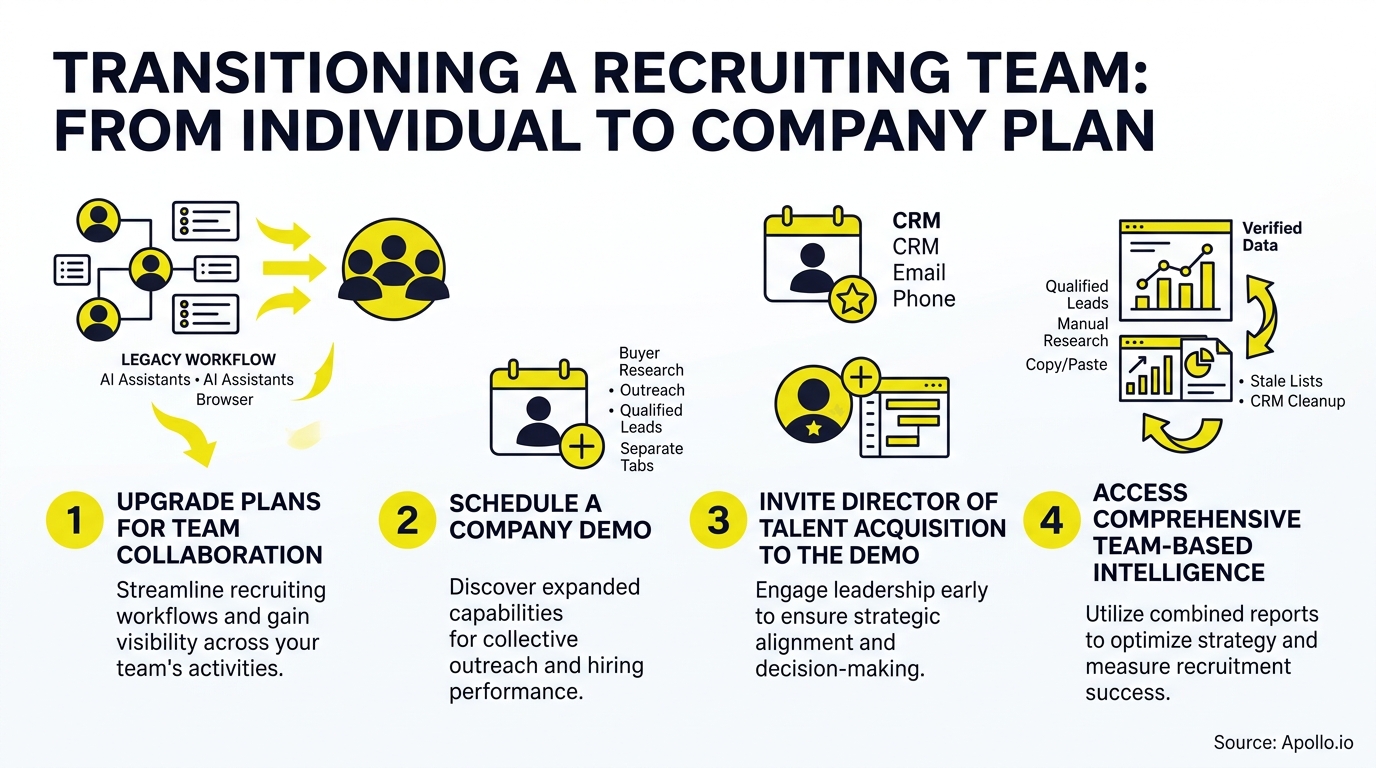
You started with a personal plan to source a few candidates. Now your recruiting team has grown, your hiring manager wants shared visibility, and you need to justify a company plan upgrade to a Director of Talent Acquisition who wasn't part of your original signup.
That conversation is easier than it sounds, and this guide gives you the ROI framework, the demo agenda, and the stakeholder questions to make it happen.

Skip The Research, Apollo Verifies Contacts
Spending hours manually researching leads and chasing down accurate emails and phone numbers? Apollo hands you verified contact data instantly, so reps sell instead of digging. 98% email accuracy means fewer bounces and more real conversations.
Start Free with Apollo →Key Takeaways
- A personal-to-company plan upgrade should be framed around recruiter capacity and cost-per-hire, not just extra seats or features.
- Bringing your Director of Talent Acquisition into the next demo mirrors how most software gets approved: as a team decision, not a solo purchase.
- A 90-day adoption scorecard turns a vague "team plan" into a measurable business case with clear milestones.
- Governance features like role-based permissions and shared reporting are often the real reason a team plan gets approved over separate individual subscriptions.
- SDRs, recruiters, and RevOps leaders all benefit differently from a shared plan, so your demo should speak to each role.
Why Should You Upgrade From A Personal Plan To A Company Plan?
You should upgrade because a personal plan can't solve a team-wide capacity problem, and recruiting is increasingly a capacity problem. More than 75% of organizations reported difficulty filling full-time roles, yet only 56% of HR professionals rated their recruiting efforts effective, according to SHRM's 2025 State of the Workplace report. Unfilled roles increased workloads for over a third of employees, and burnout rates were markedly higher for those absorbing the extra work.
A personal plan solves this for exactly one person. A company plan spreads sourcing capacity, shared candidate data, and reporting across the whole recruiting function.
That's the difference between one recruiter working faster and a team working smarter together.
How Do You Build The ROI Case For A Recruiting Team Plan?
You build the ROI case by connecting plan features directly to cost-per-hire and time-to-fill, the two metrics finance and TA leadership already track. According to SHRM's 2025 benchmarking report, recruiting consumes an average of 26% of total HR budgets, with average cost-per-hire reaching $5,475 for nonexecutive roles and $35,879 for executive roles. Even small reductions in duplicated sourcing effort or vacancy time translate into real budget impact at that scale.
Structure your calculator around these inputs:
- Recruiter headcount and hours spent on manual sourcing per week
- Current cost-per-hire by role level (use your own ATS data or SHRM's benchmarks above)
- Average time-to-fill and how many open reqs are actively delayed
- Duplicated tool spend across personal subscriptions that a shared plan would consolidate
- Quality-of-hire tracking gaps, since 89% of TA professionals say measuring quality of hire will matter more, but only 25% feel confident doing it today, per professional networks's Talent Solutions research
Present the company plan as shared infrastructure that closes these gaps, not just a feature bundle.
What Does A Personal Plan Vs. Company Plan Comparison Look Like?
A personal plan gives one user isolated access, while a company plan adds shared data, permissions, and reporting across the recruiting team. Here's how they typically differ:
| Capability | Personal Plan | Company Plan |
|---|---|---|
| Candidate/contact data | Siloed to one user | Shared across the team |
| Sourcing and outreach | Individual sequences | Coordinated, multi-recruiter workflows |
| Reporting | Personal activity only | Team-wide dashboards and pipeline visibility |
| Admin controls | None | Role-based permissions, seat management |
| Security oversight | Individual account | Centralized, auditable access |
| Onboarding new recruiters | Separate signup per person | Add seats to existing workspace |
This is also the shift the market is making broadly. SmartRecruiters' September 2026 release added security anomaly detection and role-based access controls for AI-assisted candidate matching, the exact governance layer that justifies moving off individual subscriptions. Recruiting teams evaluating any sourcing or engagement platform, including advanced prospecting and candidate discovery tools, are increasingly buying at the team level rather than stitching together individual seats.

Why Should You Add A Director Of Talent Acquisition To Your Demo?
You should add your TA Director because company plan purchases are consensus decisions, and leaving out the budget owner slows or kills the deal. G2's 2024 Buyer Behavior Report found that 82% of software selections are always or frequently consensus-based, while 42% of buyers said final purchase authority sits with the C-suite or CFO, according to G2's research. Your Director of Talent Acquisition is very likely that final approver, or close to it.
Think of yourself as the champion and the Director as the business owner. You've proven the tool works for one recruiter. The Director needs to see it work for the function: governance, reporting, and budget impact. Gartner's research on B2B buying groups found that unhealthy conflict shows up in a majority of buying teams, while groups that reach real consensus are far more likely to report a high-quality deal, per Gartner's 2025 sales survey. Getting the Director in early reduces that friction.
Turn Cold Leads Into Sales-Ready Pipeline
Watching marketing leads stall before they ever reach a sales-ready stage? Apollo scores and prioritizes prospects by buying intent, so reps chase deals instead of dead ends. Built-In improved win rates using Apollo's scoring data.
Start Free with Apollo →What Should A 30-Minute Director-Ready Demo Agenda Include?
A director-ready demo should split time between validating your existing usage and answering the Director's business questions. Use this structure:
- 0-5 min: Recap your personal-plan results (roles filled, time saved, pipeline built)
- 5-15 min: Live walkthrough of shared team workflows, permissions, and reporting dashboards
- 15-22 min: ROI numbers tied to cost-per-hire and time-to-fill from your calculator
- 22-28 min: Security, data governance, and admin controls (have IT/security notes ready even if they're not on the call)
- 28-30 min: Next steps: seat count, rollout timeline, pilot vs. full-team activation
Gartner also found that 69% of B2B buyers still want to validate AI-driven claims with a live rep, even though most prefer self-service exploration, according to Gartner's May 2026 survey. Let the Director explore the platform independently beforehand, then use the live demo to validate ROI and answer governance questions directly.
What Questions Should Each Stakeholder Ask?
| Stakeholder | Key Questions |
|---|---|
| TA Director | How does this reduce cost-per-hire and time-to-fill across the team? What's the reporting for quality of hire? |
| Finance | What's the seat pricing structure? How does this compare to current tool spend? |
| IT/Security | What role-based permissions exist? How is data access logged and audited? |
| Recruiters | Does this reduce duplicate manual sourcing work? Can we collaborate on shared candidate pipelines? |
How Do SDRs And RevOps Leaders Support A Recruiting Team's Tool Upgrade?
SDRs and RevOps leaders often influence this decision even outside recruiting, because they've already lived through the same personal-to-company plan conversation with sales tools. RevOps leaders evaluating shared data infrastructure for their own sales pipeline platforms understand the value of one source of truth over fragmented individual logins. That same logic applies directly to recruiting: shared visibility beats siloed effort.
Struggling to justify tool consolidation to a skeptical finance stakeholder? Collin Stewart of Predictable Revenue put it simply: "We reduced the complexity of three tools into one." That's the same pitch a recruiting team plan makes to a Director of Talent Acquisition: fewer logins, one shared source of candidate and pipeline data, one bill instead of several.
What Does A 90-Day Adoption Scorecard Look Like?
A 90-day scorecard tracks specific, measurable milestones so the upgrade doesn't stall after the initial signature. Structure it in three phases:
- Days 1-30: All recruiters onboarded, permissions configured, shared candidate database populated
- Days 31-60: First team-wide reporting cycle complete, time-to-fill baseline established, at least one collaborative sourcing workflow live
- Days 61-90: Cost-per-hire comparison vs. pre-upgrade baseline, quality-of-hire tracking process documented, Director sign-off on renewal readiness
This scorecard gives your Director something concrete to report up the chain, and gives you proof the upgrade paid off before the next budget cycle.
Ready To Bring Your Team Plan To The Next Demo?
Upgrading from a personal plan to a company plan isn't just a bigger invoice, it's a shift from individual productivity to team-wide recruiting capacity. Build your ROI case around cost-per-hire and time-to-fill, bring your Director of Talent Acquisition into the room early, and use a 90-day scorecard to prove the investment out.
That combination turns a routine renewal conversation into a clear, consensus-backed decision.
Apollo brings sales intelligence, engagement, and enrichment into one workspace, so growing teams don't have to stitch together separate logins for research and outreach. Ready to see how a shared team workspace works in practice? See Apollo's platform in action with an on-demand demo, then bring your own stakeholders into the next live session.

Frequently Asked Questions
How Much Does A Company Plan Cost Compared To A Personal Plan?
Pricing scales with seats and features, and most vendors offer volume-based team pricing that reduces per-seat cost versus multiple individual subscriptions. Compare your current combined personal-plan spend against a single team quote before assuming the upgrade costs more.
How Many Seats Do You Need When Upgrading To A Company Plan?
Start with your current recruiting headcount plus any hiring managers who need visibility into shared pipelines. Most teams add a small buffer for planned recruiter hires in the next two quarters.
How Does Data Migrate From A Personal Plan To A Company Plan?
Your existing candidate lists, sequences, and activity history typically transfer into the shared workspace during onboarding. Confirm the migration process and timeline with your vendor before the upgrade date to avoid a gap in active sourcing.
What Security Controls Come With A Company Plan?
Company plans typically add role-based permissions, centralized admin controls, and audit logging that personal plans don't include. These controls matter increasingly as AI-assisted hiring tools face more scrutiny, including recent federal guidance treating high-impact hiring systems as requiring stronger oversight.
Will Recruiters Share Candidate Data On A Company Plan?
Yes, shared candidate and contact data is the core benefit of a company plan, replacing siloed individual databases. This reduces duplicate sourcing effort across recruiters working the same talent pools.
How Long Does Onboarding Take For A Recruiting Team Plan?
Most teams complete core onboarding, seat setup, permissions, and initial data migration within the first 30 days. Full adoption, including team-wide reporting and workflow habits, typically takes closer to 90 days.
How Do You Add A Director Of Talent Acquisition To An Upcoming Demo?
Simply request an additional attendee slot from your sales contact and share context on the Director's priorities beforehand (budget, governance, reporting). Structuring the demo with a dedicated segment for their questions, as outlined above, makes the added stakeholder productive rather than redundant.
Scale Reps Fast, Prove ROI With Apollo
Ramping new reps take forever while leadership demands proof this investment pays off? Apollo gives every rep the same playbook and surfaces the pipeline data leadership actually wants to see. Leadium 3x'd annual revenue after automating outbound with Apollo.
Start Free with Apollo →Don't miss these
Data
How to Structure a Marketing Team That Actually Drives Revenue in 2026
Data
Solving Data Synchronization Headaches Across Multiple Business Systems
Data
What Marketing Metrics Should B2B Teams Track in 2026?
See Apollo in action
We'd love to show how Apollo can help you sell better.
By submitting this form, you will receive information, tips, and promotions from Apollo. To learn more, see our Privacy Statement.
4.7/5 based on 9,690 reviews
