
How to Sync Enriched Leads Into Salesforce Without Creating Duplicates
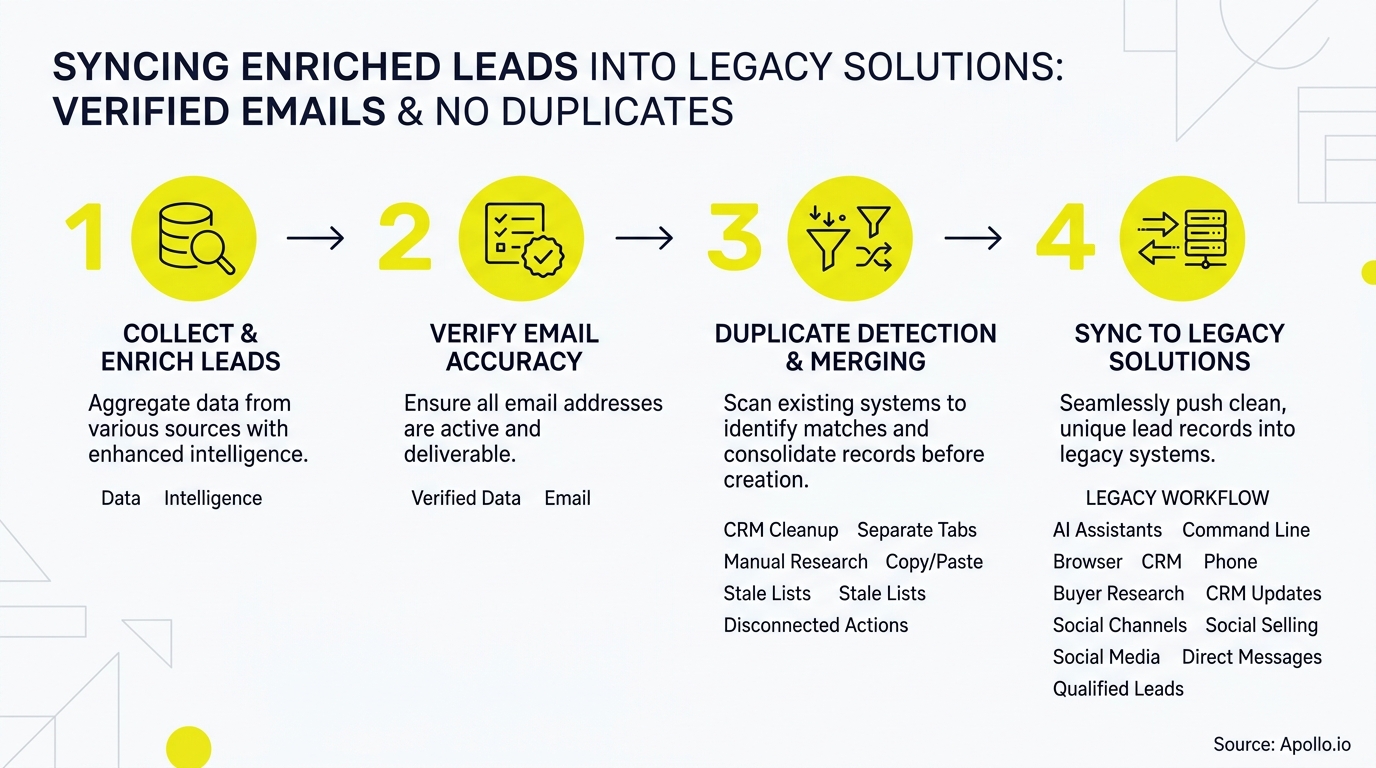
Syncing enriched leads into Salesforce without creating duplicates requires a match-before-create workflow: normalize the incoming record, search Leads and Contacts by email and domain, score the match confidence, then update, create, or quarantine based on that score. Skipping this sequence is why CRMs fill up with junk. Research from Plauti found that 80% of all new data entering a CRM via integrations is a duplicate of an existing record if not immediately merged.
This guide gives you the exact decision tree, field-mapping contract, and edge cases to build a sync that holds up at scale. If you're also trying to fix fragmented systems feeding your CRM, see solving data sync headaches across multiple business systems for the broader architecture problem.

Skip The Research - Apollo Verifies Contacts
Spending hours manually researching leads and chasing bad emails? Apollo verifies contact data instantly so your team sells instead of digging. 98% email accuracy means fewer bounces and more real conversations.
Start Free with Apollo →Key Takeaways
- Match leads against Salesforce by email AND domain before writing anything. Exact-email-only matching misses job changes and Lead/Contact collisions.
- Use Apollo MCP when you need to enrich a list, verify emails, and check Salesforce for existing matches without leaving ChatGPT, Claude, or Perplexity.
- Build a field-mapping contract with source priority and timestamps so enrichment tools don't silently overwrite sales-entered data.
- Track match rate, conflict rate, and duplicate escape rate weekly. These KPIs catch sync problems before they become CRM-wide cleanup projects.
- Verified email delivery and inbox placement are different problems. A synced, verified address still needs authentication and suppression rules to actually land.
What Is The Decision Tree For Syncing Leads Without Duplicates?
The decision tree is an eight-step sequence: normalize, identify, match, score, then route to update, create, quarantine, or log. Every enriched record should pass through all eight steps before it touches a Salesforce object.
- Normalize: Lowercase emails, strip aliasing (+tags), standardize domain casing, and format phone numbers to E.164.
- Identify: Pull candidate matches by email, then by domain + name, then by external ID if one exists.
- Match: Search both the Lead and Contact objects. A person can legitimately exist as both, especially post-conversion.
- Score: Assign a confidence score (exact email match = high; domain + fuzzy name = medium; domain only = low).
- Route high-confidence matches to update.
- Route no-match records to create.
- Route medium/low-confidence matches to a quarantine queue for manual review.
- Log every decision with the confidence score and source for auditability.
This is why Salesforce's November 2025 update lets Data 360 use the Lead object as the primary identity-resolution model, matching enriched prospects to existing accounts before creation rather than after.
Why Does Exact-Email Matching Create Duplicates Anyway?
Exact-email matching fails because people change jobs, use email aliases, and often exist in Salesforce as both a Lead and a Contact simultaneously. A verified email confirms the address is real and deliverable.
It says nothing about whether that person already has a Salesforce record under a different email, or whether a colleague already owns that account relationship.
Common failure patterns:
- Job changes: The enriched record has a new work email, but the old email is still in Salesforce under the same person.
- Catch-all domains: Generic addresses like info@ or sales@ match nothing meaningfully and shouldn't be treated as person-level identifiers.
- Lead/Contact collisions: Marketing creates a Lead; Sales already converted that person to a Contact under a related Opportunity. Syncing only against Leads recreates them.
- Shared inboxes: Multiple people using one email address break one-to-one identity assumptions.
The BLS reported 39.285 million voluntary quits in 2024 and median employee tenure fell to 3.9 years, the lowest since January 2002, according to the Bureau of Labor Statistics. That pace of movement means email-only matching decays fast, even on records enriched last quarter.

What Should A Field-Mapping Data Contract Include?
A field-mapping data contract defines which source wins when two systems disagree on a field value, and it must specify priority, confidence, timestamps, and overwrite permissions for every synced field. Without this contract, enrichment tools and sales reps silently overwrite each other's work.
| Field | Source Priority | Overwrite Rule | Confidence Threshold |
|---|---|---|---|
| Verified enrichment source > manual entry | Overwrite only if new email is verified deliverable | High | |
| Job Title | Most recent timestamp wins | Overwrite if enrichment date > last CRM update | Medium |
| Phone | Manual entry > enrichment | Never overwrite rep-entered numbers | Medium |
| Company/Domain | Enrichment source | Overwrite unless Opportunity is open | High |
| Lead Status | Salesforce workflow rules | Never overwrite via sync | N/A |
Only 26% of Salesforce customers report that "most" of their customer data actually resides within Salesforce, according to Reply Fabric's State of Salesforce report. That fragmentation is exactly why an explicit contract, not tribal knowledge, has to govern every field write.
Apollo Spots Ready Buyers Before Rivals Do
Watching good leads stall between marketing and sales while forecasts stay a guessing game? Apollo surfaces buyer intent and deal-stage signals in real time, so reps engage the right prospects at right moment. Built-In improved win rates using Apollo's scoring.
Start Free with Apollo →How Can RevOps Teams Test The Sync Before Full Rollout?
RevOps teams should test the sync against deliberately messy edge cases before letting it write to production Salesforce data. Build a test set that includes the failure patterns most likely to slip through:
- A person with a personal Gmail on file in Salesforce but a new verified work email from enrichment
- Two Leads with the same company domain but different names (are they the same person, or two people)
- A Contact tied to a closed-won Opportunity whose email now bounces
- A record where the enrichment source and Salesforce disagree on job title by more than 90 days
- A shared/catch-all email address (info@, sales@) submitted through a web form
Run each case through the decision tree and confirm it lands where it should: update, create, or quarantine. RevOps leaders find that testing against 20-30 known-bad records catches most systemic matching errors before they touch the full database.
What KPIs Should You Track After The Sync Goes Live?
Track five KPIs to know if your sync is working: match rate, conflict rate, duplicate escape rate, stale-email rate, and rollback rate. Each one flags a different failure mode.
| KPI | What It Measures | Warning Sign |
|---|---|---|
| Match rate | % of incoming records matched to an existing Lead/Contact | Sudden drop suggests a broken lookup query |
| Conflict rate | % of matches routed to manual review | Rising trend means match logic needs tuning |
| Duplicate escape rate | % of records that created a duplicate anyway | Any nonzero rate needs root-cause review |
| Stale-email rate | % of synced emails that later bounce | High rate signals enrichment source decay |
| Rollback rate | % of syncs reversed after the fact | Frequent rollbacks mean the contract needs revision |
Email addresses are the fastest-decaying data point, with a monthly decay rate that jumped from 1.5% to 3.6% in late 2024, according to Coffee.ai's 2026 lead enrichment report. That's a strong argument for scheduled re-verification, not a one-time sync-and-forget approach.
Struggling to keep enrichment fresh across thousands of records? Apollo's contact enrichment tools verify emails and phone numbers on a rolling basis, so stale data doesn't quietly pile up between syncs.
How Do SDRs And AEs Use A Clean Sync To Book More Meetings?
SDRs and AEs use a clean sync to avoid the wasted motion of chasing duplicate records, calling the wrong contact, or sending sequences to an email that already bounced last quarter. When match-before-create logic runs correctly, reps see one accurate record per person instead of three fragmented ones.
For Account Executives managing live deals, this matters even more: a duplicate Contact created mid-sales-cycle can split activity history, break attribution, and confuse a renewal conversation. SDRs report that clean, deduplicated lead lists let them spend more time on personalized outreach instead of untangling which record is current.
Sales teams that automate lead management see a 10% or greater increase in revenue within 6 to 9 months of implementation, according to the Overton Collective's 2025 sales automation research. Clean sync logic is the foundation that automation depends on.
Tired of manually checking Salesforce before every outreach sequence? Search Apollo's 240M+ contact database with 65+ filters to build lists that are already deduplicated against your CRM before they ever reach a rep's queue.
Can You Run This Sync Logic Directly From ChatGPT Or Claude?
Yes. You can run identity resolution, enrichment, and Salesforce lookups from inside ChatGPT, Claude, Perplexity, or Codex using Apollo MCP, without switching tabs to a separate enrichment tool or CRM console. Connect Apollo to your AI tool of choice through OAuth (no code required, works on any Apollo plan including free), and you can ask it to search for people matching an ICP, verify emails and phone numbers, check for existing matches, and create or update records in one conversation.
For engineering-led teams building this into an automated pipeline rather than a conversational workflow, the Apollo command-line interface gives terminal-native access to the same data and actions. Either way, the goal is the same: match before you create, and never let enrichment run blind against your CRM.

What's The Bottom Line On Syncing Enriched Leads Into Salesforce?
The bottom line: duplicate prevention has to be engineered into the sync itself, not bolted on as a cleanup project after the CRM gets messy. A verified email is a necessary input, not a sufficient one.
You still need cross-object matching, a field-priority contract, and ongoing KPI monitoring to keep the database trustworthy.
Teams that treat this as infrastructure, not a one-time import, spend less time on data cleanup and more time on pipeline. Collin Stewart of Predictable Revenue put it simply: "We reduced the complexity of three tools into one." That's the same principle at work here: fewer disconnected systems means fewer chances for duplicate creation in the first place.
If your team is stitching together separate enrichment, verification, and sync tools, Apollo brings B2B data, sales engagement, and AI-powered execution together in one connected workspace. Try Apollo Free to see how verified enrichment, match-before-create logic, and Salesforce integration work together without the tab-switching. Try Apollo Free.
Scale Reps Faster, Prove ROI With Apollo
Ramping new reps takes forever when best practices live in someone's head instead of a shared system? Apollo standardizes prospecting workflows so every rep hits full productivity faster. Leadium tripled annual revenue after automating outreach with Apollo.
Start Free with Apollo →Don't miss these
Sales
Inbound vs Outbound Marketing: Which Strategy Wins?
Sales
What Is a Sales Funnel? The Non-Linear Revenue Framework for 2026
Sales
What Is a Go-to-Market Strategy? The 2026 GTM Playbook
See Apollo in action
We'd love to show how Apollo can help you sell better.
By submitting this form, you will receive information, tips, and promotions from Apollo. To learn more, see our Privacy Statement.
4.7/5 based on 9,690 reviews
