
How to Export Verified Contacts for Target Accounts to CRM-Ready CSV
Exporting a spreadsheet of names and emails takes five minutes. Exporting a CRM-ready file that your RevOps team won't reject takes a system.
If your target-account list turns into a pile of bounced emails and duplicate records three weeks after import, the problem isn't your CRM: it's the quality gate you never built before the export.
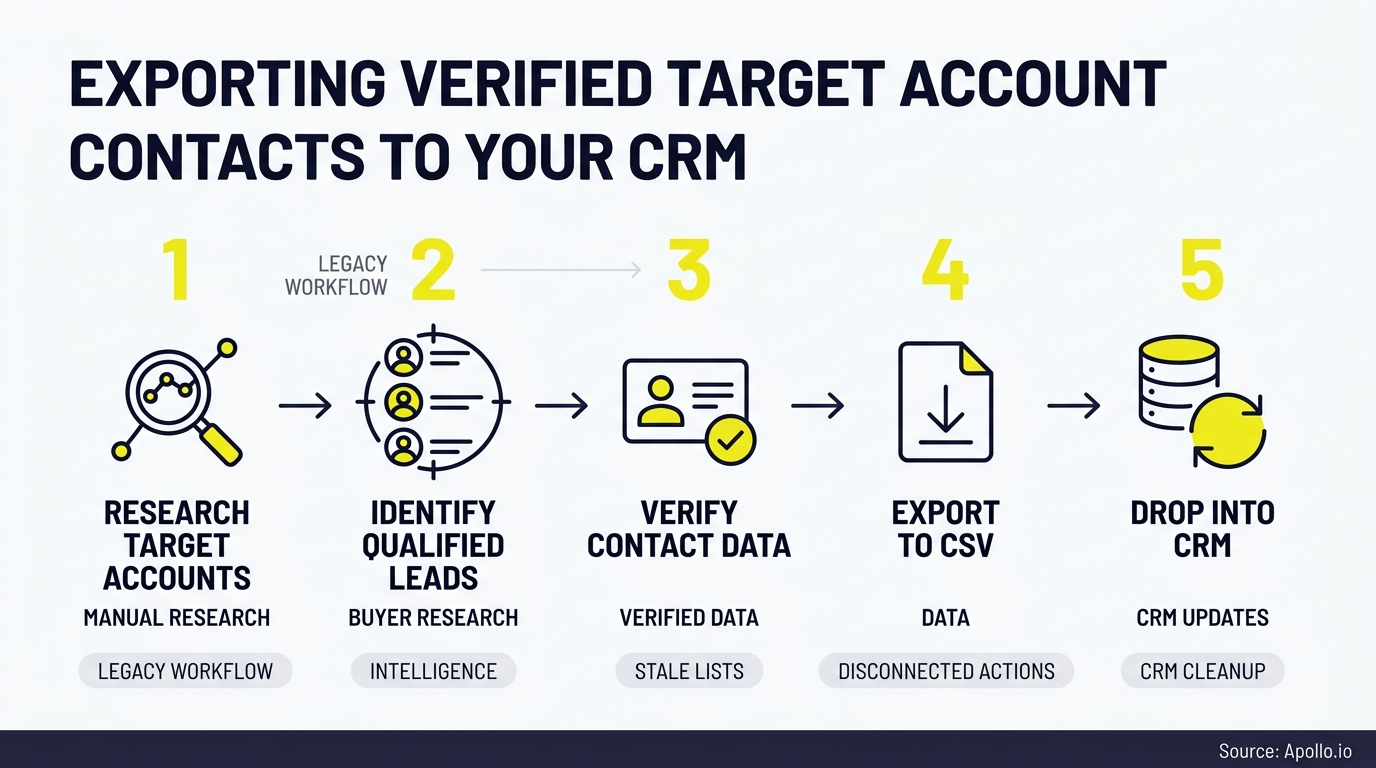

Ditch Manual Research, Get Verified Contacts
Still spending hours chasing down emails and phone numbers that bounce anyway? Apollo verifies contact data instantly with 98% email accuracy, so your team spends time selling, not searching. Start finding real prospects today.
Start Free with Apollo →Key Takeaways
- A CRM-ready CSV needs five quality layers: verified identity, buying-group mapping, freshness timestamps, duplicate detection, and suppression fields, not just a name and email.
- Use Apollo MCP when you need to search, enrich, and export target-account contacts directly inside ChatGPT, Claude, or Perplexity without switching tabs.
- Verification status should never be a static yes/no: it needs a date, a source, and a re-check trigger tied to job changes.
- Buying groups average multiple stakeholders per deal, so single-contact exports miss most of the people who influence the decision.
- Apollo's waterfall enrichment lets RevOps teams export verified, deduplicated contact records for target accounts without stitching together separate tools.
What Does A CRM-Ready Contact Export Actually Require?
A CRM-ready contact export requires verified identity data, complete buying-group coverage, freshness metadata, duplicate-safe formatting, and suppression fields, not just a name, title, and email address. Most exports fail one of these five layers, which is why "verified" lists still generate bounces and duplicate records after import.
A spreadsheet with a working email is not the same thing as a CRM-ready record. Validity's 2024 survey of CRM administrators found that 31% said poor-quality data cost their business at least 20% of annual revenue. The fix isn't more contacts. It's a structured export that a CRM admin can trust without a manual review pass.
What Are The Five Quality Layers Of A CRM-Ready Export?
The five quality layers are: verification (is the email and phone number confirmed live), buying-group completeness (are the right stakeholders represented), freshness (when was this last checked), duplicate safety (will this create a conflicting record), and suppression (is this person opted out or restricted from contact).
- Verification: Email and phone status confirmed through multi-provider checks, not a single database lookup.
- Buying-group mapping: Multiple roles per account (economic buyer, technical evaluator, end user, champion) instead of one generic contact.
- Freshness: A verification date field, since employment changes fast. The U.S. Bureau of Labor Statistics recorded 39.2 million quits during 2024 alone.
- Duplicate safety: Matching logic against existing CRM IDs before the file ever gets imported.
- Suppression: Do-not-contact, opt-out, and consent fields baked into the schema, not handled after the fact.
Who Are The People In A Target Account's Buying Group?
A target account's buying group typically includes an economic buyer, a technical evaluator, one or more end users, and a champion, and your export should tag each contact by role. Exporting one decision-maker per account misses most of the people who actually influence the purchase.
Forrester reported in December 2024 that an average of 13 people participate in a B2B purchase and 89% of purchases involve at least two departments. If your CSV only has one name per company, you're building outreach around a fraction of the real buying committee.
| Role | Typical Title Pattern | Export Priority |
|---|---|---|
| Economic Buyer | VP, Director, CFO | High |
| Technical Evaluator | IT Manager, Sales Ops, Architect | High |
| End User | SDR, AE, Analyst | Medium |
| Champion | Any level, internal advocate | Medium |
What Fields Belong In A CRM-Ready CSV Template?
A CRM-ready CSV needs identity fields, verification metadata, role tags, and compliance fields, not just contact info. Missing any of these forces your RevOps team to manually patch the file before it's usable.
| Field | Example Value | Why It Matters |
|---|---|---|
| Full Name | Jordan Reyes | Matching key |
| Verified Email | jordan@acme.com | Deliverability |
| Verification Date | 2026-01-14 | Freshness check |
| Verification Source | Waterfall (multi-provider) | Provenance/audit trail |
| Buying-Group Role | Technical Evaluator | Outreach targeting |
| Company Domain | acme.com | Duplicate matching |
| Suppression Status | Not suppressed | Compliance/deliverability |
See Every Deal Stage With Apollo
Forecasting off gut feel because your funnel data never updates in real time? Apollo surfaces buyer intent and deal signals the moment prospects go active, so reps chase real opportunities instead of cold leads. Built-In improved win rates using Apollo's scoring.
Start Free with Apollo →What Do Clean, Risky, Duplicate, Stale, And Suppressed Rows Look Like?
A clean row has a recent verification date, a mapped role, and no suppression flag. A risky, duplicate, stale, or suppressed row is missing one of those signals, and each should be handled differently before import.
- Clean: Verified within 30 days, unique domain match, role tagged, no suppression flag.
- Risky: Email verified but phone number unconfirmed, or title guessed from a stale source.
- Duplicate: Same email or professional networks URL already exists under a different CRM record ID.
- Stale: Verification date older than 90 days with no re-check after a detected job change.
- Suppressed: Contact has opted out, bounced previously, or is flagged under a deletion request.
Struggling to tell which rows in your export are safe to import? Apollo's enrichment tools tag verification status and freshness automatically so you're not reviewing rows by hand.

How Do SDRs And RevOps Teams Run A QA Checklist Before Import?
SDRs and RevOps teams run a QA checklist by confirming verification recency, checking for duplicate CRM IDs, tagging buying-group roles, and screening suppression status before any file touches production data. Skipping this step is what turns a "verified" list into a data-quality incident three weeks later.
- Confirm every row has a verification date within your team's freshness window (30-90 days).
- Run domain and email matching against existing CRM records to flag duplicates pre-import.
- Tag each contact's buying-group role so sequences can be personalized by function.
- Check suppression and opt-out fields against your compliance list.
- Spot-check a sample against source data before bulk import, especially for enterprise target accounts.
For Account Executives prepping a pre-meeting brief or SDRs building a new sequence, this checklist is the difference between a list that books meetings and one that gets flagged as spam. Sales reps already spend a significant share of their week on manual data work; SuperOffice reports that reps lose an average of 13 hours per week to manual data entry and hunting for information inside the CRM.
How Can You Export Verified Target-Account Contacts Directly Inside ChatGPT Or Claude?
You can export verified target-account contacts directly inside ChatGPT, Claude, or Perplexity by connecting Apollo MCP through the AI tool's connectors, then asking it to search your ICP, enrich the matches with verified emails and phone numbers, and push the results into your CRM. No separate export-clean-import workflow required.
Setup is no-code: connect Apollo via OAuth inside your AI tool's integrations panel on any Apollo plan, including free. From there, a RevOps leader can ask the assistant to pull every contact at a list of target accounts, filter by buying-group role, and check current company status before the file ever becomes a CSV.
Technical teams can run the same workflow from the Apollo CLI for terminal-native access.
Your best prospecting session shouldn't require opening a new tab. This is also why RevOps teams increasingly treat CSV as a fallback format rather than the finish line: the goal is verified data that lands directly in Salesforce or HubSpot, not a file that sits in a downloads folder waiting for manual cleanup.
Why Does Verification Recency Matter More Than A One-Time Check?
Verification recency matters more than a one-time check because employment changes constantly, and a contact verified six months ago may no longer work at that company. Static "verified: yes" fields create false confidence.
Build re-verification triggers into your workflow: flag any contact untouched for 90+ days, and automatically re-check anyone with a detected job change signal. This is also where job change alerts earn their keep, catching moves before your outreach lands in a dead inbox. Apollo's waterfall enrichment checks up to 18 providers per contact, which is how RevOps teams keep freshness high without re-verifying manually every quarter.
Founders and revenue leaders under ROI pressure should treat this as a cost issue, not just a hygiene issue. Coffee.ai's analysis notes that automated tools for exporting verified contacts into a CRM directly address the high costs of data decay and manual entry that stale lists create.
How Does Apollo Simplify The Target-Account-To-CRM Workflow?
Apollo simplifies this workflow by combining account search, multi-provider verification, buying-group mapping, and native CRM sync in one workspace, so teams don't stitch together a separate data vendor, a verification tool, and an import script. Search your ICP with 65+ filters across 240M+ contacts, enrich with waterfall verification, and sync straight into Salesforce or HubSpot without a manual export step in between.
Collin Stewart of Predictable Revenue put it simply: "We reduced the complexity of three tools into one." That's the practical outcome of pairing verified data with native CRM sync instead of managing separate tools for search, enrichment, and import.
RevOps leaders managing this stack end to end can also review what actually works for CRM integration strategy before rolling out a new import process company-wide.

What's The Bottom Line On Exporting Verified Contacts For Target Accounts?
A generic contact list isn't the same thing as a CRM-ready export. The five quality layers, verification, buying-group mapping, freshness, duplicate safety, and suppression, are what separate a file your RevOps team trusts from one that generates a cleanup ticket.
Skipping any one of them just moves the manual work downstream.
Whether you're an SDR building a new target-account list, an AE prepping for a multi-threaded deal, or a RevOps leader auditing your import pipeline, the fix is the same: verify at the source, map the buying group, timestamp everything, and check for duplicates and suppression before the file ever touches your CRM. Apollo's enrichment and CRM sync tools handle this end to end, so your export is ready to work the moment it lands. Get Leads Now: start free with Apollo today.
Justify Spend With Apollo's Measurable Impact
Struggling to quantify time saved and pipeline impact for leadership? Apollo replaces scattered manual workflows with one system that shows measurable output from day one. Leadium 3x'd annual revenue after automating outbound with Apollo.
Start Free with Apollo →Don't miss these
Sales
Inbound vs Outbound Marketing: Which Strategy Wins?
Sales
What Is a Sales Funnel? The Non-Linear Revenue Framework for 2026
Sales
What Is a Go-to-Market Strategy? The 2026 GTM Playbook
See Apollo in action
We'd love to show how Apollo can help you sell better.
By submitting this form, you will receive information, tips, and promotions from Apollo. To learn more, see our Privacy Statement.
4.7/5 based on 9,690 reviews
