
How to Enrich HubSpot Contacts and Flag Invalid Emails
Type "enrich my HubSpot contacts and companies and flag anyone whose email is now invalid" into ChatGPT, Claude, or Perplexity with Apollo MCP connected, and you can run the whole workflow without opening a spreadsheet. But before you automate it, you need to understand a distinction most HubSpot admins miss: enrichment and verification are not the same job.
Enrichment fills in firmographic gaps like job title, company size, and industry. Verification checks whether a mailbox will actually accept mail.
You need both, run in the right order, to stop invalid emails from tanking your sender reputation. This guide walks through the full decision tree: enrich, verify, flag, suppress, remediate, recheck.
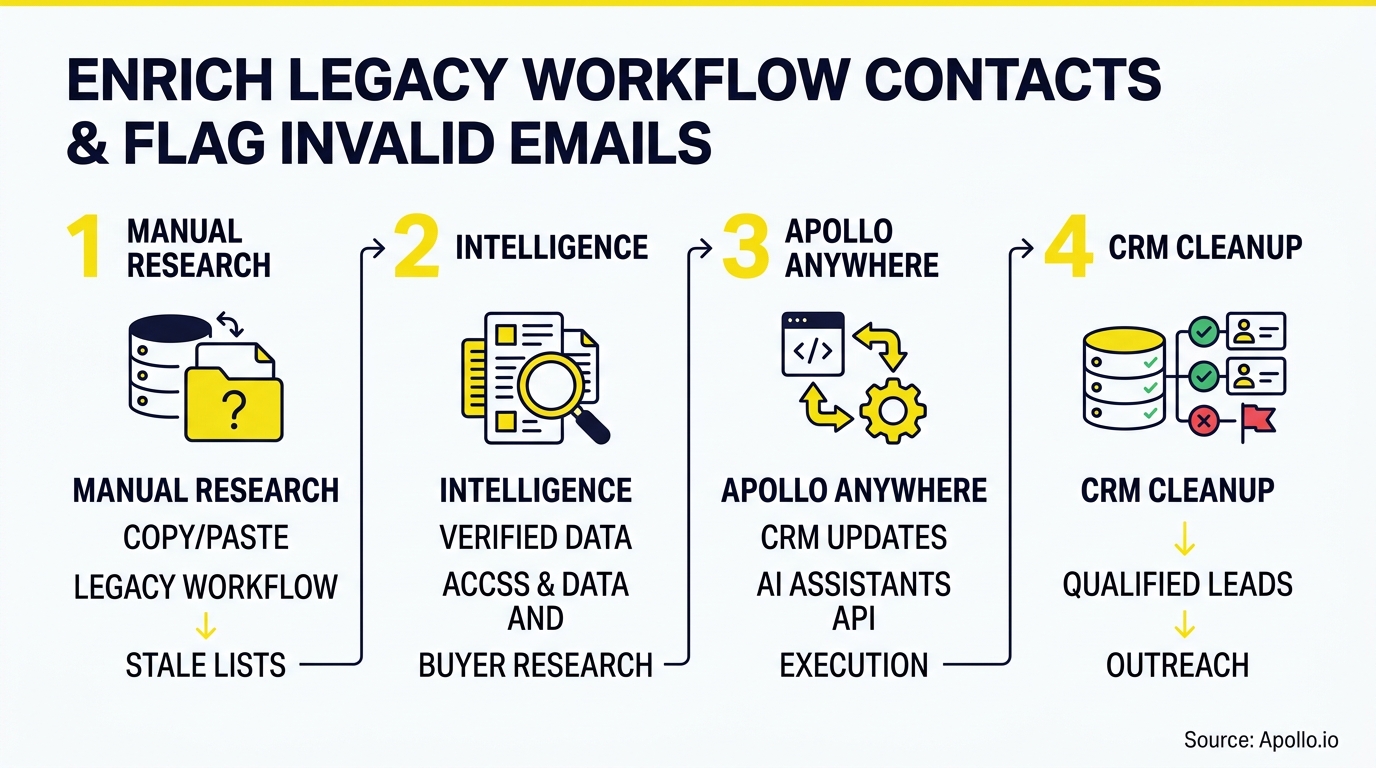

Skip Manual Research, Get Verified Contacts
Sick of burning hours chasing bad emails and stale phone numbers instead of selling? Apollo hands you 98% accurate contact data instantly, so your team spends time closing, not verifying. Join 600K+ companies building pipeline faster.
Start Free with Apollo →Key Takeaways
- Enrichment and email verification solve different problems. Run enrichment first to fill firmographic gaps, then verify deliverability before any contact enters a sequence.
- Use Apollo MCP when you need to enrich HubSpot contacts and companies and flag invalid emails directly inside ChatGPT, Claude, or Perplexity, without exporting a CSV or switching tabs.
- Map email status (valid, invalid, catch-all, disposable, unknown) to a dedicated HubSpot property so workflows can automatically suppress risky contacts before they hurt deliverability.
- Job changes and turnover make stale data a constant problem, not a one-time cleanup. Continuous, credit-aware reverification beats quarterly database purges.
- RevOps leaders and SDR managers should track hard-bounce rate, percent of database re-verified in 90 days, and sequence-suppression rate as core KPIs, not just contact count.
What Is the Difference Between HubSpot Enrichment and Email Verification?
HubSpot enrichment adds firmographic and contact details (job title, company size, industry, location) to existing records, while email verification tests whether a specific email address can currently receive mail. HubSpot's own documentation confirms contact and company records can now be enriched automatically and continuously, including updates when someone changes jobs. That native capability updates who the person is. It does not tell you whether their inbox still exists.
This is the gap most teams miss. A contact can be fully enriched (correct title, correct company, correct professional networks URL) and still have a dead email address.
Enrichment answers "is this the right person at the right company?" Verification answers "will this address bounce?" You need a workflow that runs both and stores the results separately.
How Do You Build a Decision Tree for Enrich, Verify, Flag, and Suppress?
The decision tree runs in six sequential steps: enrich, verify, flag, suppress, remediate, recheck. Each step writes a result to a HubSpot property so downstream workflows can act on it automatically.

- Enrich - Pull current job title, company, industry, and size for the contact and its associated company record.
- Verify - Run the current email through a verification check and capture a status: valid, invalid, catch-all, disposable, or unknown.
- Flag - Write that status to a custom property (e.g.,
email_validity_status) with alast_verified_datetimestamp. - Suppress - Trigger a workflow that removes invalid or disposable contacts from active sequences and marketing sends.
- Remediate - Route job-changers or invalid-email contacts to a research queue for a corrected address.
- Recheck - Re-verify contacts on a fixed cadence (see the cadence table below) since decay is continuous, not one-time.
What HubSpot Properties Should You Create to Track Email Validity?
You need a small set of custom properties that separate enrichment data from verification data, so no workflow accidentally treats "enriched" as "deliverable." Here's a copyable starting structure:
| Property Name | Type | Purpose |
|---|---|---|
email_validity_status | Dropdown | valid / invalid / catch-all / disposable / unknown |
last_verified_date | Date | Timestamp of the most recent verification check |
verification_source | Single-line text | Which tool or workflow produced the status |
bounce_type | Dropdown | hard / soft / none - populated after a send attempt |
suppression_flag | Checkbox | True if the contact should be excluded from all sends |
job_change_detected | Checkbox | True if enrichment found a new employer since last sync |
HubSpot has expanded what enrichment can write into these kinds of custom fields. A March 2026 community update from HubSpot noted the platform added controls to fill empty fields or overwrite outdated values without touching the original email, which makes it possible to preserve history while flagging a replacement address separately.
Why Is Email List Decay a Continuous Problem, Not a One-Time Cleanup?
Email list decay is continuous because people change jobs, companies shut down domains, and mailboxes get abandoned every month, not just once a year. Data from ZeroBounce's analysis of more than 11 billion addresses processed during 2025 found at least 23% were invalid or risky, with more than 2.6 billion addresses invalid outright.
That volume of decay means a database cleaned in January can already have meaningful rot by Q2. Quarterly or annual list-cleaning projects are reactive by design.
A workflow that verifies on contact creation, before sequence enrollment, and on a recurring cadence catches decay as it happens instead of after a campaign already bounced.
This matters more now that mailbox providers enforce stricter sender requirements. Since February 2024, Gmail has required senders to keep reported spam below 0.3%, with bulk senders exceeding that threshold losing eligibility for delivery mitigation as of June 2024, according to Google's sender guidelines. Invalid contacts sitting in your database are a direct threat to that threshold.
Turn Weak Leads Into Sales-Ready Deals
Marketing leads that never convert to real opportunities. Apollo's intent signals surface prospects who are actually ready to buy, so reps stop chasing dead ends. Built-In improved win rates using Apollo's scoring.
Start Free with Apollo →How Often Should You Re-Verify HubSpot Contacts?
Re-verification cadence should match contact risk level, not a flat calendar schedule. Here's a practical breakdown:
| Contact Segment | Recommended Cadence | Trigger |
|---|---|---|
| New inbound leads | At creation | Form submission or import |
| Active sequence enrollment | Immediately before enrollment | Workflow trigger |
| Target accounts (high-value ABM) | Every 30-60 days | Scheduled recheck |
| General database | Every 90 days | Scheduled batch job |
| Contacts flagged as job-changed | Immediately | Enrichment-detected job change |
Only 23.6% of B2B marketers currently verify their email lists before launching a campaign, according to a 2025 Validity benchmark cited by The Digital Bloom. That leaves most teams sending into a database with unknown deliverability risk on every send.
How Can RevOps Leaders and SDR Managers Reduce Wasted Outreach?
RevOps leaders reduce wasted outreach by treating email validity as a gate, not a report, meaning invalid contacts get suppressed automatically before an SDR ever touches them. For SDR managers, this means fewer reps burning time on contacts that will bounce, and cleaner pipeline coverage numbers that aren't inflated by dead records.
For Account Executives managing late-stage deals, a suppression workflow also protects deliverability on the domain used for high-stakes outreach, since one bad send from a shared domain can hurt inbox placement for the whole team. This is also where AI-driven prospecting adds pressure: your AI sales agent is only as effective as the address it sends to, since stale titles produce off-target personalization and invalid addresses waste verification credits.
Struggling to keep reps from chasing dead contacts? Search Apollo's 240M+ contacts with 65+ filters to prioritize verified, enriched records before they ever reach a sequence.
How Do You Run This Workflow Inside ChatGPT, Claude, or Perplexity?
You run this workflow by connecting Apollo to your AI tool through Apollo MCP, which brings Apollo's data and actions into ChatGPT, Claude, Perplexity, and Codex without leaving the conversation. Setup is no-code: connect Apollo via OAuth in the AI tool's connectors settings, on any Apollo plan including free.
Once connected, you can ask your AI tool to pull a segment of HubSpot contacts, enrich each one with current job title and company data, check current email status, and write results back as flagged records, all from one prompt. For developer-oriented teams, the Apollo command-line interface (CLI) offers the same actions from the terminal for scripted, scheduled runs.
This replaces the old workflow of exporting a CSV, running it through a separate verification tool, cleaning duplicates, and reimporting, a process that easily eats an afternoon. Tired of stitching together enrichment, verification, and CRM updates across three tools? Start free with Apollo's data enrichment and run enrichment plus flagging in one workspace.
What KPIs Should You Track for HubSpot Data Quality?
Track hard-bounce rate, percent of database re-verified within 90 days, and sequence-suppression rate as your core data-quality KPIs, since these directly connect to revenue risk rather than vanity contact counts. Poor-quality CRM data isn't just an admin headache: Validity's 2024 survey of more than 600 CRM administrators found 31% said poor-quality data cost their organization at least 20% of annual revenue.
Data quality also blocks AI adoption. 63% of organizations cite data quality and accessibility as the primary barrier to using AI for personalized buyer experiences, according to Forrester's 2026 B2B research. If your AI-assisted outreach is generating personalized messages for contacts with dead emails, you're compounding wasted effort at scale, not fixing it.
Recommended tracking cadence: review these three KPIs monthly, and report hard-bounce rate weekly during any high-volume campaign push.
What Should You Look for When Choosing a HubSpot Enrichment and Verification Setup?
Look for a setup that separates enrichment from verification, writes both results to distinct properties, and gives you admin control over what gets overwritten. HubSpot's July 2026 reversal of expanded data-sharing terms is a useful lesson here: after backlash over broader sharing of business-contact and deliverability signals for its Contact Discovery feature, HubSpot withdrew the change and committed to opt-in enrichment going forward.
That's a reminder to check any vendor's data provenance and opt-in controls before connecting a data source to your CRM.
Collin Stewart of Predictable Revenue said, "We reduced the complexity of three tools into one." That's the practical outcome teams should look for: one system handling enrichment, verification status, and outreach suppression instead of three disconnected subscriptions to reconcile.
A field-test worth running before you commit: pull 100 contacts you haven't touched in 90 days, enrich them, verify them, and measure how many statuses changed. That number tells you your real decay rate and how urgent a continuous workflow is for your database.
Conclusion: Build the Workflow Once, Let It Run Continuously
Enrichment keeps your HubSpot records accurate. Verification keeps your sends deliverable.
Treating them as one step is how invalid emails quietly pile up until a campaign bounces and your sender reputation takes the hit. Build the property structure, set your recheck cadence, and automate the suppression step so no one on your team has to remember to run it manually.
Apollo brings enrichment, verified contact data, and outreach execution into one workspace, so RevOps and sales teams aren't stitching together a separate enrichment tool, a separate verifier, and a separate sequencing platform. To see why Apollo stands alone as the only fully agentic GTM platform, combining sales intelligence, outbound execution, and enrichment in one workspace, Schedule a Demo and start free with Apollo today.

Frequently Asked Questions
What Does the Invalid Email Status Mean in HubSpot?
An invalid email status means the address failed a deliverability check and will likely hard-bounce if you send to it. This is different from an enrichment update, which changes contact details like job title without confirming whether the mailbox still works.
How Do HubSpot Breeze Credits Work for Enrichment?
HubSpot allocates Breeze Intelligence credits monthly by subscription tier, and enrichment actions consume those credits. Check your current allocation in HubSpot's billing settings, since credit limits affect how much of your database you can enrich in a given month.
What Is a Catch-All Email Address?
A catch-all email address is a domain configuration that accepts mail to any address at that domain, even ones that don't exist, so a "valid" response doesn't guarantee a real inbox. Catch-all addresses should be flagged separately from confirmed-valid addresses since they carry higher bounce risk.
What Counts as a Hard Bounce Versus a Soft Bounce?
A hard bounce means the address is permanently undeliverable (the mailbox doesn't exist), while a soft bounce is typically temporary (a full inbox or server issue). Hard bounces should trigger immediate suppression; soft bounces warrant a retry before flagging.
Can You Connect a Third-Party Email Validator to HubSpot?
Yes, most third-party email validation tools integrate with HubSpot through native marketplace apps or via API/webhook connections, letting you sync verification results back into contact properties. This approach works alongside native tools like Breeze Intelligence, giving RevOps teams a way to cross-check validity scores before suppressing records from outreach.
How Often Should You Re-Verify Email Addresses in HubSpot?
Most RevOps teams re-verify email addresses on a recurring cadence, such as monthly or quarterly, rather than relying on a one-time check. Email addresses decay as people change jobs, so a list validated six months ago will contain more invalid records today.
Building a recurring enrichment and validation workflow keeps sender reputation and campaign performance steady over time.
Will Flagging Invalid Emails Hurt My Sender Reputation If I Don't Act On It?
Flagging alone does not fix sender reputation, only suppression does. Once a contact's email is marked invalid, you need a workflow step that removes them from active sending lists or routes them to a re-engagement/re-verification path.
Leaving flagged-but-unsuppressed contacts in your sending list defeats the purpose of running validation in the first place.
Prove ROI Fast With Apollo's All-In-One Stack
Struggling to justify tool spend when value takes months to show up? Apollo consolidates prospecting, verification, and outreach into one platform so pipeline impact shows up in weeks, not quarters. Leadium tripled annual revenue after automating outbound with Apollo.
Start Free with Apollo →Don't miss these
Sales
Inbound vs Outbound Marketing: Which Strategy Wins?
Sales
What Is a Sales Funnel? The Non-Linear Revenue Framework for 2026
Sales
What Is a Go-to-Market Strategy? The 2026 GTM Playbook
See Apollo in action
We'd love to show how Apollo can help you sell better.
By submitting this form, you will receive information, tips, and promotions from Apollo. To learn more, see our Privacy Statement.
4.7/5 based on 9,690 reviews
