
Inventory and Sales Software for Small Business: A Complete Guide
Small businesses lose money when inventory data doesn't match reality. According to Workday, poor inventory management alone can cost small businesses 8-12% of annual revenue. The right inventory and sales software for small business eliminates spreadsheet chaos, prevents stockouts, and connects your sales process to actual product availability. This guide shows you how to choose and implement systems that drive revenue without breaking your budget.

Stop Manual Research—Apollo Finds Contacts Instantly
Tired of spending 4+ hours daily hunting for contact info? Apollo delivers 224M+ verified contacts with 96% email accuracy. Join 550K+ companies who ditched manual research.
Start Free with Apollo →Key Takeaways
- Integration matters more than features: connect your inventory system to accounting, ecommerce, and sales tools to eliminate manual data entry
- Real-time inventory visibility is now a customer expectation, not a luxury upgrade
- The Small Businesses Inventory Management Software Market is valued at USD 3.5 billion in 2025 and growing 8.5% annually
- Over 40% of small businesses still use manual tracking methods that cost time and accuracy
- ROI comes from reduced stockouts, faster order fulfillment, and better cash flow management
What Is Inventory and Sales Software for Small Business?
Inventory and sales software for small business is a cloud-based platform that tracks product stock levels, manages orders, and connects inventory data to your sales channels. These systems replace manual spreadsheets with automated tracking that updates in real time across multiple locations and sales channels.
The software typically includes order management, purchase order creation, stock alerts, and reporting dashboards.
Modern solutions integrate with accounting platforms, ecommerce stores, and point-of-sale systems. Handifox reports that small businesses are often better served by pairing specialized inventory solutions with accounting software like QuickBooks Online, which holds approximately 81% of the accounting software market share in the U.S. in May 2025. This integration-first approach ensures financial data and inventory counts stay synchronized without duplicate data entry.
For sales teams selling physical products, inventory software answers critical questions: Can I promise this delivery date? Do I have enough stock to fulfill this order? Which products are moving fastest? Sales software that scales needs accurate product data to support revenue growth.
Why Do Small Businesses Need Integrated Inventory and Sales Systems?
Small businesses need integrated systems because disconnected tools create data gaps that cost money and customer trust. When inventory counts live in one system and sales orders in another, you risk overselling products, missing reorder points, and making decisions on outdated information.
EasyVend found that over 40% of small businesses still track inventory manually using spreadsheets or paper logs. Manual methods fail as businesses scale because they can't sync across channels, alert teams to low stock, or provide the real-time visibility customers now expect.
The market is responding to this need. According to OpenPR, the Small Businesses Inventory Management Software Market size is estimated to be valued at USD 3.5 billion in 2025 and is expected to reach USD 6.2 billion by 2032, exhibiting a CAGR of 8.5% from 2025 to 2032. This growth reflects increasing adoption as businesses recognize the ROI of automated inventory management.
Integration also matters for team efficiency. Sales teams need visibility into stock levels before quoting delivery dates.
Operations teams need sales forecasts to plan purchasing. Finance teams need accurate inventory valuation for reporting.
Integrated systems give everyone a single source of truth.

How Do Founders Choose the Right Inventory and Sales Software?
Founders should start by mapping their current process and identifying integration points. List every system that touches inventory or sales data: your ecommerce platform, accounting software, POS system, shipping tools, and any spreadsheets you maintain.
The right software connects to your existing stack without forcing you to replace working systems.
Evaluate integration capabilities first, features second. A system with fewer features but native integrations to QuickBooks, Shopify, and your shipping carrier will deliver more value than a feature-rich platform that requires manual data exports. CRM integration follows the same principle: seamless connections beat standalone tools.
Consider these selection criteria:
- Native integrations to your accounting, ecommerce, and sales platforms
- Multi-location support if you have warehouses, retail stores, or dropship arrangements
- Mobile access for inventory counts, receiving, and order fulfillment
- Automated reorder alerts based on stock levels and sales velocity
- Role-based permissions so team members see only relevant data
- Reporting dashboards that track inventory turnover, stockout rates, and carrying costs
Test the software with your actual data during trial periods. Import a subset of your SKUs, process test orders, and verify that inventory updates flow correctly to your accounting system.
The best choice is the one your team will actually use consistently.
What Integration Patterns Work Best for Small Business Operations?
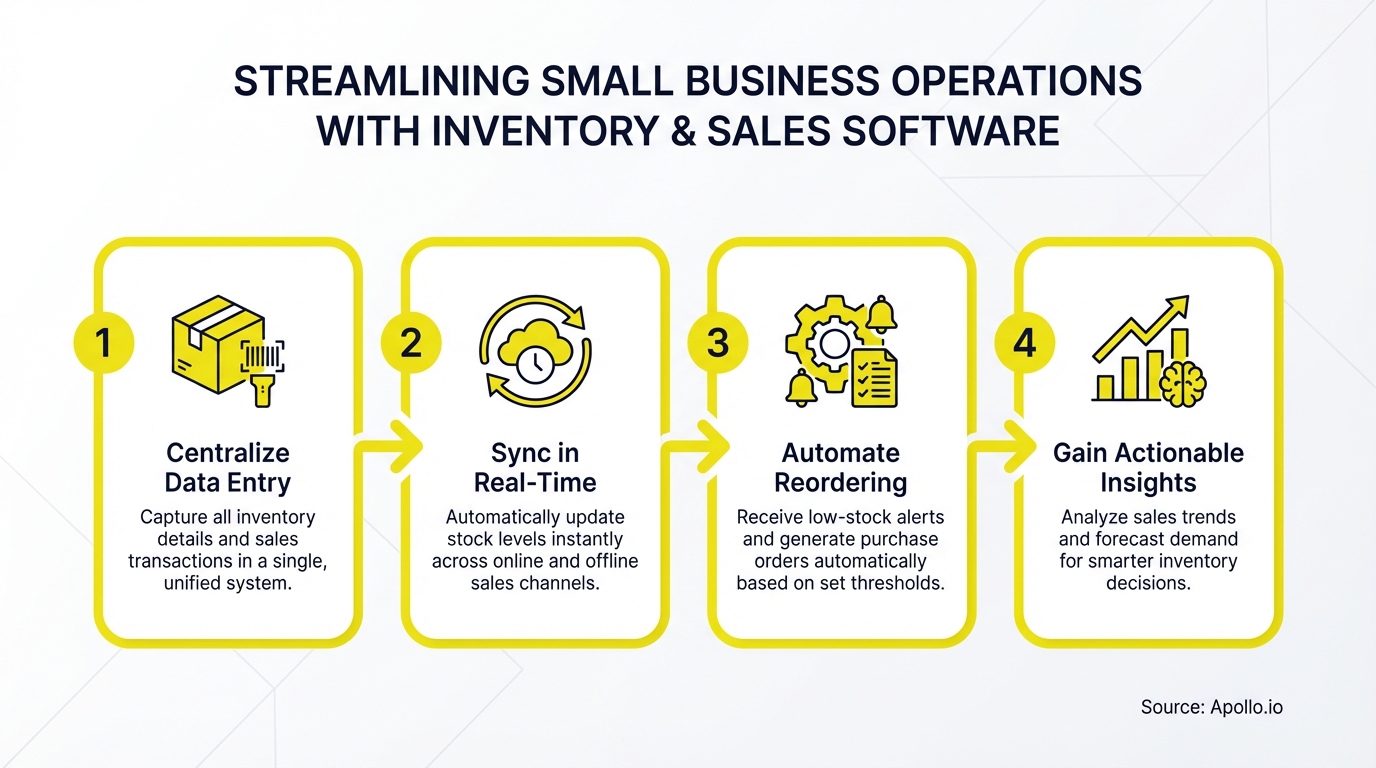
The most successful integration pattern connects inventory software to three core systems: accounting, sales channels, and fulfillment. This creates a data flow where sales orders automatically reduce inventory counts, trigger reorder alerts, and update financial records without manual intervention.
Start with accounting integration. Your inventory system should sync stock levels, costs, and sales data to your accounting platform automatically.
This ensures accurate COGS calculations, inventory valuation, and financial reporting. Many small businesses use QuickBooks as their financial hub and connect specialized inventory tools through native integrations or API connections.
Next, connect your sales channels. Whether you sell through ecommerce, retail POS, or B2B portals, each order should update your central inventory count immediately.
This prevents overselling and gives customers accurate availability information. Multi-channel sellers need software that consolidates inventory across all channels and allocates stock intelligently.
Finally, link fulfillment and shipping tools. When an order ships, the system should update tracking information, adjust inventory for the shipped location, and notify customers automatically.
This reduces manual work and improves the customer experience.
Struggling to manage customer relationships across multiple sales channels? Track deals and pipeline in one unified workspace with Apollo.
How Can Sales Leaders Improve Quote Accuracy with Inventory Data?
Sales leaders improve quote accuracy by giving sales teams real-time access to inventory levels, lead times, and product availability before they quote delivery dates. This eliminates the common problem where sales promises a two-day delivery but operations discovers the product is backordered.
Configure your inventory system to show available-to-promise (ATP) quantities, not just on-hand stock. ATP accounts for existing sales orders, incoming purchase orders, and safety stock requirements.
When an Account Executive quotes a large order, they need to know if fulfilling it will leave other customers waiting.
Set up automated alerts for low-stock items so sales teams can proactively communicate longer lead times or suggest alternatives. This is especially important for businesses with long reorder cycles or seasonal products.
Sales teams that know inventory constraints in advance can set accurate expectations and maintain customer trust.
Integrate inventory data into your CRM or sales software so reps see availability without switching systems. The best implementations show stock levels directly in quote tools, opportunity records, or product catalogs.
This reduces friction and ensures inventory data influences every sales conversation.
For B2B sellers, consider implementing customer-specific inventory allocations or hold periods. This prevents one large order from consuming inventory needed for recurring customers or strategic accounts. Sales automation can help enforce these allocation rules automatically.
Turn Forecast Guesswork Into Revenue Certainty
Forecasting feels like a coin flip when deal stages aren't visible in real time. Apollo gives sales leaders live pipeline visibility and intent signals that make quota predictable. Built-In increased win rates 10% with Apollo's scoring.
Start Free with Apollo →What Data Governance Practices Prevent Inventory Errors?
Data governance starts with standardized SKU structures and consistent product naming. Create rules for how products are named, numbered, and categorized across all systems.
Inconsistent product identifiers cause integration failures and make reporting impossible.
Implement these data standards:
- Master SKU format: Define a consistent structure (e.g., CATEGORY-SIZE-COLOR-###) and never deviate
- Unit of measure standardization: Specify whether you track by each, case, pallet, or multiple units
- Mandatory fields: Require cost, category, supplier, and reorder point for every SKU
- Product variant hierarchy: Structure parent products and variants logically for ecommerce and reporting
- Barcode assignment: Use UPC codes for retail products or internal barcodes for private label
Establish a regular cycle count schedule rather than relying on annual physical inventories. Count a subset of high-value or high-velocity items weekly, rotating through your entire catalog quarterly.
This catches errors early and maintains system accuracy.
Assign clear ownership for inventory data quality. One person or team should audit new product setups, investigate discrepancies, and maintain data standards.
Without ownership, data quality deteriorates as shortcuts accumulate.
Use your inventory system's audit trail to track changes. When counts change unexpectedly, you need to see who made the adjustment and why.
This accountability prevents errors and identifies process gaps that need correction.
How Do Small Businesses Calculate ROI from Inventory Software?
Calculate ROI by quantifying time savings, reduced stockouts, lower carrying costs, and improved cash flow. Start with time savings: if your team currently spends 10 hours per week on manual inventory tasks (data entry, reconciliation, reorder calculations) and the software reduces this to 2 hours, that's 8 hours back per week.
At $25/hour, that's $10,400 annually.
Measure stockout reduction by tracking lost sales. If you currently lose 5% of potential sales to stockouts (customers who want to buy but can't because items are unavailable), and inventory software with automated reorder alerts cuts this to 1%, calculate 4% of annual revenue as recovered sales.
For a business doing $500K annually, that's $20,000 in additional revenue.
Carrying cost reduction comes from better inventory turnover. If you currently carry $100K in inventory with a 15% annual carrying cost (storage, insurance, obsolescence, opportunity cost), and better demand forecasting lets you reduce inventory by 20% without increasing stockouts, you save $3,000 annually in carrying costs.
Cash flow improvement is harder to quantify but equally valuable. Faster inventory turns mean cash cycles back to available working capital more quickly.
Better purchase planning prevents overbuying slow-moving items that tie up cash unnecessarily.
Compare software costs against these benefits. If the system costs $2,400 annually but delivers $10,400 in time savings, $20,000 in recovered sales, and $3,000 in reduced carrying costs, you're seeing 14x ROI in year one.
Need better visibility into your sales pipeline and inventory commitments? Build a complete view of opportunities and resources with Apollo.
What Implementation Steps Lead to Successful Rollouts?
Successful implementations follow a phased approach that prioritizes data migration, team training, and parallel operation before going live. Rushing the rollout creates errors that erode team confidence and require costly cleanup.
Phase 1: Data Preparation (2-3 weeks)
- Clean and standardize your product master data
- Verify SKU numbers, descriptions, costs, and suppliers
- Conduct a physical inventory count to establish baseline accuracy
- Document current processes and identify pain points to address
Phase 2: System Configuration (1-2 weeks)
- Set up integrations to accounting, ecommerce, and POS systems
- Configure locations, warehouses, and bin assignments
- Establish reorder points and preferred vendors
- Create user roles and permissions
- Build initial reports and dashboards
Phase 3: Team Training (1 week)
- Train staff on receiving, transfers, and cycle counts
- Document standard operating procedures
- Create quick reference guides for common tasks
- Assign system champions in each department
Phase 4: Parallel Operation (2-4 weeks)
- Run new system alongside existing process
- Compare counts and identify discrepancies
- Refine processes based on actual use
- Build team confidence before switching fully
Phase 5: Go-Live and Optimization (Ongoing)
- Discontinue old tracking methods
- Monitor key metrics: accuracy rate, stockout frequency, order fulfillment time
- Schedule regular process reviews with stakeholders
- Expand to advanced features as team proficiency grows
Plan for 6-8 weeks total from project start to full operation. Businesses that compress this timeline typically face data quality issues or user adoption problems that delay real ROI.

Ready to Transform Your Inventory and Sales Operations?
The right inventory and sales software eliminates manual tracking, prevents stockouts, and gives your team real-time visibility into what you can sell and when you can deliver it. Start by auditing your current integrations, identifying data quality gaps, and calculating the cost of your existing manual processes.
Focus on integration capabilities over feature lists. The best system is the one that connects seamlessly to your accounting platform, sales channels, and fulfillment tools.
Implement in phases, prioritize data quality, and give your team time to build confidence before going live.
Small businesses using integrated inventory and sales systems report improved cash flow, reduced carrying costs, and higher customer satisfaction from accurate delivery promises. The investment pays back through recovered sales, eliminated manual work, and better inventory turns.
Request a Demo to see how Apollo helps sales teams at growing companies build pipeline, track deals, and close revenue faster with complete visibility into their sales operations.
Prove Apollo's ROI In Your First 30 Days
Budget approval stuck on unclear metrics? Apollo delivers measurable pipeline impact from day one—track time saved, meetings booked, and revenue generated. Built-In increased win rates 10% and ACV 10% with Apollo's scoring and guidance.
Start Free with Apollo →Don't miss these
Sales
Inbound vs Outbound Marketing: Which Strategy Wins?
Sales
What Is a Sales Funnel? The Non-Linear Revenue Framework for 2026
Sales
What Is a Go-to-Market Strategy? The 2026 GTM Playbook
See Apollo in action
We'd love to show how Apollo can help you sell better.
By submitting this form, you will receive information, tips, and promotions from Apollo. To learn more, see our Privacy Statement.
4.7/5 based on 9,690 reviews
