
How to Utilize CRM Territory Assignments in a Unified Sales Platform
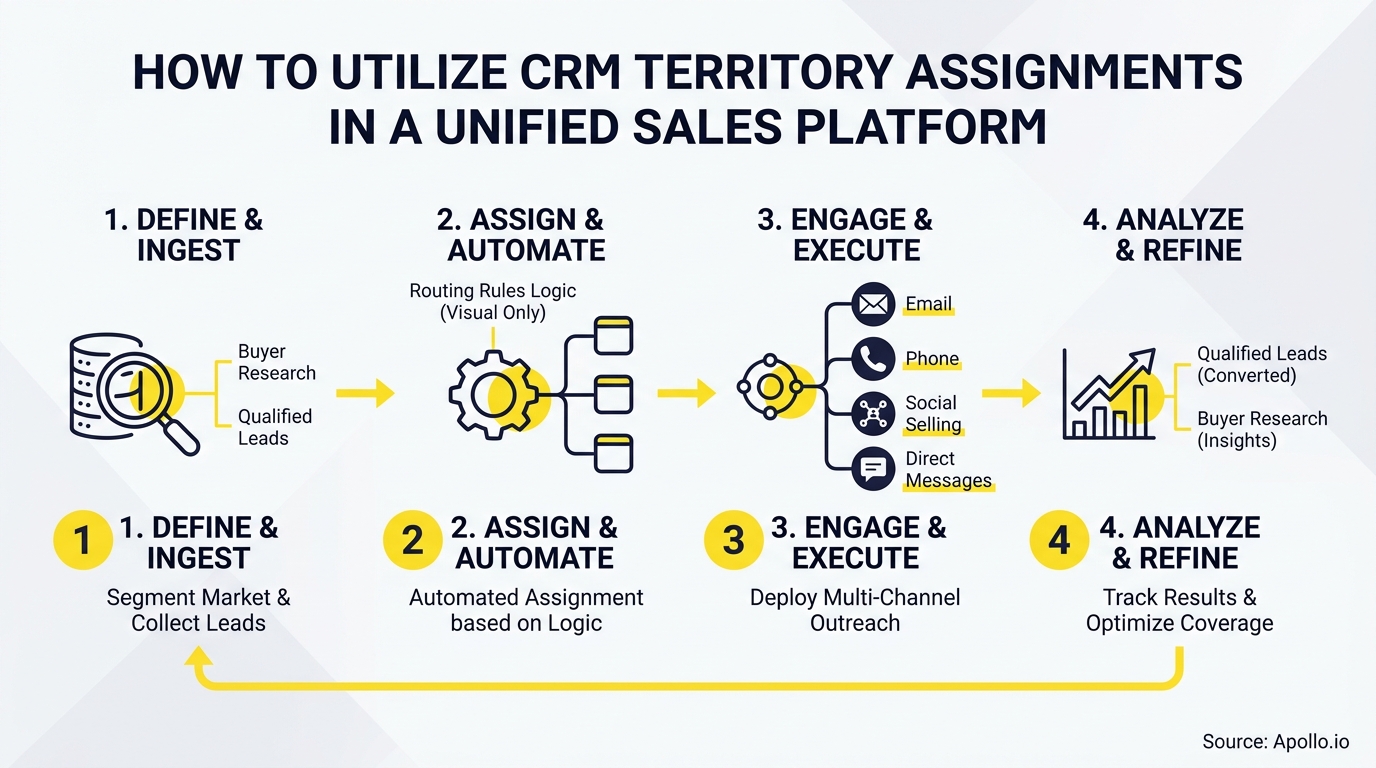
Most territory models were built for a world where reps owned zip codes and buyers called salespeople. That world is gone. Today's B2B buyers use an average of 10 interaction channels, and your CRM territory assignments need to reflect that reality or your routing logic will route the wrong rep to the wrong account at the wrong moment. The good news: a unified sales platform lets you treat territory assignments as a live, quota-linked system rather than a static admin setting.

Build Pipeline on Verified Data
Tired of your reps burning hours chasing bad contacts and bounced emails? Apollo delivers 97% email accuracy across 230M+ verified professionals. Start building pipeline on data that actually connects.
Start Free with Apollo →Key Takeaways
- Territory assignments are a quota-attainment lever, not just a CRM configuration task. Mis-assignment directly affects forecast accuracy and rep performance.
- Clean CRM data is the prerequisite. Only 39% of organizations effectively integrate data across CRM, ERP, and market intelligence systems, creating territory blind spots.
- Modern territory logic must cover omnichannel routing, not just geographic ownership, to match how B2B buyers actually buy.
- AI-assisted territory optimization is moving from pilot to production. Sales organizations providing AI-enabled next-best actions are 2.6x more likely to achieve commercial growth.
- RevOps teams using a unified platform consolidate territory rules, engagement, pipeline data, and enrichment in one workspace, reducing manual admin and improving seller efficiency.
What Is CRM Territory Assignment in a Unified Sales Platform?
CRM territory assignment is the process of defining which accounts, leads, and contacts belong to which rep or team, and then automating routing based on those rules inside your CRM. In a unified sales platform, those rules connect directly to prospecting, engagement, pipeline tracking, and enrichment.
That means a new inbound lead from a target account is automatically routed, enriched, sequenced, and tracked without manual handoffs.
Territory assignment is distinct from territory planning. Territory planning is the strategic exercise of deciding how to carve up your market. Territory assignment is the operational execution of those decisions inside your CRM, including the rules, triggers, and ownership logic that govern every account record.
Why Does Territory Assignment Directly Affect Quota Attainment?
Territory assignment is a quota-attainment problem first. When accounts are unevenly distributed, some AEs carry territories with too little addressable revenue to hit quota, while others are overloaded. According to Kondo's B2B Sales Report, organizations leveraging RevOps were 1.4 times more likely to exceed their revenue goals. That advantage comes partly from having clean territory logic that aligns rep capacity with realistic pipeline potential.
Fair territory assignment also protects forecast accuracy. When ownership is ambiguous, deals get double-counted, coverage gaps go unnoticed, and managers lose visibility into which territories are actually performing.
A unified platform surfaces these gaps in real time rather than at the end of the quarter.
What Is the CRM Data Readiness Gate Before Automating Territories?
Before activating automated territory assignment rules, your CRM data must meet a minimum quality threshold. Research from Abacum found that only 39% of organizations effectively integrate data from CRM, ERP, and market intelligence systems, leading to territory blind spots that directly hurt sales performance.
Run this data readiness checklist before enabling assignment automation:
- Account completeness: Industry, company size, and location fields are populated on at least 80% of records.
- Duplicate resolution: Parent-child account hierarchies are clean and duplicate records are merged.
- Ownership hygiene: No accounts are owned by inactive or departed reps.
- Enrichment coverage: Firmographic data is current. Stale records should be flagged for re-enrichment before territory rules run.
- ICP tagging: Accounts are segmented by ICP tier so routing rules can prioritize high-fit accounts.
Struggling to keep your account data clean before territory rules run? Apollo's data enrichment keeps 230M+ verified contacts current so your routing logic fires on accurate records.

How Do RevOps Teams Build Effective Territory Assignment Rules?
RevOps teams build effective territory rules by layering assignment criteria in priority order inside the CRM. Geography alone is no longer sufficient.
Salesforce Winter '26 now allows territory boundaries defined by account potential, segment, vertical, and coverage model, not just postal codes. That reflects where B2B territory logic is heading across all major platforms.
| Assignment Criteria | Use Case | Priority Layer |
|---|---|---|
| Named account list | Strategic or enterprise accounts assigned to specific AEs | 1 (highest) |
| Industry vertical | Specialized reps covering fintech, healthcare, SaaS | 2 |
| Company size / ARR band | SMB, mid-market, enterprise segmentation | 3 |
| Geography (region/country) | Regional coverage for field or partner teams | 4 |
| Round-robin (fallback) | Unmatched inbound leads distributed evenly | 5 (lowest) |
The CRM integration strategy that actually works connects these assignment layers to your engagement platform so reps see their territory accounts, active sequences, and pipeline in one view rather than toggling between tools.
Turn Funnel Guesswork Into Real Pipeline
Pipeline forecasting a guessing game because leads stall before they ever reach your AEs? Apollo surfaces high-intent prospects and moves them faster from first touch to opportunity. Nearly 100K paying customers stopped guessing and started closing.
Start Free with Apollo →How Should AEs and SDRs Work Within Territory-Assigned Accounts?
For Account Executives, territory assignment defines the universe of accounts they own. Inside a unified platform, that ownership should surface as a filtered view: their territory accounts, enriched with firmographics, intent signals, and open pipeline.
AEs should never have to manually search for their accounts or check multiple systems to see engagement history.
For SDRs, territory assignment determines which accounts they prospect into and which sequences are triggered automatically. When a new account enters an SDR's territory via inbound form fill or enrichment match, the platform should enroll that account in the appropriate sequence without manual intervention. This is where sales automation done right saves hours per week per rep.
Spending too much time manually routing new accounts to the right rep? Apollo's AI-powered sales automation routes, enriches, and sequences territory accounts automatically.
How Does Omnichannel Routing Fit Into Territory Assignment?
Omnichannel territory routing means your CRM assignment rules govern not just which rep owns an account, but which rep receives credit for and responds to every touchpoint across email, phone, chat, digital self-serve, and partner channels. Without this, a rep's territory account can engage via a web form and get routed to a different rep, creating coverage conflicts and a poor buyer experience.
Modern territory logic should include:
- Intent-based routing: High-intent signals (pricing page visits, demo requests) trigger immediate assignment to the territory owner, not a generic queue.
- Digital self-serve handoffs: Accounts that progress through self-serve trials should surface to their assigned AE with full engagement context.
- Channel attribution: All touchpoints, regardless of channel, are logged against the assigned territory account so reps have complete context.
This matters because intent data signals only drive pipeline if they route to the right rep at the right time. A misrouted intent signal is a lost opportunity.
What Are the Signs of Territory Overlap and Coverage Gaps?
Territory overlap occurs when two reps can claim the same account. Coverage gaps occur when no rule matches an account and it falls into an unassigned queue.
Both are detectable in a unified platform through assignment reporting.
Warning signs to monitor in your CRM:
- Accounts with multiple active owners or conflicting opportunity records
- Inbound leads sitting unassigned for more than one business day
- Accounts with no activity in 90+ days that belong to active reps
- Duplicate company records where each has a different territory assignment
According to Grand View Research, the global revenue operations market is projected to reach USD 16.98 billion by 2033, growing at a CAGR of 16.6%. That growth reflects how seriously companies are investing in the systems that prevent exactly these kinds of coverage failures. Connecting your data sync strategy to territory logic is a core part of that investment.

How to Get Started with CRM Territory Assignments in Apollo
Apollo serves B2B GTM teams from startups through enterprise, and its CRM integration with Salesforce and HubSpot means territory assignments made in your CRM flow directly into Apollo's prospecting, sequencing, and pipeline views. Reps work in one workspace. RevOps manages one set of rules. As Cyera's team put it: "Having everything in one system was a game changer."
A practical starting sequence:
- Run the data readiness checklist above before enabling routing rules.
- Define territory criteria in your CRM using the priority-layer model in the table above.
- Connect Apollo to sync territory ownership into prospecting filters so reps only see and work their assigned accounts.
- Enable automated enrollment: when a new account matches a territory rule, trigger enrichment and sequence enrollment automatically.
- Review assignment reports monthly for overlap, gaps, and capacity imbalance.
The goal is a system where territory assignment is invisible to reps because it works automatically in the background. Sellers should spend their time selling, not figuring out which accounts are theirs. As Predictable Revenue found after consolidating their stack: "We reduced the complexity of three tools into one." Read the full Predictable Revenue customer story to see how territory-connected workflows drove real results.
Ready to build a territory assignment system that actually drives quota attainment? Start Your Free Trial and connect your CRM territory rules to Apollo's unified GTM platform today.
Prove Pipeline ROI From Day One
Budget approval stuck on unclear metrics? Apollo delivers measurable pipeline impact fast — with 35% more bookings from AI-powered messaging. Nearly 100K paying customers justified the spend. Yours will too.
Start Free with Apollo →Don't miss these
Sales
Inbound vs Outbound Marketing: Which Strategy Wins?
Sales
What Is a Sales Funnel? The Non-Linear Revenue Framework for 2026
Sales
What Is a Go-to-Market Strategy? The 2026 GTM Playbook
See Apollo in action
We'd love to show how Apollo can help you sell better.
By submitting this form, you will receive information, tips, and promotions from Apollo. To learn more, see our Privacy Statement.
4.7/5 based on 9,690 reviews
