
How to Import All Current CRM Contacts into a Sales Engagement Tool (Revenue-Safe Checklist)
Importing all your CRM contacts into a sales engagement tool sounds simple. In practice, it's a data-quality project with real revenue consequences.
Salesforce's 2026 State of Sales found that 46% of sales professionals using AI agents say data quality issues directly hurt sales outcomes. Before you move a single record, you need a plan.
This checklist covers every step: pre-import data readiness, choosing the right import path, execution best practices, and post-import compliance checks. Whether you're a RevOps leader, SDR manager, or AE trying to get your CRM contacts into a multichannel sales engagement platform, this workflow protects your pipeline and your deliverability.

Research Less, Close More With Apollo
Tired of burning hours hunting down contact info that's already outdated? Apollo delivers verified emails and direct dials so your reps spend time selling, not searching. Join 600K+ companies building pipeline faster.
Start Free with Apollo →Key Takeaways
- Never import all CRM contacts without a data readiness audit first: duplicates, incomplete records, and stale emails damage AI recommendations and sequence performance.
- Your import method matters: CSV, native CRM sync, and API each have different field-mapping, batching, and ownership implications.
- Post-import QA and compliance checks are non-negotiable for teams sending email at scale.
- RevOps leaders who consolidate CRM and engagement data into one unified platform reduce sync friction and context switching significantly.
- Organizations with well-integrated tech stacks are measurably more productive than those running disconnected tools.
Why Should You Audit Data Before Importing CRM Contacts?
You should audit your CRM data before importing because dirty records create compounding problems inside sales engagement tools. Research from BeyondCRM shows that 30% to 70% of CRM implementations fail, often due to poor migration planning. The same risk applies to every bulk contact import.
Run this pre-import checklist before touching your export settings:
- Deduplicate: Identify and merge duplicate lead and contact records. Duplicate records in a sales engagement tool create conflicting sequence enrollment, split reply tracking, and inaccurate reporting.
- Validate emails: Suppress invalid, bounced, or role-based addresses (info@, support@) before import. Sending to bad addresses at scale damages your sender reputation.
- Check lifecycle stage and opt-out status: Exclude closed-lost contacts with opt-out flags, unsubscribes, and contacts in active deals already managed by an AE.
- Assess data completeness: Contacts missing job title, company, or phone number limit personalization and AI sequence recommendations. Enrich before importing where possible.
- Gate by relevance: Import contacts that match your current ICP criteria. Importing every historical record wastes sequence capacity and skews engagement analytics.
Struggling with incomplete contact records before you even start outreach? Enrich your CRM contacts with Apollo's 230M+ verified business contacts before your next import.
Which Import Path Should You Choose: CSV, CRM Sync, or API?
The right import path depends on your record volume, how frequently contacts change, and whether you need bidirectional sync. Each method has different implications for field ownership, API limits, and ongoing maintenance.
| Import Method | Best For | Key Considerations |
|---|---|---|
| CSV Upload | One-time or infrequent imports under 50K records | Manual field mapping required; no automatic updates; easy to control which records are included |
| Native CRM Sync | Ongoing bidirectional sync (Salesforce, HubSpot) | Consumes API calls; requires admin permissions; set field-level rules to avoid overwriting CRM data |
| Salesforce Report/List View | Targeted imports of segmented contact lists | Precise control over which records sync; ideal for territory or segment-based sequencing |
| API / Webhook | Real-time, high-volume, or custom workflows | Requires developer resources; best for automated enrollment triggers based on CRM field changes |
According to Databar.ai, organizations with well-integrated tech stacks are 42% more likely to boost sales productivity. Native CRM sync is the preferred path for teams that need contacts to stay current without manual re-exports. For teams on Salesforce or HubSpot, review how to connect your CRM to Apollo quickly to avoid common field-mapping errors.
Batching strategy: If importing more than 10,000 records via CSV, split into batches of 5,000 to 10,000. This limits the blast radius of mapping errors and makes QA manageable. For native sync, monitor API call consumption daily during the first two weeks.
How Do RevOps Leaders Execute the Import Without Breaking Field Ownership?
RevOps leaders execute a clean import by defining field ownership rules before a single record moves. Field ownership determines which system wins when the same field exists in both your CRM and your sales engagement tool.
Set these rules explicitly in your integration settings:
- CRM as system of record: For fields like Account Owner, Deal Stage, and Contract Value, CRM should always win. Block the engagement tool from overwriting these.
- Engagement tool as system of record: For sequence status, email sent count, and reply tracking, the engagement tool owns the data. Sync these back to CRM as activity logs, not field overwrites.
- Duplicate handling: Configure your engagement tool to update existing records rather than create new ones when a matching email address is found. This prevents duplicate contact profiles and split engagement history.
- Ownership assignment: Map the CRM owner field to the engagement tool rep assignment before import. Contacts without an owner assignment will either float unassigned or default to an admin, disrupting sequence accountability.
For SDR managers running territory-based sequences, connecting HubSpot or Salesforce to Apollo preserves rep ownership at the contact level and prevents reps from accidentally sequencing each other's accounts.
Turn Weak Leads Into Pipeline With Apollo
Pipeline forecasting a guessing game because quality leads never materialize? Apollo's buyer intelligence surfaces in-market prospects the moment they're ready to buy. Join 600K+ companies turning funnel gaps into closed deals.
Start Free with Apollo →What Compliance and Deliverability Steps Are Required After Import?
After import, you must verify compliance and deliverability readiness before enrolling contacts in sequences. Sales engagement tools activate email at scale, which triggers both legal and inbox-placement obligations.
Complete this post-import checklist:
- Suppression list check: Confirm that all unsubscribes and opt-outs from your CRM were imported as suppressed, not active contacts. Missing a suppression flag on even a small batch can expose your domain to spam complaints.
- CAN-SPAM compliance: The FTC's CAN-SPAM Act applies to B2B commercial email with no B2B exception. Each violating email can trigger penalties up to $53,088. Every outbound sequence must include a clear opt-out mechanism and your physical mailing address.
- Google bulk sender requirements: If your team sends more than 5,000 Gmail messages per day, Google's sender guidelines require SPF, DKIM, and DMARC authentication, a spam rate below 0.30%, and one-click unsubscribe for applicable message types.
- Spot-check imported records: Sample 50 to 100 contacts across different segments. Verify that job title, company, owner, and sequence eligibility fields populated correctly.
- Security review: Audit the OAuth permissions granted to your sales engagement integration. Use a dedicated integration user with least-privilege scopes, not an admin account. Rotate tokens periodically and monitor sync error logs.
Spending hours managing manual outreach after a messy import? Automate your sequences with Apollo's multichannel sales engagement platform and keep your CRM data in sync automatically.

How Do SDRs and AEs Use CRM Imports to Build Better Sequences?
SDRs and AEs get more from imported contacts when they segment before sequencing, not after. A well-structured import maps lifecycle stage directly to sequence eligibility, so reps never manually sort through who to contact first.
Practical sequence-readiness rules for GTM teams:
- SDRs: Import only contacts with a Prospect or MQL lifecycle stage and a verified work email. Enroll in a cold outreach sequence immediately. Contacts missing job title or company should go into an enrichment queue first.
- AEs: Import contacts associated with open opportunities and assign to account-based sequences. Block these contacts from SDR cold sequences to avoid double-touching active deals.
- RevOps: Build a segment view in your CRM that automatically surfaces net-new contacts added in the last 30 days who match ICP criteria. This creates a continuous import pipeline rather than a one-time bulk upload.
According to Market Growth Reports, approximately 48% of global B2B sales teams in 2024 prioritized adopting sales engagement platforms to enhance outreach efficiency and lead conversion. Getting your CRM contacts into those platforms cleanly is what makes the efficiency gain real. See top sales sequence examples to match the right sequence structure to each contact segment after import.
Should You Import All Contacts or Sync Selectively?
Selective sync is the right answer for most teams in 2026. Importing every CRM contact without filters creates noise for reps, inflates sequence enrollment counts, and degrades AI recommendations that depend on engagement signal quality.
Use selective sync criteria:
- Contact created or updated in the last 12 months
- Email address present and not previously bounced
- Lifecycle stage matches an active outreach stage (Prospect, MQL, Re-engagement)
- Not associated with an active deal in negotiation or contract stage
- Owner field populated and mapped to an active rep
This approach aligns with how effective CRM integration strategieswork in practice: sync the contacts your team will actually act on, enrich the rest, and revisit quarterly. Teams that consolidate CRM and engagement into one workspace, as Cyera described it, find that "having everything in one system was a game changer" for rep adoption and data consistency.
How to Import CRM Contacts into Apollo's Sales Engagement Platform
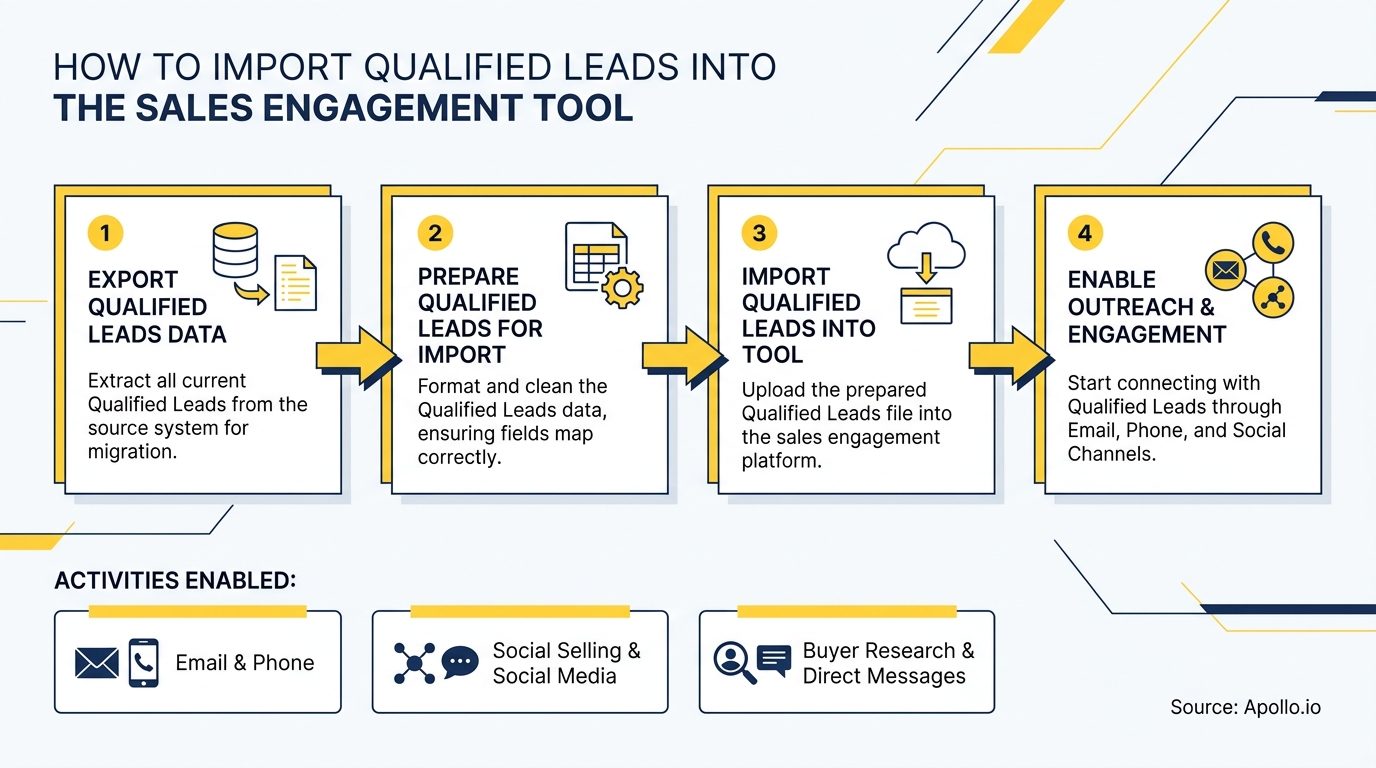
Apollo's CRM integration supports native bidirectional sync with Salesforce and HubSpot, CSV import, and API-based enrollment. The process follows the same revenue-safe checklist above, with Apollo-specific settings that preserve field ownership and prevent duplicate sequence enrollment.
Steps to import CRM contacts into Apollo:
- Connect your CRM under Apollo Settings > Integrations. Use a dedicated integration user with read/write permissions scoped to Contacts, Accounts, and Activities only.
- Configure sync rules: set CRM as the system of record for owner, deal stage, and account fields. Set Apollo as the system of record for sequence status and email activity.
- Apply import filters: lifecycle stage, contact owner, last activity date, and email validity. Exclude contacts flagged as unsubscribed or opted out in your CRM.
- Run a test sync with 100 to 500 records. Verify field mapping, owner assignment, and duplicate handling before enabling full sync.
- Enable Apollo's enrichment layer to fill missing job titles, direct dials, and company data on imported contacts before sequence enrollment.
For a step-by-step walkthrough, see how Apollo connects with HubSpot and Salesforce. Once contacts are synced and enriched, use Apollo's sequence builder to launch multichannel outreach immediately.

Start Importing Smarter: Consolidate Your CRM and Sales Engagement in One Platform
Importing CRM contacts into a sales engagement tool is not a one-time task. It's an ongoing workflow that requires data quality gates, the right sync method, field ownership rules, and compliance checks at every stage.
Teams that treat it as a governance project, not a simple export, see better rep adoption, cleaner reporting, and stronger sequence performance.
Apollo gives GTM teams a single workspace where CRM contacts, enrichment, sequences, and engagement analytics live together. As Predictable Revenue put it, "We reduced the complexity of three tools into one." That consolidation starts with a clean, intentional import.
Start Free with Apollo and connect your CRM in minutes with verified contact data, built-in enrichment, and multichannel sequences in one unified platform.
Prove Pipeline ROI With Apollo
ROI pressure killing your tool adoption? Apollo gives sales teams instant visibility into pipeline impact — so you can justify every dollar and ramp new reps faster. Nearly 100K companies see value from day one.
Start Free with Apollo →Don't miss these
Sales
Inbound vs Outbound Marketing: Which Strategy Wins?
Sales
What Is a Sales Funnel? The Non-Linear Revenue Framework for 2026
Sales
What Is a Go-to-Market Strategy? The 2026 GTM Playbook
See Apollo in action
We'd love to show how Apollo can help you sell better.
By submitting this form, you will receive information, tips, and promotions from Apollo. To learn more, see our Privacy Statement.
4.7/5 based on 9,690 reviews
