How do you identify and reach Microsoft enterprise division decision makers?
Microsoft’s centralized structure creates a clear hierarchy of decision-making — focus on C-level executives and divisional heads who report directly to CEO Satya Nadella rather than spending cycles with middle management. The company operates through three primary divisions — Productivity and Business Processes, More Personal Computing, and Intelligent Cloud — each with its own leadership team. Successful outreach means aligning your messaging with the division most relevant to your solution, then using targeted tools like LinkedIn Sales Navigator to engage the right people at the right moment.
- Target key executives: Build relationships with Judson Althoff (EVP & CCO) for commercial business partnerships and Carolina Dybeck Happe (EVP & COO) for operations, procurement, and supply chain discussions.
- Leverage LinkedIn Sales Navigator: Use Lead Spotlights to identify shared connections, mutual colleagues, and recent company interactions for warm introductions instead of cold outreach.
- Map stakeholders early: Enterprise deals typically involve 6–10 decision-makers spanning procurement, IT, security, and end users — secure alignment across this full group to avoid late-stage blockers.
- Invest in event networking: Attend Microsoft-hosted events and leverage the Partner Network ecosystem to create relationships ahead of the sales cycle; warm introductions outperform cold ones dramatically.
What messaging resonates best when cold emailing Microsoft department heads?
Microsoft executives focus on measurable business outcomes — not product features. Your emails must be concise (50–125 words), data-driven, and directly tied to Microsoft’s strategic priorities: security (Secure Future Initiative), AI transformation, and sustainability goals for 2030. High open rates prove executives read messages, but their low reply rates show you need to earn every second of attention with precise, personalized content.
- Performance Reality Check: Microsoft emails average a 15.41% open rate (above enterprise tech norms) but just a 0.53% reply rate — precision targeting and value-led messaging win here.
- Personalize the subject line: Use the recipient’s first name and reference specific initiatives they lead (e.g., “Security acceleration for Secure Future Initiative”).
- Follow the 3-line structure: 1) Reference their current focus, 2) Offer a quantified value proposition, 3) End with a single, low-friction CTA for a 15-minute call.
- Optimize send timing: Reach out between 6–9 AM (their review window) and allow a one-week gap between follow-ups to maintain professionalism.
- Align with Microsoft culture: Position your message within their “One Microsoft” and growth-mindset framework — you’re enabling innovation and customer success, not pitching software.
Which Microsoft procurement processes should sales teams understand before outreach?
Microsoft’s procurement ecosystem runs through its centralized SupplierWeb platform, consolidating all vendor management processes under one umbrella. New suppliers must complete SSPA (Supplier Security and Privacy Assurance) enrollment, Supplier Code of Conduct training, and compliance documentation before work can begin. Understanding the timeline and requirements upfront positions you as an informed, low-risk partner rather than a vendor who needs hand-holding.
- Start SSPA immediately: Enrollment can take months, so initiate early — it’s a prerequisite for any contract or PO issuance.
- Highlight diversity credentials: Microsoft’s supplier diversity programs offer tangible advantages for small or minority-owned businesses — lean on this if applicable.
- Know your data category: Compliance requirements vary by the six Microsoft data-processing categories; higher-risk categories require independent audits and can extend timelines.
- Position as procurement-savvy: Reference your understanding of SupplierWeb, MSSA (Master Supplier Services Agreement), and onboarding workflows — this builds instant credibility with procurement teams.
How do you position solutions against Microsoft’s preferred vendor relationships?
Microsoft’s 400,000+ partner ecosystem drives 95% of its commercial revenue — meaning you can’t win by replacing incumbents. Instead, find and fill the gaps those partners miss. Approach with an augmentation mindset, starting small in one department or use case and expanding from there. Position your company as a specialized problem-solver that complements, not competes with, established vendors.
- Find the gaps: Research preferred vendors to identify weaknesses or limitations; build your pitch around filling those gaps instead of challenging incumbents directly.
- Start small and expand: Win initial business in a single department or pilot project, then use that success story to expand horizontally across the organization.
- Lead with insight: Offer unique, industry-specific intelligence or perspectives the incumbents aren’t providing — teach, don’t just sell.
- Time your outreach: Engage during leadership transitions, reorganizations, or contract renewals when Microsoft reassesses vendor performance and strategy.
How can you accelerate Microsoft’s lengthy enterprise vendor evaluation process?
Enterprise vendor evaluations at Microsoft often last 6–10 months. To shorten the cycle, vendors must front-load compliance and leverage the Microsoft Partner Network for faster credibility checks and approvals. Running procurement, security, and budget conversations in parallel — not sequentially — prevents common bottlenecks. Smart sellers treat compliance prep as part of pre-sales enablement.
- Be procurement-ready: Complete Supplier Code of Conduct training and have all compliance materials ready before the first meeting.
- Join the Cloud Partner Program: Membership in the Microsoft Partner Network accelerates trust and can streamline procurement workflows.
- Run parallel workstreams: Create tailored communication paths for security, procurement, and legal teams to handle their concerns simultaneously.
- Plan realistic timelines: Forecast deals with 6–10 month cycles but use milestone tracking and weekly check-ins to maintain progress and unblock issues early.
VP-level contacts
Direct dials & verified emails
Org chart filters
Microsoft Contacts
Sell into Microsoft with Confidence
Whether you’re targeting Microsoft’s Enterprise Sales, Azure, or product teams—Apollo gives you verified access to Microsoft’s key teams across Azure, Enterprise Sales, and Product.
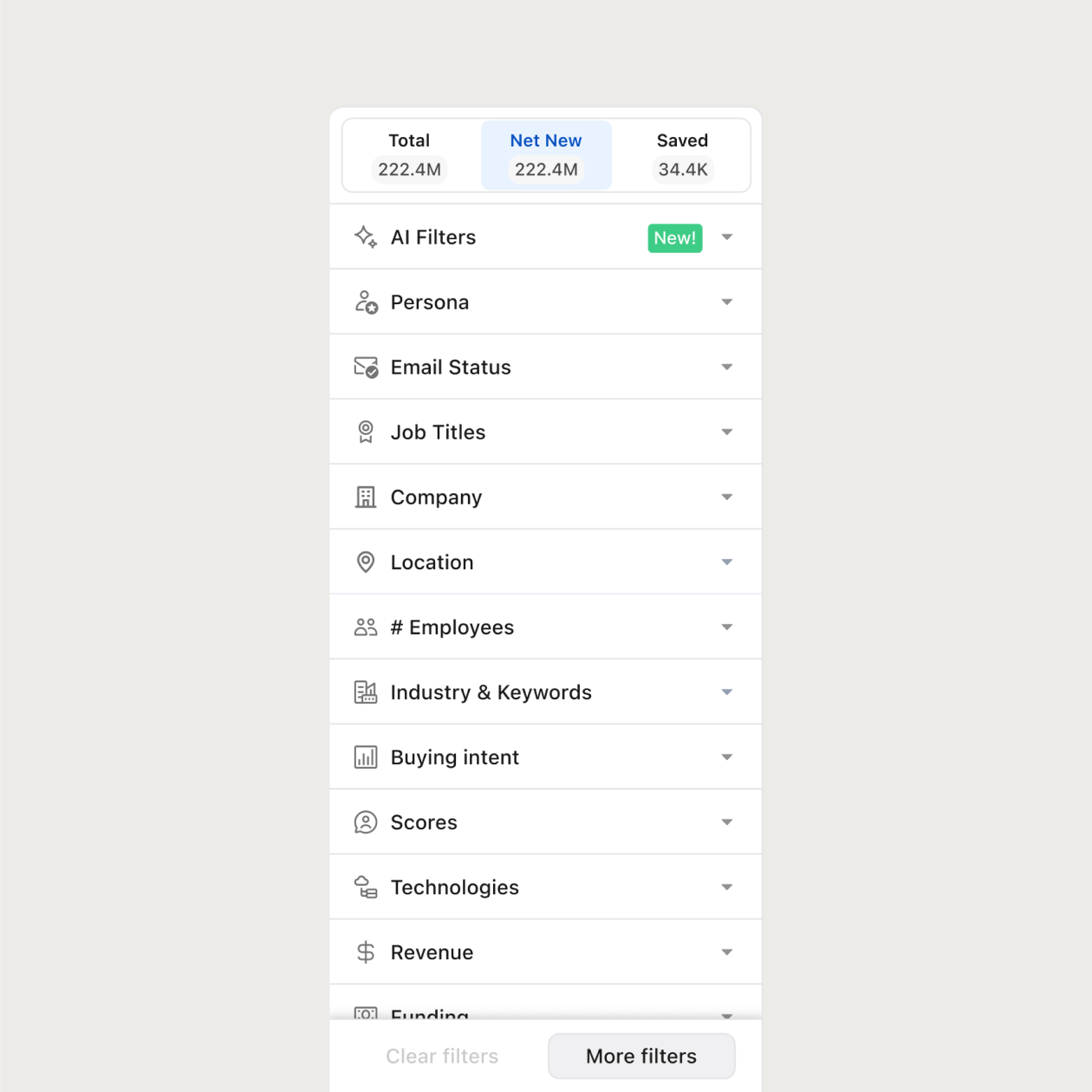
Filter by department: Azure, Enterprise, Product
Pinpoint decision-makers by title & function
Verified emails + direct phone numbers
The most loved sales platform on the planet
4.7/5 based on 9,690 reviews | GDPR Compliant





Frequently asked questions
Yes—Apollo includes verified VP, director, and senior manager contacts across Microsoft’s org.
Absolutely. You can filter Microsoft contacts by business unit, department, and function.
Yes—Apollo allows direct export to CSV or sync with Salesforce, HubSpot, and other tools.
Apollo refreshes contact records weekly to keep up with Microsoft’s shifts in org structure and team roles.
